
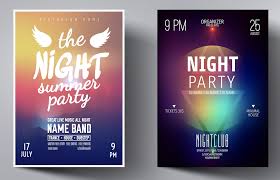
How to Print a Poster Like a Pro: A Step-by-step Guide
Are you tired of mediocre photo printing services that can’t quite deliver the quality you’re looking for? Do you want to create stunning posters that will make everyone take notice? Look no further! In this article, we’ll show you how to print a poster like a pro, using various online services and software.
Understanding Your Options
Before we dive into the nitty-gritty of printing posters, let’s take a step back and consider your options. You can either use online services that specialize in digital printing, or you can use desktop software like Microsoft Word to create and print your poster. Each option has its pros and cons, which we’ll explore below.
Online Services For Digital Printing
If you’re short on time or don’t feel like fiddling with software, using an online service is a great way to go. These services typically offer a range of templates, design tools, and printing options that can be tailored to your specific needs. Some popular online services include:
- Prinko: A leading online service for digital printing, PRiNKO offers a wide range of poster sizes, materials, and printing options.
- Stampaindigitale.It: Another popular online service, Stampaindigitale.It specializes in large-format digital printing, including posters, banners, and more.
- Extreme Printing: With a focus on professional-grade digital printing, Extreme Printing offers high-quality posters, signs, and other printed materials.
Using Microsoft Word For Poster Creation
If you’re comfortable with desktop software or have existing design experience, using Microsoft Word can be a great way to create your poster. Here’s how:
- Step 1: Open Microsoft Word: Launch the program on your PC and select “New” from the menu.
- Step 2: Choose Your Template: Browse through the various templates available in Word or use an existing design as inspiration.
- Step 3: Add Images, Text, And More: Use the built-in tools to add images, text, shapes, and other elements to your poster.
- Step 4: Print Your Masterpiece: Once you’re happy with your design, print it out on high-quality paper or cardstock.
Tips For Creating an Unforgettable Poster
Regardless of which method you choose, here are some tips for creating a truly unforgettable poster:
- Use High-quality Images: Invest in good camera equipment and editing software to ensure your images pop.
- Design With Purpose: Think about the message you want to convey and design accordingly. Keep it simple, yet effective.
- Choose The Right Materials: Depending on your print method, select materials that will enhance the overall appearance of your poster.
Conclusion
Printing a poster can be a fun and creative process when done correctly. Whether you choose an online service or desktop software like Microsoft Word, remember to keep it simple, yet effective. With these tips and guidelines, you’ll be well on your way to creating an unforgettable poster that will make everyone take notice!
Faqs
Here are some frequently asked questions about printing posters:
- What is The Best Online Service For Digital Printing?
- There are several excellent options available, including PRiNKO, Stampaindigitale.It, and Extreme Printing.
- Can I Use Microsoft Word to Create a Poster?
- Absolutely! With its user-friendly interface and built-in design tools, Microsoft Word is an ideal choice for creating posters.
- What Materials Should I Use For Printing my Poster?
- Depending on your desired finish and durability, you can choose from various materials like paper, cardstock, or even aluminum foil.
- How Long Does it Take to Print a Poster Online?
- The time required for delivery varies depending on the service provider and shipping options chosen.
- Can I Request Revisions Before Printing my Poster?
- Yes, most online services allow you to make changes or request corrections before finalizing your order.
By following these guidelines and tips, you’ll be able to create stunning posters that will leave a lasting impression on anyone who sees them. Happy designing!


