
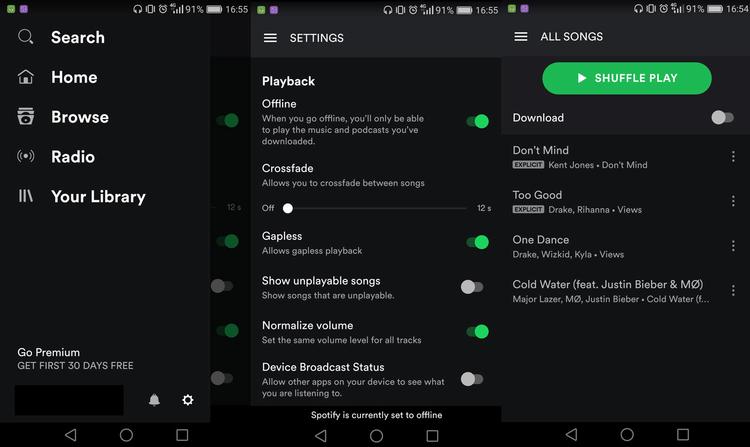
Spotify: The Ultimate Guide to Downloading Music For Free
Are you a music lover who wants to enjoy their favorite tunes without breaking the bank? Look no further than Spotify! This popular streaming service offers a wide range of music, podcasts, and video content that can be downloaded for offline listening. In this article, we’ll show you how to download music from Spotify for free on both Android and iPhone devices.
Table 1: Downloading Music From Spotify on Android
| Step | Action |
|---|---|
| 1. Open the Spotify app | Tap on the Spotify icon to open the app |
| 2. Search for a podcast or album | Type in the name of the podcast or album you want to download |
| 3. Select the desired episode or song | Choose the episode or song you want to download |
| 4. Tap on the three dots | Access the menu options by tapping on the three dots |
| 5. Select “Save as…” | Save the selected content as a local file |
Table 2: Downloading Music From Spotify on Iphone
| Step | Action |
|---|---|
| 1. Open the Spotify app | Tap on the Spotify icon to open the app |
| 2. Search for a podcast or album | Type in the name of the podcast or album you want to download |
| 3. Select the desired episode or song | Choose the episode or song you want to download |
| 4. Tap on the share icon | Share the content with other apps, such as Music or Podcasts |
| 5. Save as a local file | Save the selected content as a local file |
How to Download Music From Spotify For Free
To download music from Spotify for free, you’ll need to have the Spotify app installed on your device and an active internet connection. Here are the steps:
- Open The Spotify App: Tap on the Spotify icon to open the app.
- Search For a Podcast or Album: Type in the name of the podcast or album you want to download.
- Select The Desired Episode or Song: Choose the episode or song you want to download.
- Tap on The Three Dots: Access the menu options by tapping on the three dots.
- Save As…: Save the selected content as a local file.
What You Need to Know
- To download music from Spotify for free, you’ll need to have an active internet connection.
- The downloaded content will be stored in your device’s storage.
- You can listen to the downloaded content offline without an internet connection.
- The free version of Spotify allows you to download podcasts only.
Spotify Premium: Is it Worth It?
If you want to download music from Spotify for free on Android and iPhone devices, but also want access to more features, consider upgrading to Spotify Premium. With a premium subscription, you’ll get:
- Ad-free Listening: No ads will be played during your listening sessions.
- Offline Access: You can listen to your favorite songs offline without an internet connection.
- Higher Quality Audio: Enjoy higher quality audio with Spotify Premium.
- Exclusive Content: Get access to exclusive content, including podcasts and videos.
How to Download Music From Spotify on PC
To download music from Spotify on PC, follow these steps:
- Open The Spotify App: Launch the Spotify app on your computer.
- Search For a Podcast or Album: Type in the name of the podcast or album you want to download.
- Select The Desired Episode or Song: Choose the episode or song you want to download.
- Tap on The Three Dots: Access the menu options by tapping on the three dots.
- Save As…: Save the selected content as a local file.
Tips And Tricks
- Use Spotify’s built-in search function to find your favorite music easily.
- Create playlists to organize your music collection.
- Follow your favorite artists and podcasts for updates.
- Use the “Saved Songs” feature to save songs you like for later.
Conclusion
Downloading music from Spotify is a great way to enjoy your favorite tunes without breaking the bank. With this guide, you’ll know how to download music from Spotify on both Android and iPhone devices, as well as PC. Whether you’re a free user or premium subscriber, Spotify has something to offer everyone.
Frequently Asked Questions
- Q: Can I Download Music From Spotify For Free?
A: Yes, but only podcasts can be downloaded for free. - Q: How do I Download Music From Spotify on Android?
A: Follow the steps outlined in Table 1 above. - Q: How do I Download Music From Spotify on Iphone?
A: Follow the steps outlined in Table 2 above. - Q: Can I Listen to Downloaded Content Offline?
A: Yes, as long as you have an active internet connection when downloading the content. - Q: What’s The Difference Between Spotify Free And Premium?
A: Spotify Premium offers ad-free listening, higher quality audio, and exclusive content. - Q: Can I Download Music From Spotify on Pc?
A: Yes, but only with a premium subscription. - Q: How do I Save Songs as Local Files?
A: Follow the steps outlined in Tables 1-3 above.
I hope this article has been helpful! Let me know if you have any questions or need further clarification on any of these points.


