
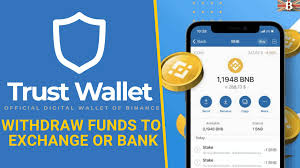
The Ultimate Guide to Trust Wallet: A Comprehensive Review
As a crypto enthusiast, you’re likely familiar with the numerous wallets available in the market. Among them, Trust Wallet stands out as one of the most popular and user-friendly options. In this article, we’ll delve into the world of Trust Wallet, exploring its features, benefits, and potential drawbacks.
What is Trust Wallet?
Trust Wallet is a software-based wallet that allows users to store, send, and receive cryptocurrencies. Developed by Binance, one of the largest cryptocurrency exchanges in the world, Trust Wallet offers a seamless experience for crypto enthusiasts.
Key Features of Trust Wallet
Before we dive deeper into the article, let’s take a look at some of the key features of Trust Wallet:
- Multi-asset Support: Trust Wallet supports over 30 different cryptocurrencies, including popular ones like Bitcoin, Ethereum, and Binance Coin.
- User-friendly Interface: The wallet’s interface is designed to be intuitive and easy to use, making it perfect for beginners.
- Mobile App Availability: Trust Wallet has both Android and iOS versions available, ensuring that users can access their funds on-the-go.
- Hardware Wallet Compatibility: Trust Wallet can be connected to hardware wallets like Ledger and Trezor, providing an additional layer of security.
How to Open a Trust Wallet Account
Opening a Trust Wallet account is relatively straightforward. Here’s a step-by-step guide:
- Download The App: Head over to the Google Play Store or Apple App Store to download the Trust Wallet app.
- Install And Launch: Install the app on your device, then launch it to begin the setup process.
- Create a New Wallet: Tap on the “Create a new wallet” button to generate a new wallet address.
- Backup Your Seed Phrase: Make sure to backup your 12-word seed phrase to prevent losing access to your funds.
How to Deposit Funds Into Trust Wallet
Depositing funds into your Trust Wallet account is easy:
- Select The Asset: Choose the cryptocurrency you want to deposit, such as Bitcoin or Ethereum.
- Scan The QR Code: Scan the QR code provided by Trust Wallet using a crypto wallet or exchange.
- Enter The Address: Manually enter the address of your Trust Wallet in the receiving field.
How to Withdraw Funds From Trust Wallet
Withdrawing funds from Trust Wallet is also relatively simple:
- Select The Asset: Choose the cryptocurrency you want to withdraw, such as Bitcoin or Ethereum.
- Enter The Address: Enter the address of the recipient’s wallet.
- Confirm The Transaction: Review and confirm the transaction details.
Potential Risks And Drawbacks
While Trust Wallet is a popular choice among crypto enthusiasts, there are some potential risks and drawbacks to consider:
- Software-based Security Risks: As with any software-based solution, Trust Wallet may be vulnerable to hacking attacks.
- Exchange Rate Fluctuations: If you’re exchanging your cryptocurrency for fiat currency, exchange rate fluctuations can affect the value of your funds.
Conclusion
Trust Wallet is an excellent choice for crypto enthusiasts looking for a user-friendly and feature-rich wallet. With its multi-asset support, mobile app availability, and hardware wallet compatibility, Trust Wallet offers a seamless experience for storing, sending, and receiving cryptocurrencies. However, it’s essential to be aware of the potential risks and drawbacks associated with software-based wallets.
Frequently Asked Questions
- What is Trust Wallet?
Trust Wallet is a software-based wallet that allows users to store, send, and receive cryptocurrencies. - How do I Open a Trust Wallet Account?
To open a Trust Wallet account, download the app, install it on your device, then launch it to begin the setup process. - What Cryptocurrencies Does Trust Wallet Support?
Trust Wallet supports over 30 different cryptocurrencies, including popular ones like Bitcoin, Ethereum, and Binance Coin. - Can I Connect my Trust Wallet to a Hardware Wallet?
Yes, Trust Wallet can be connected to hardware wallets like Ledger and Trezor, providing an additional layer of security. - How do I Withdraw Funds From Trust Wallet?
To withdraw funds from Trust Wallet, select the asset you want to withdraw, enter the address of the recipient’s wallet, then confirm the transaction details. - What Are Some Potential Risks Associated With Trust Wallet?
Some potential risks include software-based security risks and exchange rate fluctuations if exchanging cryptocurrency for fiat currency. - Is Trust Wallet Suitable For Beginners?
Yes, Trust Wallet is a great choice for beginners due to its user-friendly interface and straightforward setup process. - Can I Use Trust Wallet on Multiple Devices?
Yes, you can use Trust Wallet on multiple devices by accessing the same wallet account from different devices.
Note: The above FAQs are intended to provide general information and may not be applicable in every situation. It’s essential to consult with a financial advisor or expert before making any investment decisions.


