
Unlocking The Secrets of Bbva’s Debit Card
Are you considering opening a free account with BBVA? If so, you’re probably eager to know more about their debit card offerings. In this article, we’ll delve into the world of BBVA’s debit cards, exploring the differences between credit and debit cards, and guiding you through the process of obtaining a physical or virtual card.
Understanding Credit Vs. Debit Cards
Before we dive in, let’s clarify the distinction between credit and debit cards. A credit card allows you to make payments even when your account balance is insufficient, as the expense will be debited from your account in the following month. This means that you’re essentially contracting a debt with the bank within the monthly limits set by BBVA.
On the other hand, a debit card ensures that each transaction is debited directly from your account, without any overdrafts or additional charges. This type of card comes with daily and monthly payment limits, which are specific to your account balance.
What Type of Card Can I Get With Bbva?
BBVA only offers debit cards, not credit cards. Their virtual and physical debit cards come with unique features that cater to different user preferences.
- Virtual Debit Card: This card is free, has no hidden fees, and can be used for online transactions.
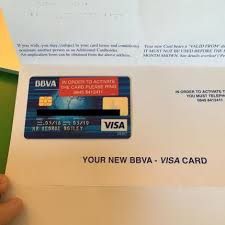
- Physical Debit Card: You’ll receive a physical card in the mail within 7-14 working days. It’s also free and has no hidden fees.
How to Get a Debit Card With Bbva
To obtain a debit card from BBVA, follow these steps:
- Open a new account on the official BBVA website or download their app for Android and iOS devices.
- Fill out the required information in the sections “Informazioni personali,” “Informazioni aggiuntive,” “Informazioni fiscali,” and “Credentials di accesso.”
- Carefully review the legal documentation and accept it by ticking the box next to the relevant option.
- Sign the document digitally using the app, then proceed with your identification process (upload a document of recognition and take a selfie).
- Once you’ve completed the identification process, click on “Continua” and select the type of card you prefer from the options: Only digital or physical + digital.
Activating Your Physical Debit Card
If you’ve opted for a physical debit card, follow these steps to activate it:
- Access your account through the app or website.
- Click on “Cardi” and select the option to activate your physical card.
- Enter the code sent via SMS in the designated field.
- Confirm the operation by clicking on the relevant button.
Managing Your Debit Card
You can manage your debit card through the app or website:
- View your card data and transaction history.
- Modify your card limits as needed.
- Generate a new CVV code for added security.
- Monitor the status of your physical card delivery.


