
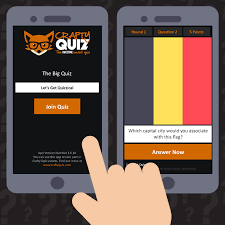
The Ultimate Guide to Creating Online Quizzes: A Comprehensive Review of The Best Apps
Are you an educator, entrepreneur, or simply someone who loves playing quizzes? Do you want to create engaging online quizzes that can help assess student knowledge, improve employee training, or even just have fun with friends and family? Look no further! In this article, we’ll explore the best apps for creating online quizzes, covering their features, pricing, and user reviews.
Why Create Online Quizzes?
Online quizzes offer a flexible and engaging way to assess knowledge, promote learning, and encourage participation. Whether you’re a teacher looking to create interactive lessons or an entrepreneur seeking to engage customers, online quizzes can help achieve your goals.
The Top Apps For Creating Online Quizzes
- Kahoot! (Android/iOS/iPadOS)
Kahoot! is a popular app for creating and sharing educational content, including quizzes. It’s free, with optional premium features, making it an excellent choice for educators and learners alike.
* Key Features: Create quizzes, surveys, presentations, and games; shareable link or QR code
* Pricing: Free (basic), $9.99/Month (premium)
* User Reviews: 4.8/5 On Google Play Store
- Surveymonkey (Android/iOS/iPadOS)
SurveyMonkey is a well-known survey creation platform that also offers quiz functionality. Its free plan allows for up to 10 questions, making it suitable for small-scale quizzes.
* Key Features: Create and share surveys, quizzes, and polls; customizable templates
* Pricing: Free (basic), $25/month (premium)
* User Reviews: 4.5/5 On Google Play Store
- Quizzer (Android)
Quizzer is a simple app for creating and sharing online quizzes. Its free version includes banner ads, but upgrading to the paid version removes them.
* Key Features: Create and share online quizzes; customizable templates
* Pricing: Free (basic), $9.99 (Upgrade)
* User Reviews: 4.3/5 On Google Play Store
- Google Forms (Online)
While not a dedicated quiz app, Google Forms offers an easy way to create online forms and surveys, including quizzes with multiple-choice questions.
* Key Features: Create and share online forms; customizable templates
* Pricing: Free
* User Reviews: 4.5/5 On the Google Form support page
Other Notable Apps
- Classroom (Android/iOS/iPadOS)
Google Classroom is an educational platform that allows teachers to create courses, lessons, and quizzes.
- Quizizz (Android/iOS/iPadOS)
Quizizz offers a free app for creating and playing online quizzes, with optional premium features.
- Questbase (Online)
QuestBase provides a service for creating and sharing online quizzes, tests, and certifications, with pricing plans starting at $109.95/Year.
Conclusion
Creating online quizzes has never been easier or more fun! With the top apps listed above, you can create engaging content to assess knowledge, promote learning, or simply enjoy some friendly competition. Remember to consider your specific needs, budget, and target audience when choosing an app.
Faqs
- What is The Best App For Creating Online Quizzes?
- Kahoot! offers a comprehensive set of features and is free, with optional premium upgrades.
- Can I Create Quizzes on Google Forms?
- Yes, Google Forms allows you to create online forms that can include multiple-choice questions.
- How do I Share my Quiz on Surveymonkey?
- After creating your quiz, click the “Share” button and select your preferred sharing method (link, QR code, email, or social media).
- Can I Use Quizzer For Free?
- Yes, but with banner ads; upgrading to the paid version removes them.
- What is The Pricing Plan For Questbase?
- Pricing starts at $109.95/Year for a basic subscription.
- How do I Create a Quiz on Google Classroom?
- Log in to your Google Classroom account, click “Create a new assignment,” and select “Quiz” as the assignment type.
- Can I Use Kahoot! For Free?
- Yes, but with limited features; upgrading to the paid version unlocks additional functionality.
Recommended Further Reading:
- How to Create Engaging Online Quizzes
- The Benefits of Online Quizzes in Education and Training
- A Review of Google Forms and Its Applications


