
Understanding IP Addresses: The Key to Identifying Online Activities
In today’s digital age, our online activities are more intertwined than ever. As we navigate through social media platforms, messaging apps, and various websites, it’s natural to wonder about the underlying mechanisms that make these interactions possible. One crucial aspect of this process is the use of IP addresses, which play a vital role in identifying and tracking online activities.
What is an IP Address?
An IP address (Internet Protocol address) is a unique numerical label assigned to each device connected to a computer network or the internet. It serves as an identifier for devices on the network, enabling them to communicate with each other and exchange data. An IP address typically consists of four numbers separated by dots, ranging from 0 to 255.
Types of IP Addresses
There are two primary types of IP addresses: Dynamic and static.
- Dynamic IP Address: This type of IP address is assigned temporarily by an Internet Service Provider (ISP) or a network router. It can change every time you connect to the internet or restart your device.
- Static IP Address: A static IP address remains the same over time, even when your device connects to different networks.
How to Find Someone’s IP Address
Finding someone’s IP address can be done through various methods:
- Email Header Analysis: By analyzing the email header, you can find the sender’s IP address.
- Facebook Profile Information: You can find a person’s IP address by accessing their Facebook profile information, provided they have made their email public.
- Whatsapp And Instagram: Using WhatsApp or Instagram requires access to the person’s account details, which may include their IP address.
Omegle
Omegle is a platform that allows users to communicate with each other anonymously. To find someone’s IP address on Omegle, you can use extensions for Google Chrome or Mozilla Firefox. These extensions allow you to view the other user’s IP address and location during live chats.
Your Own IP Address
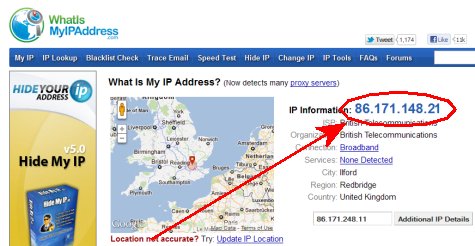
You can find your own IP address using various online services, such as WhatIsMyIP.Com. This website provides detailed information about your public and local IP addresses, including the country and region where the server is located.
Tools For Further Information
There are several tools available to help you gather more information about an IP address:
- Whatismyip.Com: This online service provides details about a specific IP address.
- Ipfingerprints: A website that offers detailed information about a given IP address.
- My Address IP (Android App): A free app for Android devices that allows you to locate an IP address on Google Maps.
In Conclusion
Understanding IP addresses is essential in today’s digital landscape. By knowing how to find and use IP addresses, you can better navigate online interactions and understand the underlying mechanisms that make these activities possible. Whether it’s finding someone’s IP address or learning about your own, being aware of these concepts can enhance your online experience.
Faqs
- Q: What is an IP Address?
A: An IP address (Internet Protocol address) is a unique numerical label assigned to each device connected to a computer network or the internet. - Q: Can I Find Someone’s IP Address on Social Media Platforms Like Facebook And Instagram?
A: Yes, you can find someone’s IP address by accessing their profile information on Facebook and Instagram, provided they have made their email public. However, this method may not always be effective or may require additional steps. - Q: How do I Find my Own IP Address?
A: You can find your own IP address using online services like WhatIsMyIP.Com or by installing a mobile app such as IP Tools: WiFi Analyzer on Android devices.


