
Recovering Your Google Account: A Step-by-step Guide
Are you worried that your Google account has been deleted or disabled? Don’t panic! In this article, we’ll show you how to recover your Google account in various scenarios.
Why Was My Google Account Disabled?
Before we dive into the recovery process, it’s essential to understand why your Google account might have been disabled. There are several reasons for this:
- Security Breaches: If you’ve been involved in a security breach or have violated Google’s terms of service, your account might be suspended.
- Suspicious Activity: If Google detects suspicious activity on your account, it may be temporarily disabled to prevent further issues.
- Account Abuse: In rare cases, users have intentionally abused their accounts, leading to temporary or permanent disactivation.
Recovering a Disabled Google Account
If you’ve received a message stating that your Google account has been deleted or disabled, don’t worry! You can still recover it by following these steps:
Step 1: Check The Deletion Date
The sooner you act, the better. If your account was recently deleted (within the last few hours or days), there’s a higher chance of recovery.
Step 2: Visit The Google Account Recovery Page
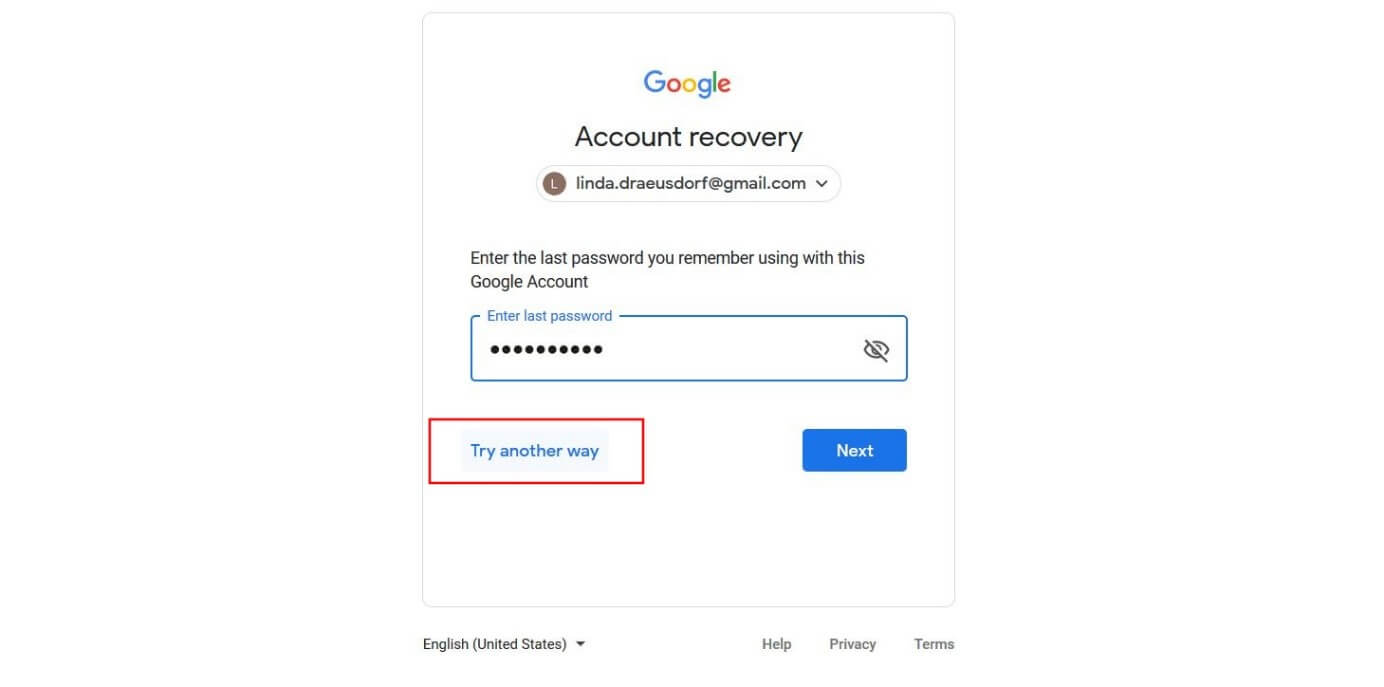
Go to the Google Account Recovery page and sign in with your email address and password. If you’ve forgotten your password, click on “Forgot password” to reset it.
Step 3: Verify Your Identity
To recover your account, Google may ask you to verify your identity by providing additional information or answering security questions.
Step 4: Request Account Recovery
Once you’ve verified your identity, request account recovery. Google will guide you through the process of restoring your account.
Additional Scenarios And Solutions
If your account was deleted due to a phone number change or Authenticator issues, here are some additional solutions:
- Recovering an Account Without a Phone Number: If you don’t have access to your old phone number, try using another recovery method like email or security questions.
- Recovering an Account With Authenticator Issues: Contact Google’s support team for assistance. They may be able to help you reset your Authenticator app.
Conclusion
Don’t let a disabled Google account stress you out! By following these steps and staying calm, you can recover your account and access all the services associated with it. If you’re still having trouble, don’t hesitate to reach out to Google’s support team for further assistance.
Faqs
Q: What Are Some Common Reasons Why my Google Account Might be Disabled?
A: Your account may be disabled due to security breaches, suspicious activity, or account abuse.
Q: How Can I Recover a Deleted Google Account?
A: You can try visiting the Google Account Recovery page and following the steps outlined above.
Q: If I Don’t Have Access to my Old Phone Number, What Should I Do?
A: Try using another recovery method like email or security questions. If that doesn’t work, contact Google’s support team for assistance.
Q: How Can I Recover an Account With Authenticator Issues?
A: Contact Google’s support team for help resetting your Authenticator app.
Q: What if my Phone is Broken or Stolen?
A: Don’t worry! Your data is safe on Google’s servers. You can still recover your account by accessing it from another device and following the recovery process.
Q: How Long Does it Take to Recover a Deleted Google Account?
A: The time it takes to recover an account varies depending on the reason for deletion and how quickly you act. In most cases, it should take only a few hours or days.


