
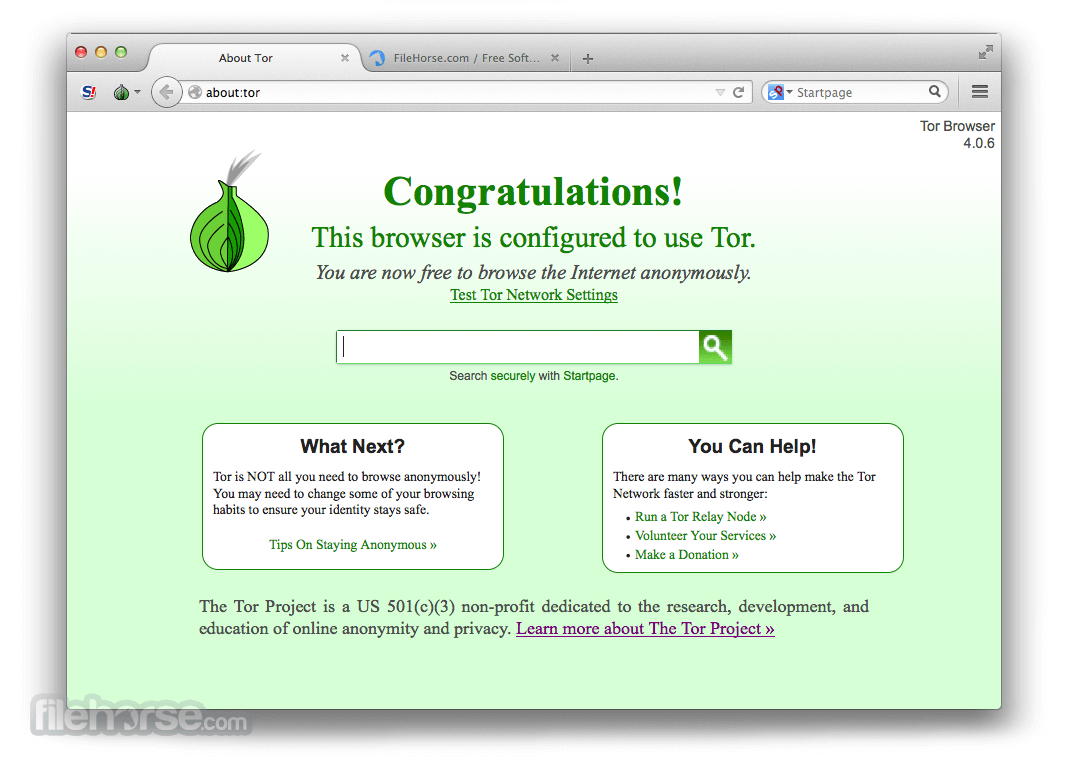
How To Use Tor: A Comprehensive Guide
In today’s digital age, online safety and privacy are top concerns for many individuals. With the rise of cybersecurity threats and government surveillance, it’s more important than ever to protect your online identity. One way to do this is by using a powerful tool called Tor.
Tor, short for The Onion Router, is a free, open-source browser that allows you to browse the internet anonymously and securely. In this article, we’ll delve into the world of Tor, exploring its features, benefits, and how to use it on various devices.
What Is Tor?
Tor is a network of virtual tunnels that allows users to access the internet without revealing their IP address or location. When you use Tor, your data is encrypted and routed through multiple nodes (computers) before reaching its final destination. This process makes it difficult for anyone to track your online activities.
How Does Tor Work?
Imagine sending a letter to a friend without revealing your identity. You would give the letter to a trusted person, who would then give it to another person, and so on, until it reaches your friend. Each person in this chain would only know the name of the person who gave them the letter, not the original sender or recipient.
Tor works similarly, using a network of volunteer-run servers (nodes) to encrypt and forward your internet traffic. Your data is split into smaller pieces and sent through multiple nodes, making it difficult for anyone to track its origin or destination.
Benefits of Using Tor
Using Tor offers several benefits, including:
- Anonymity: Tor helps you browse the internet without revealing your IP address or location.
- Security: Tor encrypts your data, protecting it from interception and eavesdropping.
- Privacy: Tor prevents others from tracking your online activities.
- Access to Restricted Content: Tor allows you to access websites and resources that are blocked in your region.
How to Use Tor
Using Tor is relatively straightforward. Here’s a step-by-step guide:
Using Tor on Windows
- Download the Tor Browser installer from the official Tor website.
- Run the installer and follow the prompts to install the browser.
- Launch the Tor Browser and click “Connect” to establish a connection to the Tor network.
Using Tor on Macos
- Download the Tor Browser dmg file from the official Tor website.
- Open the downloaded file and drag the icon into the Applications folder.
- Launch the Tor Browser and click “Start” to connect to the Tor network.
Using Tor on Android
- Download the Tor Browser APK file from the official Tor website or Google Play Store.
- Install the app and launch it.
- Tap “Connect” to establish a connection to the Tor network.
Using Tor on Ios
Unfortunately, there is no official Tor browser available for iOS devices. However, you can use Onion Browser, a third-party app that offers similar functionality.
Tips And Best Practices
- Use a Vpn: Consider using a virtual private network (VPN) in addition to Tor for enhanced security.
- Update Your Tor Browser Regularly: Regular updates ensure you have the latest security patches and features.
- Be Cautious of Phishing Scams: Avoid clicking on suspicious links or providing sensitive information while using Tor.
Conclusion
Tor is a powerful tool that provides users with anonymity, security, and privacy online. By following this guide, you can learn how to use Tor effectively on various devices. Remember to always use caution when browsing the internet, especially on public networks or unsecured connections.
Frequently Asked Questions (FAQs)
- What is The Difference Between Tor And a Vpn?
Tor encrypts your data and routes it through multiple nodes before reaching its final destination, while a VPN creates a secure connection between your device and a VPN server. - Is Tor Safe to Use?
Yes, Tor is generally considered safe to use, but it’s essential to be cautious of phishing scams and other online threats. - Can I Access Restricted Content Using Tor?
Yes, Tor allows you to access websites and resources that are blocked in your region. - Do I Need to Install Any Additional Software or Extensions to Use Tor?
No, the Tor browser includes all necessary components for secure browsing. - Will Using Tor Slow Down my Internet Connection?
Tor’s encryption process can cause a slight delay in internet speeds, but this is usually not noticeable. - Can I Use Tor on Public Wi-fi Networks?
Yes, Tor provides an additional layer of security when using public Wi-Fi networks. - Is it Possible to Track Someone Who Uses Tor?
While Tor makes it difficult to track users, it’s not impossible. Advanced techniques and resources can be used to identify individuals using Tor.
I hope this article has provided you with a comprehensive understanding of how to use Tor and its benefits. If you have any further questions or concerns, feel free to ask!


