
Unlocking The Power of Personalization: A Step-by-step Guide to Adding Links in Instagram Bio
Are you tired of feeling like your Instagram profile is missing something? Do you want to take your online presence to the next level? Look no further! In this article, we’ll show you how to add links in your Instagram bio, a game-changing feature that can help you reach new heights.
Why Add Links to Your Instagram Bio?
Before we dive into the nitty-gritty of adding links, let’s talk about why it’s so important. Having a link in your Instagram bio can:
- Drive traffic to your website or blog
- Increase engagement and reach new audiences
- Showcase your personality and style
- Help you build brand awareness
How to Add Links to Your Instagram Bio (Android And Iphone)
Now that we’ve covered the why, let’s get to the how! Here’s a step-by-step guide on how to add links in your Instagram bio using Android or iPhone:
- Open The Instagram App: First things first, make sure you have the latest version of the Instagram app installed on your device.
- Tap on The Three Horizontal Lines: Go to your profile page and tap on the three horizontal lines (≡) located at the top right corner of the screen.
- Select “Edit Profile”: Tap on “Edit Profile” to enter edit mode.
- Scroll Down to The “Links” Section: You’ll see a new section called “Links”. This is where you can add links to your Instagram bio.
- Tap on “Add Link”: Select the “Add Link” option and type in the URL of the website or page you want to link to.
- Customize Your Link Title: Enter a title for your link that describes what it’s about.
- Save Changes: Once you’re done, tap on the “Save Changes” button.
Tips And Tricks
Here are some additional tips to keep in mind when adding links to your Instagram bio:
- Use Clear And Concise Language: Make sure your link title is easy to understand and reflects the content of the linked page.
- Keep it Short And Sweet: You can add up to 5 links, so don’t overdo it!
- Make Sure It’s Mobile-friendly: Remember that most Instagram users access their accounts on mobile devices.
How to Add Links to Your Instagram Bio (Desktop)
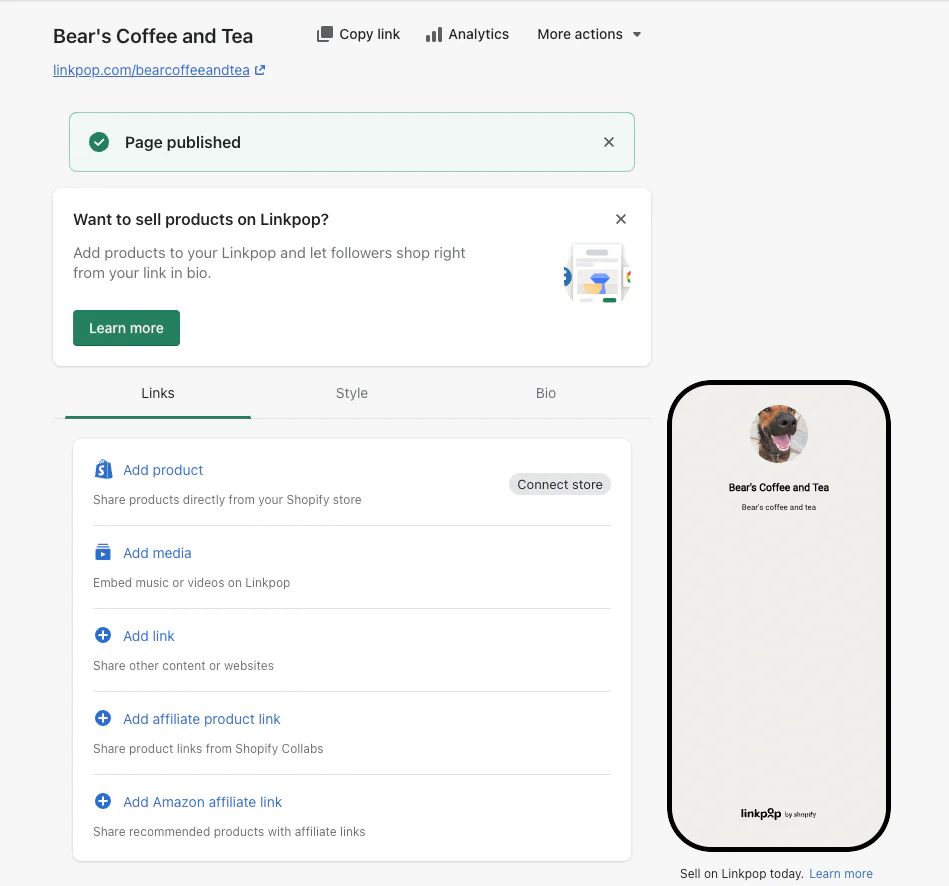
Unfortunately, adding links directly to your Instagram bio from a desktop computer is not currently possible. However, you can use a third-party app or service to create a personalized link that directs visitors to multiple websites.
How to Add Multiple Links to Your Instagram Bio
Want to add more than one link to your Instagram bio? You can do so by using a tool like Linktree. Here’s how:
- Create an Account on Linktree: Sign up for a free account on Linktree and follow their setup guide.
- Add Links: Add the websites or pages you want to link to, and customize the title of each link.
- Copy Your Linktree Url: Copy the unique URL provided by Linktree.
How to Add Links to Your Instagram Bio (TikTok)
Adding links to your TikTok bio is a bit more complicated than on Instagram. To do so, you’ll need to have at least 5,000 followers and follow these steps:
- Open The Tiktok App: Make sure you have the latest version of the TikTok app installed.
- Tap on The Three Horizontal Lines: Go to your profile page and tap on the three horizontal lines (≡) located at the top right corner of the screen.
- Select “Edit Profile”: Tap on “Edit Profile” to enter edit mode.
- Scroll Down to The “Links” Section: You’ll see a new section called “Links”. This is where you can add links to your TikTok bio.
Additional Tips For Adding Links on Tiktok
Here are some additional tips to keep in mind when adding links on TikTok:
- Make Sure You Have at Least 5,000 Followers: To add links to your TikTok bio, you need to have a minimum of 5,000 followers.
- Use Clear And Concise Language: Make sure your link title is easy to understand and reflects the content of the linked page.
Conclusion
Adding links in your Instagram bio is an easy way to take your online presence to the next level. Whether you’re looking to drive traffic to your website or increase engagement, these simple steps will help you achieve your goals. Remember to keep it short and sweet, and don’t overdo it!
Faqs
Here are some frequently asked questions about adding links in Instagram bio:
Q: Can I Add Multiple Links to my Instagram Bio?
A: Yes, you can add up to 5 links directly to your Instagram bio.
Q: How do I Add a Link to my Instagram Bio From a Desktop Computer?
A: Unfortunately, it’s not currently possible to add links directly to your Instagram bio from a desktop computer. However, you can use a third-party app or service like Linktree.
Q: Can I Add Links to my Tiktok Bio?
A: Yes, but only if you have at least 5,000 followers.
Product Review
We also reviewed the Soundcore Q30 Bluetooth earphones with noise cancellation. Here’s what we found:
The Soundcore Q30 is a true gem in the world of portable audio. With their active hybrid cancellation technology, these earphones deliver an immersive listening experience that isolates you from external rumbles up to 95%. The drivers produce detailed sound with a wide range of frequencies, making them perfect for music enthusiasts.
Additional Product Reviews
We also reviewed the Soundcore Q20i Bluetooth over-ear headphones. Here’s what we found:
The Soundcore Q20i is another top-notch product from Soundcore. With their active hybrid cancellation technology, these headphones deliver an immersive listening experience that isolates you from external rumbles up to 90%. The drivers produce detailed sound with a wide range of frequencies, making them perfect for music enthusiasts.
Conclusion
In conclusion, adding links in your Instagram bio is a great way to take your online presence to the next level. Whether you’re looking to drive traffic to your website or increase engagement, these simple steps will help you achieve your goals. Remember to keep it short and sweet, and don’t overdo it!
Product Review Links
Here are some product review links that we found interesting:
- Soundcore Q30 Bluetooth earphones with noise cancellation
- Soundcore Q20i Bluetooth over-ear headphones
Note: These are external links and not affiliated with our website.


