
How to Create a Successful Ecommerce Store With Shopify
Are you looking to expand your online business but don’t know where to start? do you want to open an online shop but don’t have the budget to invest in this venture? then, consider using a service like shopify. If I had never heard of shopify, I would say it’s a solution that has been used by over 1,000,000 shops worldwide, and it affords to create a flawless ecommerce store optimized for desktop and mobile devices.
Understanding The Basics of Shopify
Before diving into the tutorial, let’s take a look at the different plans offered by shopify. The service offers three main plans: Basic shopify, shopify, and advanced shopify. Each plan has its own set of features and pricing, which we’ll explore in detail below.
Shopify Plans
First to Come in in The Alive of The tutorial And explain to You Like Creating an Ecommerce With Shopify, #would seem *dutiful to give an overview on the pianos bid of the service and on their characteristics. Prefixed that #be possible to open an ecommerce free for 14 days (or of any more, to example 90 days, in the chronologies of promo) without inserting some data of payment, the plans that subsequently #be possible to subscribe are the following. *
Basic Shopify – #comprise #everything #the One Who #serves to Back a New Shop For 21 Euros/month With Annual Turnover or 28 Euros/month With Monthly Turnover. It #include a Website of Ecommerce With a Blog; Boundless Products; 2 Staff Accounts; 24/7 Assistance in English; The Possibility to Explode Various Channels of Sale Like Marketplace And Social Media (the Availability of The Channels of Sale Can Range to According to The Country); The Manual Creation of The Commands; The Possibility to Integrate Discount Codes; Certified Ssl Free And Recovery of The Abandoned Trolleys.
Shopify – to Bring The Own Shop to a Subsequent Level, Costs 59 Euros/month With Annual Turnover or 78 Euros/month With Monthly Turnover. It #comprise #all The Advantages of The Basic Plan, With 5 Account Staff; The Possibility to Insert Good Gift And The Reporting.
Advanced Shopify – With #all The Most Advanced Functions to Enlarge Your Own Business, Costs 289 Euros/month With Annual Turnover or 384 Euros/month With Monthly Turnover. It #comprise #all The Advantages of The Shopify Plan, With 15 Account Staff; Advanced Reporting And Charges of Dispatch (#display Charges Calculated With The Own Account or by Means of Other App For The Dispatches in Phase of Checkout).
Like #function Shopify
Before diving into the tutorial, let’s take a look at how shopify functions. Shopify is an ecommerce platform that allows you to create an online store without any technical knowledge.
To create a shop and manage it better on this platform, follow these steps:
-
Create The Shop: To open your ecommerce on shopify, do not have to do anything else than connect to the official site of the service, type your email address in the appropriate countryside of text and click on the #start button the free proof.
-
Manage The Shop: At first access, in the home section of the panel of management of shopify, you will find some very helpful indications to prepare you to sell online. To example, you may be asked to insert any missing tax information (*e.G. The split VAT).
-
Produced And Orders: To proceed with the added of the products, click on the add produced button. Alternatively, select the voice produced of the lateral menu and click on the add produced button.
-
Appearance And Pages: After having added products to #yours ecommerce, you can spend on the customization of the topic and of the pages of the shop of doing see to the clients.
-
For Greater Information: If you need greater information on shopify and on its operation, consult the shopify assistance center that includes informational articles on the first paces of move to the inner of the platform, the modes to sell, the configuration and the management of the shop and a lot of another even.
Create The Shop
To create your ecommerce store on shopify, follow these steps:
-
Connect to The Official Website: Connect to the official website of shopify and type your email address in the appropriate countryside of text.
-
Start The Free Proof: Click on the button #start the free proof to create an ecommerce store without any payment.
-
Type The Password And Name Shop: Type the password that you want to use for your shop and the name of your shop in the appropriate countrysides of text.
-
Create Your Shop: Click on the create your shop button to go ahead.
-
Choose Your Plan: Choose your shopify plan based on your needs and budget.
Manage The Shop
To manage your ecommerce store on shopify, follow these steps:
-
Access to The Panel of Management: Access to the panel of management of shopify using your password.
-
Prepare to Sell Online: Prepare to sell online by following the helpful indications in the home section.
-
Add Products And Collections: Add products and collections to your ecommerce store.
-
Manage Orders And Trolleys Abandoned: Manage orders and trolleys abandoned.
-
Analyze Statistics: Analyze statistics of your shop using the analysis section.
Produced And Orders
To manage products and orders on shopify, follow these steps:
-
Add a New Product: Add a new product to your ecommerce store by clicking on the add produced button.
-
Edit or Delete a Product: Edit or delete a product by selecting it in the menu of the left.
-
Manage Inventory And Variants: Manage inventory and variants of products.
-
Create Gift Coupons: Create gift coupons for your clients using the coupons section.
-
Manage Orders And Abandoned Trolleys: Manage orders and abandoned trolleys using the orders section.
Appearance And Pages
To personalize the topic and pages of your ecommerce store, follow these steps:
-
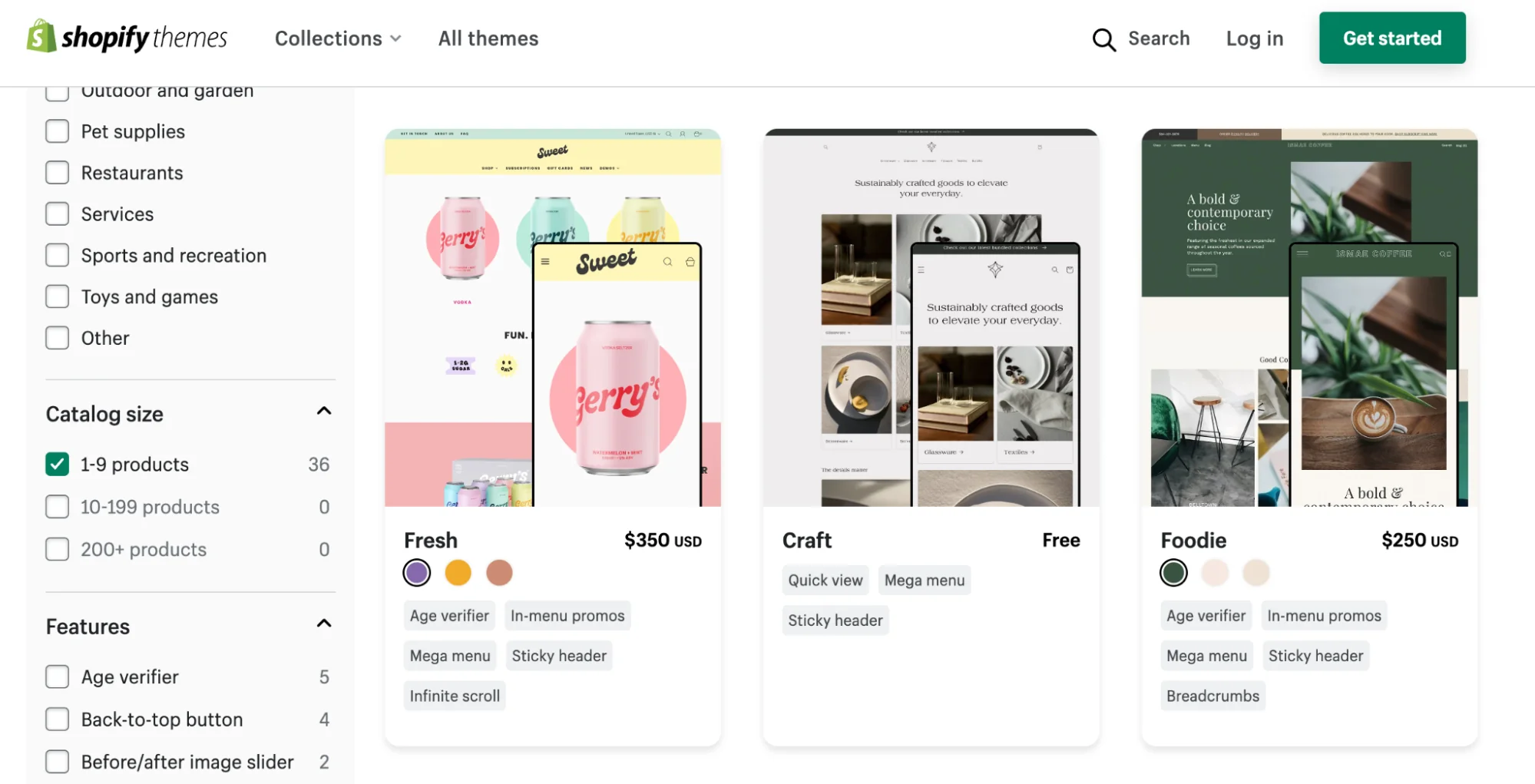
Choose a Theme: Choose a theme for your ecommerce store from the themes section.
-
Personalize The Topic: Personalize the topic by clicking on the customize button relative to the topic in use.
-
Add New Sections And Pages: Add new sections and pages to your ecommerce store using the pages section.
-
Manage Menus: Manage menus of your ecommerce store using the navigation section.
-
Manage Orders And Abandoned Trolleys: Manage orders and abandoned trolleys using the orders section.
For More Information
For more information on shopify and its operation, consult the shopify assistance center that includes informational articles on the first paces of moving to the inner of the platform, the ways to sell, the configuration and the management of the shop and a lot of another even .
As #function Shopify
Shopify is an ecommerce platform that allows you to create an online store without any technical knowledge. To create a shop and manage it better on this platform, follow these steps:
-
Create The Shop: Connect to the official website of shopify and type your email address in the appropriate countryside of text.
-
Manage The Store: Access to the panel of management of shopify using your password.
-
Produced And Orders: Add products and collections to your ecommerce store by clicking on the add produced button.
-
Appearance And Pages: Personalize the topic and pages of your ecommerce store by choosing a theme and personalizing it.
-
For Greater Information: Consult the shopify assistance center for more information on shopify and its operation.
Conclusion
Creating an ecommerce store with shopify is easier than you think. With these simple steps, you can set up a successful online store that will help you reach new customers and grow your business. Don’t forget to take advantage of the many tools and resources available to you in the shopify platform to make your store run smoothly and efficiently.
Frequently Asked Questions
-
What is Shopify?: Shopify is an ecommerce platform that allows you to create an online store without any technical knowledge.
-
How do I Create a Shop on Shopify?: To create a shop on shopify, follow these steps: Connect to the official site of shopify and type your email address in the appropriate countryside of text. Click on the button #start the free proof to create an ecommerce store without any payment.
-
How do I Manage my Ecommerce Store on Shopify?: To manage your ecommerce store on shopify, follow these steps: Access to the panel of management of shopify using your password. Prepare to sell online by following the helpful indications in the home section.
-
What Are The Different Plans Offered by Shopify?: The service offers three main plans: Basic shopify, shopify, and advanced shopify.
-
How do I Personalize The Topic And Pages of my Ecommerce Store on Shopify?: To personalize the topic and pages of your ecommerce store on shopify, follow these steps: Choose a theme for your ecommerce store from the themes section . Personalize the topic by clicking on the personalize button relating to the topic in use.
Conclusion
Creating an ecommerce store with shopify is easier than you think. With these simple steps, you can set up a successful online store that will help you reach new customers and grow your business. Don’t forget to take advantage of the many tools and resources available to you in the shopify platform to make your store run smoothly and efficiently.


