
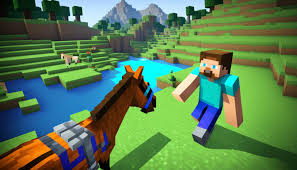
How to Ride a Horse in Minecraft: A Step-by-step Guide
Are you tired of walking around in Minecraft? Do you want to travel quickly and efficiently across the game’s vast world? Look no further! Riding a horse is a great way to explore Minecraft, and with this guide, you’ll learn how to do it like a pro.
What You Need to Know Before Riding a Horse
Before we dive into the step-by-step instructions, there are a few things you should know about horses in Minecraft. Horses come in various colors and types, including horses, donkeys, mules, zombie horses, and skeleton horses. Each type has its unique characteristics and abilities.
Types of Horses in Minecraft
- Horse: The most common type of horse, which can be found in the game’s world.
- Donkey: A longer-eared, smaller version of a horse that can carry items.
- Mule: A hybrid of a horse and a donkey.
- Zombie Horse: A green-skinned horse with black eyes that can be aggressive.
- Skeleton Horse: A horse skeleton that can generate skeletons.
How to Ride a Horse in Minecraft
Riding a horse is relatively simple, but it does require some practice. Here’s how to do it:
- Find a Horse: First, you need to find a horse in the game’s world. You can find them in various biomes, such as plains or forests.
- Tame The Horse: Once you’ve found a horse, you need to tame it by right-clicking on it with a saddle. This will make the horse follow you.
- Mount The Horse: To mount the horse, simply jump onto its back and hold Shift (on PC) or the “Crouch” button (on console).
- Ride The Horse: You can now ride the horse by holding Shift (on PC) or the “Crouch” button (on console). The horse will move at a faster speed than you would on foot.
How to Ride Donkeys, Mules, Zombie Horses, And Skeleton Horses
Donkeys, mules, zombie horses, and skeleton horses can be ridden in the same way as regular horses. However, they have some unique features:
- Donkey: Can carry items in a trunk.
- Mule: A hybrid of a horse and a donkey that can carry items.
- Zombie Horse: Can be aggressive and generate skeletons.
- Skeleton Horse: Can generate skeletons.
Tips For Riding Horses
Here are some tips to help you ride horses like a pro:
- Choose The Right Horse: Each type of horse has its unique characteristics, so choose one that suits your needs.
- Tame The Horse: Taming a horse is essential before riding it. You can use a saddle or other items to tame a horse.
- Practice Makes Perfect: Riding horses takes practice, so don’t get discouraged if you don’t get it right away.
Conclusion
Riding a horse in Minecraft is a great way to explore the game’s world quickly and efficiently. With this guide, you should now know how to ride various types of horses, including donkeys, mules, zombie horses, and skeleton horses. Happy riding!
Faqs
- Q: What Are The Different Types of Horses in Minecraft?
A: Horses come in various colors and types, including horses, donkeys, mules, zombie horses, and skeleton horses. - Q: How do I Tame a Horse?
A: You can tame a horse by right-clicking on it with a saddle or other items. - Q: Can I Ride Donkeys And Mules?
A: Yes, you can ride donkeys and mules in the same way as regular horses. - Q: What Are The Differences Between a Zombie Horse And a Skeleton Horse?
A: A zombie horse is a green-skinned horse with black eyes that can be aggressive, while a skeleton horse generates skeletons. - Q: How do I Ride a Horse in Minecraft?
A: To ride a horse, simply jump onto its back and hold Shift (on PC) or the “Crouch” button (on console). - Q: Can I Carry Items on a Donkey?
A: Yes, you can carry items in a trunk on a donkey. - Q: How do I Tame a Mule?
A: You can tame a mule by breeding a horse and a donkey together. - Q: What Are The Benefits of Riding a Horse in Minecraft?
A: Riding a horse allows you to travel quickly and efficiently across the game’s world, making it easier to explore and find resources.


