
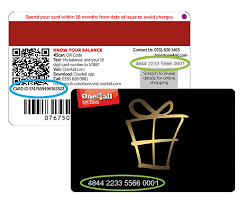
Controlling Your Card Shoppings: A Step-by-step Guide
As a responsible citizen, it’s essential to keep track of your expenses, especially when it comes to electronic payment cards like the Card Shoppings. In this article, we’ll guide you through the process of controlling your Card Shoppings, both online and offline.
Understanding The Basics
Before diving into the nitty-gritty details, let’s understand what the Card Shoppings is. The Card Shoppings is a card of electronic payment contacted to disposal by Italian Mails (circuit Mastercard) since 2008. It’s designed for families with minors aged three or citizens over 65 years old, who face economic difficulties.
How Much Does it Cost?
The Card Shoppings costs €40 per month and is burdened every two months with €80 (€40 x 2 = €80) based on the available road fundaments. This makes it an affordable option for those in need.
Why Do You Need to Control Your Card Shoppings?
It’s crucial to keep track of your expenses, especially when using a card like the Card Shoppings. By controlling your card shoppings, you can avoid overdrafts and ensure that your balance is always up-to-date.
How to Control Your Card Shoppings Online
To control your Card Shoppings online, follow these steps:
- Access The Inps Portal: Go to the INPS (Istituto Nazionale della Previdenza Sociale) portal.
- Click on Access in Tall: Click on the “Access in Tall” button and choose the access modality that suits you best (SPID, CIE, or CNS).
- Follow The Instructions: Follow the instructions to access your account.
Controlling Your Card Shoppings Via Sms
You can also control your Card Shoppings via SMS by recording your mobile number and receiving balance updates on a regular basis.
- Record Your Mobile Number: Record your mobile number with the Card Shoppings service.
- Get Balance Updates: Get balance updates via SMS every time you make a purchase or receive credit on your card.
Controlling Your Card Shoppings Offline
You can also control your Card Shoppings offline using an ATM or Postamat.
- Use an Atm or Postamat: Use an ATM or Postamat to check your available balance and transaction history.
- Visit a Postal Office: Visit a postal office for assistance with any issues related to your Card Shoppings.
Understanding The Fees
The Card Shoppings has various fees associated with it, including a monthly fee of €40 and a burden of €80 every two months based on the available road fundaments.
Common Questions And Answers
Here are some frequently asked questions and answers about controlling your Card Shoppings:
- Q: How do I control my Card Shoppings online?
A: You can access your account via the INPS portal or use the mobile app. - Q: Can I control my Card Shoppings offline?
A: Yes, you can use an ATM or Postamat to check your balance and transaction history. - Q: How do I get balance updates via SMS?
A: Record your mobile number with the Card Shoppings service and receive balance updates on a regular basis.
Conclusion
Controlling your Card Shoppings is essential to avoid overdrafts and ensure that your balance is always up-to-date. By following these steps, you can manage your card shoppings online and offline with ease. Remember to keep track of your expenses and fees associated with the Card Shoppings.


