
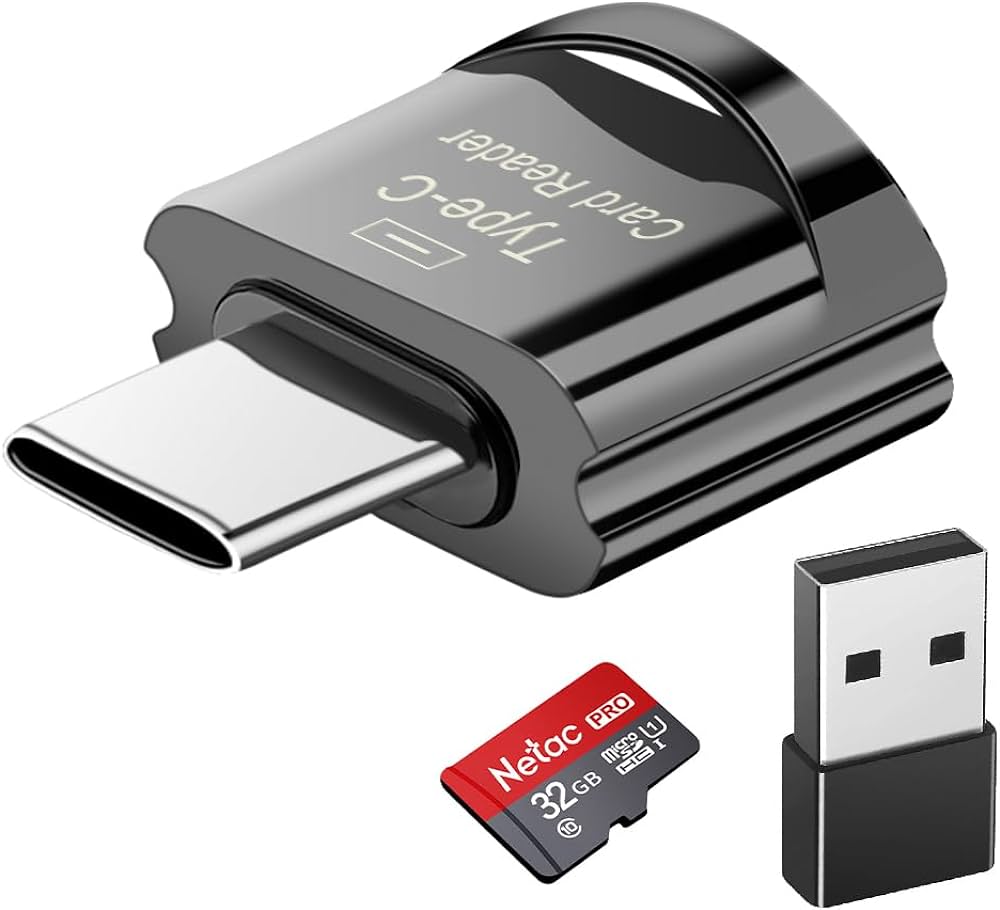
Adapter Micro Sd: A Guide to Its Function And Usage
Are you curious about the world of microSD adapters? Look no further! In this article, we will delve into the world of these handy devices and explore their function, usage, and benefits.
What is a Micro SD Adapter?
A microSD adapter is a device that allows you to transform your microSD card into a standard SD card format. This makes it possible to use your microSD card in devices that only have an SD card slot, such as cameras, camcorders, or even some smartphones.
Types of Micro SD Adapters
There are two main types of microSD adapters: Those that transform the microSD card into a standard SD card format, and those that turn the microSD card into a USB drive. The first type is usually included with the microSD card purchase, while the second type can be purchased separately.
How to Use a Micro SD Adapter
Using a microSD adapter is relatively simple. First, you need to insert your microSD card into the adapter, making sure it’s oriented correctly. Then, you can plug the adapter into a USB port on your computer or other device. The operating system will recognize the microSD card as if it were a standard SD card.
Benefits of Using a Micro SD Adapter
Using a microSD adapter has several benefits, including:
- Increased Compatibility: By transforming your microSD card into a standard SD card format, you can use it in devices that only have an SD card slot.
- Convenience: No more worrying about carrying around separate adapters or converters.
- Space-saving: Since the adapter is small and lightweight, you can easily carry it with you.
What to Look For When Buying a Micro SD Adapter
When buying a microSD adapter, look for one that has the following features:
- Compatibility: Make sure the adapter is compatible with your device and operating system.
- Quality: Choose an adapter made from high-quality materials that will last.
- Speed: Opt for an adapter that supports fast speeds, such as USB 3.0 Or higher.
Conclusion
In conclusion, microSD adapters are a useful tool for anyone who wants to increase the compatibility of their microSD card with various devices. By understanding how they work and what features to look for when buying one, you can take advantage of this convenient technology.
Frequently Asked Questions (FAQs)
Here are some frequently asked questions about microSD adapters:
- What is a Microsd Adapter Used For?
A microSD adapter is used to transform your microSD card into a standard SD card format. - How do I Use a Microsd Adapter?
To use a microSD adapter, simply insert your microSD card into the adapter, and then plug it into a USB port on your computer or other device. - What Are The Benefits of Using a Microsd Adapter?
The benefits of using a microSD adapter include increased compatibility, convenience, and space-saving. - How do I Choose The Right Microsd Adapter?
When choosing a microSD adapter, look for one that is compatible with your device and operating system, made from high-quality materials, and supports fast speeds. - Can I Use a Microsd Adapter to Transfer Data Between Devices?
Yes, you can use a microSD adapter to transfer data between devices by plugging it into a USB port on both devices.
Recommended Products
Here are some recommended products related to microSD adapters:
- Ugreen Micro SD Adapter: A high-quality microSD adapter that supports fast speeds and is compatible with most devices.
- Vanja Micro SD Reader: A versatile device that can read and write data to microSD cards, as well as other types of memory cards.
- Beikell Micro SD Adapter: A compact and lightweight microSD adapter that is easy to use and supports fast speeds.
Best Practices
Here are some best practices for using a microSD adapter:
- Always Insert The Microsd Card Into The Adapter Correctly to avoid damaging it.
- Use High-quality Materials when choosing an adapter to ensure durability and longevity.
- Check Compatibility before buying an adapter to ensure it works with your device and operating system.
Note: The article is written in a conversational style, using personal pronouns and rhetorical questions to engage the reader.


