
Unlocking The Power of Instagram Notes: A Comprehensive Guide
Are you tired of scrolling through your Instagram feed, only to see a bunch of posts that are no longer relevant or interesting? Do you wish there was a way to share quick updates with your followers without having to post a new photo or video? Look no further than Instagram Notes!
What Are Instagram Notes?
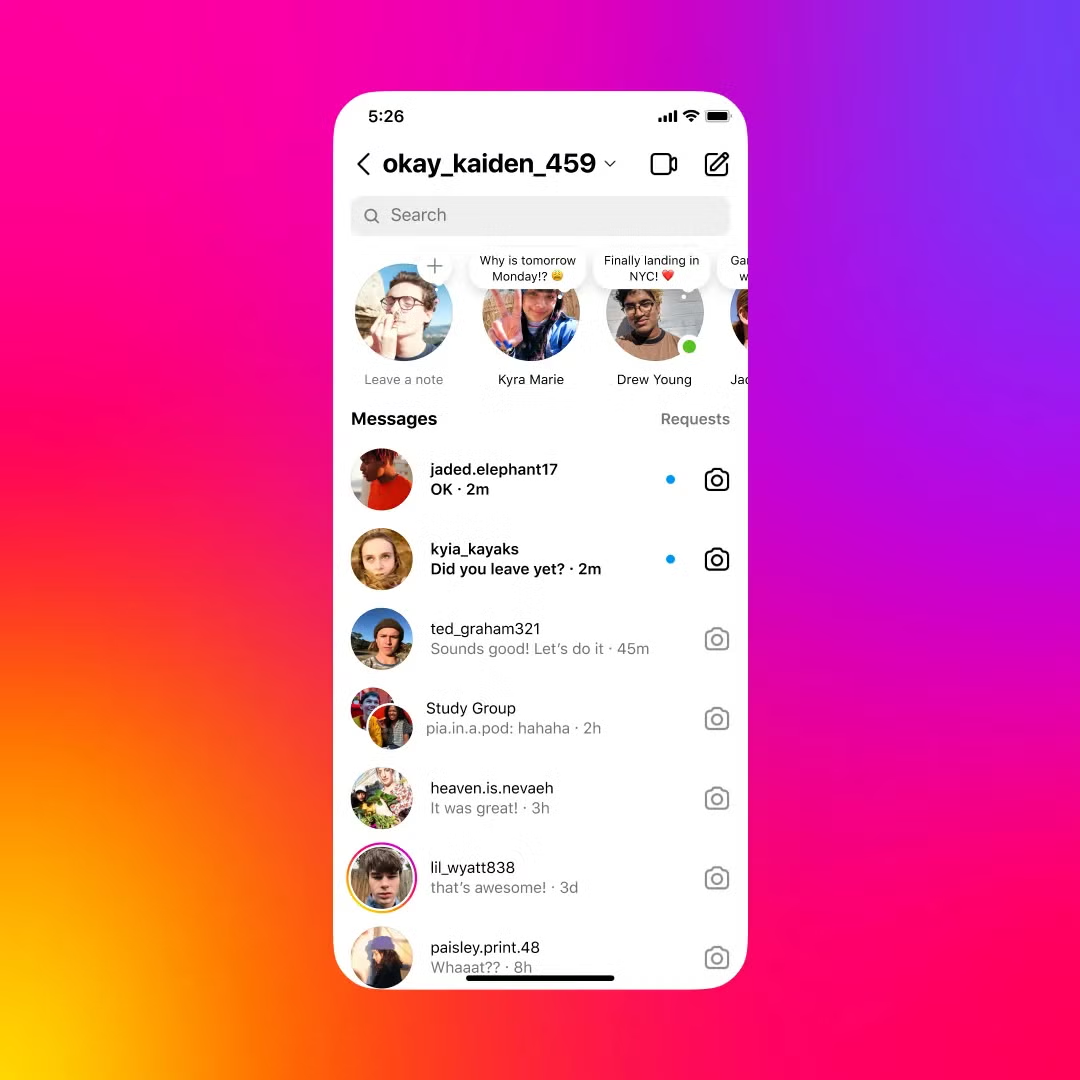
Instagram Notes is a feature that allows users to share brief, ephemeral updates with their followers. These notes can be thought of as a cross between a Facebook status update and a Twitter tweet. They’re designed to be short, concise, and easy to consume, making them perfect for sharing quick thoughts or updates.
How Do I Use Instagram Notes?
Using Instagram Notes is incredibly simple. Here’s how:
- Open The Instagram App: First, make sure you have the latest version of the Instagram app installed on your smartphone.
- Tap The “+” Icon: Located in the top-right corner of the screen, this icon will take you to a new post creation page.
- Choose “Note”: Select the “Note” option from the menu that appears below the “+” icon.
- Write Your Note: Type up to 60 characters (that’s roughly 2-3 sentences) in the text field provided.
- Add Media (optional): If you want to share a photo or video with your note, tap the camera icon and select from your library or take a new photo/video.
- Choose Who to Share With: Select either “Follower” to share with all of your followers, or “Friends” to choose specific people to share with.
- Share Your Note!: Tap the “Share” button to post your note to Instagram.
How Do I Delete an Instagram Note?
Sometimes, you might want to delete a note that’s no longer relevant or useful. Here’s how:
- Open The Instagram App: Make sure you have the latest version of the Instagram app installed on your smartphone.
- Go to Your Notes Section: Tap the icon of the comic strip (or airplane) in the top-right corner of the screen, then select “Notes” from the menu that appears below it.
- Find The Note You Want to Delete: Scroll through your notes until you find the one you want to delete.
- Tap The Three Dots: Located at the bottom-right corner of each note, this icon will give you some options for what to do with the note.
- Select “Delete”: Tap the “Delete” option from the menu that appears when you tap the three dots.
How Do I Comment on Someone Else’s Instagram Note?
Want to engage with someone else’s update? Here’s how:
- Open The Instagram App: Make sure you have the latest version of the Instagram app installed on your smartphone.
- Go to Your Notes Section: Tap the icon of the comic strip (or airplane) in the top-right corner of the screen, then select “Notes” from the menu that appears below it.
- Find The Note You Want to Comment on: Scroll through the notes until you find the one you want to comment on.
- Tap on The Note: Select the note by tapping on it with your finger.
- Type Your Comment: Tap in the text field provided and type away! You can also choose to add a vocal message, GIF, or sticker.
Tips For Using Instagram Notes
- Keep your notes concise and short – 60 characters is all you’ve got!
- Use hashtags strategically to reach a wider audience.
- Don’t be afraid to get creative with your notes – share a funny joke, a quick tip, or even a quote that inspires you.
- Experiment with different formats, like using emojis or formatting text as bold or italic.
Conclusion
Instagram Notes is a game-changer for users who want to share quick updates without having to post an entire new photo or video. With this feature, you can engage with your followers in real-time, build relationships, and even drive traffic to your website or social media profiles. Give Instagram Notes a try today and unlock the full potential of this amazing platform!


