
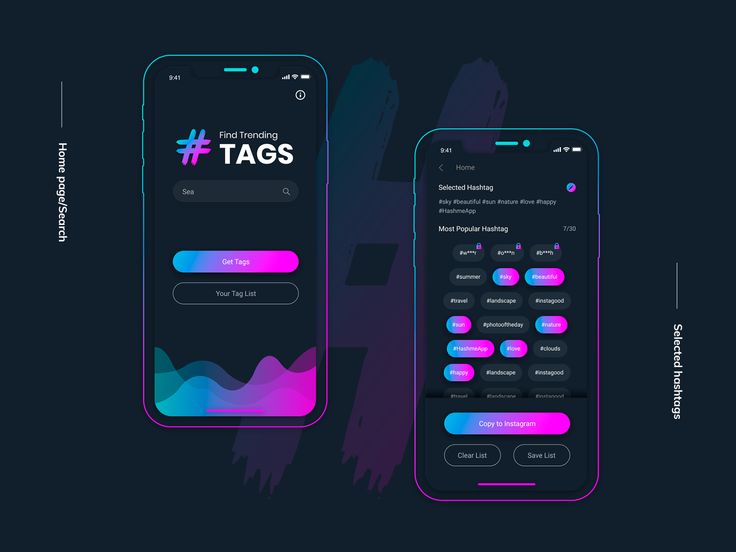
The Ultimate Guide to Using Hashtags on Social Media
As a social media user, you’ve probably come across hashtags on platforms like Instagram, Twitter, TikTok, and Facebook. But have you ever wondered how they work? What are the best practices for using them? And which apps can help you find and use relevant hashtags?
In this comprehensive guide, we’ll delve into the world of hashtags and explore their benefits, best practices, and some amazing tools to help you make the most out of them.
What Are Hashtags?
Hashtags are labels that you can add to your social media posts to categorize them and make them more discoverable by others. They’re usually preceded by the “#” symbol and can be used on various platforms, including Instagram, Twitter, TikTok, Facebook, and LinkedIn.
Why Use Hashtags?
Using hashtags can help you:
- Increase the visibility of your posts
- Reach a wider audience
- Connect with people who share similar interests
- Boost engagement on your social media content
Best Practices For Using Hashtags
- Keep it Relevant: Only use hashtags that are related to the content of your post.
- Don’t Overdo it: Use 3-5 hashtags per post, max.
- Be Specific: Use niche-specific hashtags to reach a targeted audience.
- Use a Mix of Popular And Niche Hashtags: Combine well-known hashtags with more specific ones to reach both a broader and targeted audience.
The Best Apps For Finding And Using Hashtags
- In Tags
- Available on Android
- A free app that helps you find relevant hashtags based on categories or specific keywords.
- Hashtags
- Available on Android
- A free app that allows you to search for popular hashtags and copy them easily into your social media posts.
- Top Tags
- Available on iOS
- A free app that helps you find the most popular hashtags based on categories or specific keywords.
- Hashtag: Tag For Caption
- Available on iOS and iPadOS
- A free app that allows you to search for popular hashtags related to your caption.
How to Use These Apps
- Download And Install the app of your choice from the Play Store (for Android) or App Store (for iOS).
- Open The App and navigate to the section where you can find relevant hashtags.
- Choose a Category or type in a specific keyword related to your content.
- Copy The Hashtag and paste it into your social media post.
Tips And Tricks
- Use a Mix of Short And Long-tail Keywords: Short keywords are broad and popular, while long-tail keywords are more specific and less competitive.
- Experiment With Different Hashtags: Try out various hashtags to see which ones work best for your content and audience.
- Create a Hashtag Strategy: Develop a plan that outlines how you’ll use hashtags across all your social media platforms.
Conclusion
Hashtags can be a powerful tool in your social media arsenal, helping you increase visibility, reach a wider audience, and connect with people who share similar interests. By following the best practices outlined in this guide and using the amazing apps we’ve showcased, you’ll be well on your way to hashtag success!
Frequently Asked Questions
- Q: What’s The Ideal Number of Hashtags Per Post?
A: 3-5 Hashtags per post is a good rule of thumb. - Q: How Often Should I Use Hashtags in my Social Media Content?
A: Use hashtags consistently, but avoid overdoing it – 3-5 times a week is plenty. - Q: Can I Use The Same Hashtag on Multiple Platforms?
A: Yes! While each platform has its own unique audience and hashtags, you can still use popular and niche-specific hashtags across all your social media profiles. - Q: What’s The Difference Between Short-tail And Long-tail Keywords?
A: Short-tail keywords are broad and popular, while long-tail keywords are more specific and less competitive.


