
How to Unify Two Pdf Files: A Comprehensive Guide
Are you struggling to merge two PDF files into one? Look no further! In this article, we will guide you through the process of unifying two PDF files using various methods, including Adobe Acrobat, online tools, and mobile apps.
Why Unify Two Pdf Files?
Unifying two PDF files can be useful in various scenarios, such as:
- Combining multiple documents into one
- Creating a single file for easy sharing or printing
- Merging different versions of the same document
Method 1: Using Adobe Acrobat
Adobe Acrobat is a powerful tool that allows you to edit and merge PDF files. Here’s how to do it:
- Download And Install Adobe Acrobat: You can download the free version of Adobe Acrobat from their official website.
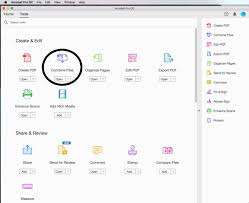
- Open Adobe Acrobat: Once installed, open Adobe Acrobat and click on the “Combine Files” option in the toolbar.
- Add Pdf Files: Click on the “Add” button to select the two PDF files you want to merge.
- Arrange Pages: Use the drag-and-drop feature to arrange the pages of the two PDF files as desired.
- Save File: Click on the “Save” button to save the merged file.
Method 2: Using Online Tools
There are several online tools available that can help you unify two PDF files without installing any software. Here’s how to do it:
- Choose an Online Tool: Select a reliable online tool, such as PDFTool or iLovePDF.
- Upload Files: Upload the two PDF files to the online tool.
- Merge Files: Follow the on-screen instructions to merge the two PDF files.
- Download File: Download the merged file.
Method 3: Using Mobile Apps
If you prefer using mobile apps, here are some popular options:
- Pdf Merge (Android/iOS): This app allows you to merge multiple PDF files into one.
- Foxit Pdf Editor (Android/iOS): This app offers a range of editing and merging features for PDF files.
Other Solutions
If the above methods don’t work for you, here are some other solutions:
- Pdf24: A free online tool that allows you to merge and edit PDF files.
- Pdf Candy: An online tool that offers various features, including merging and editing PDF files.
- Pdf Export (iOS/iPadOS): An app that allows you to export and merge PDF files.
Conclusion
Unifying two PDF files can be a straightforward process if you know the right methods. Whether you use Adobe Acrobat, online tools, or mobile apps, we hope this guide has helped you achieve your goal. Remember to always choose reliable sources and follow the instructions carefully to avoid any issues.
Frequently Asked Questions (FAQs)
- What is The Best Method For Unifying Two Pdf Files?
The best method depends on your personal preference and device. Adobe Acrobat offers advanced features, while online tools are convenient for quick merges. Mobile apps provide flexibility and portability.
- Can I Merge Multiple Pdf Files at Once?
Yes, most of the methods mentioned above allow you to merge multiple PDF files into one.
- How do I Save a Merged Pdf File?
Save your merged PDF file in the desired location on your device or cloud storage service.
- Are There Any Limitations to Merging Pdf Files?
Some online tools and mobile apps may have limitations on the size or number of PDF files that can be merged. Be sure to check the specifications before using these methods.
- Can I Edit a Merged Pdf File After It’s Been Created?
Yes, most of the methods mentioned above allow you to edit a merged PDF file after it’s been created.
- How do I Protect a Merged Pdf File With a Password?
Some online tools and mobile apps offer password protection for merged PDF files.
- Can I Merge Scanned Pdf Files Into One?
Yes, most of the methods mentioned above can handle scanned PDF files as well.
- Are There Any Free Options For Merging Pdf Files?
Yes, many online tools and mobile apps offer free versions or trials that allow you to merge PDF files without incurring costs.


