
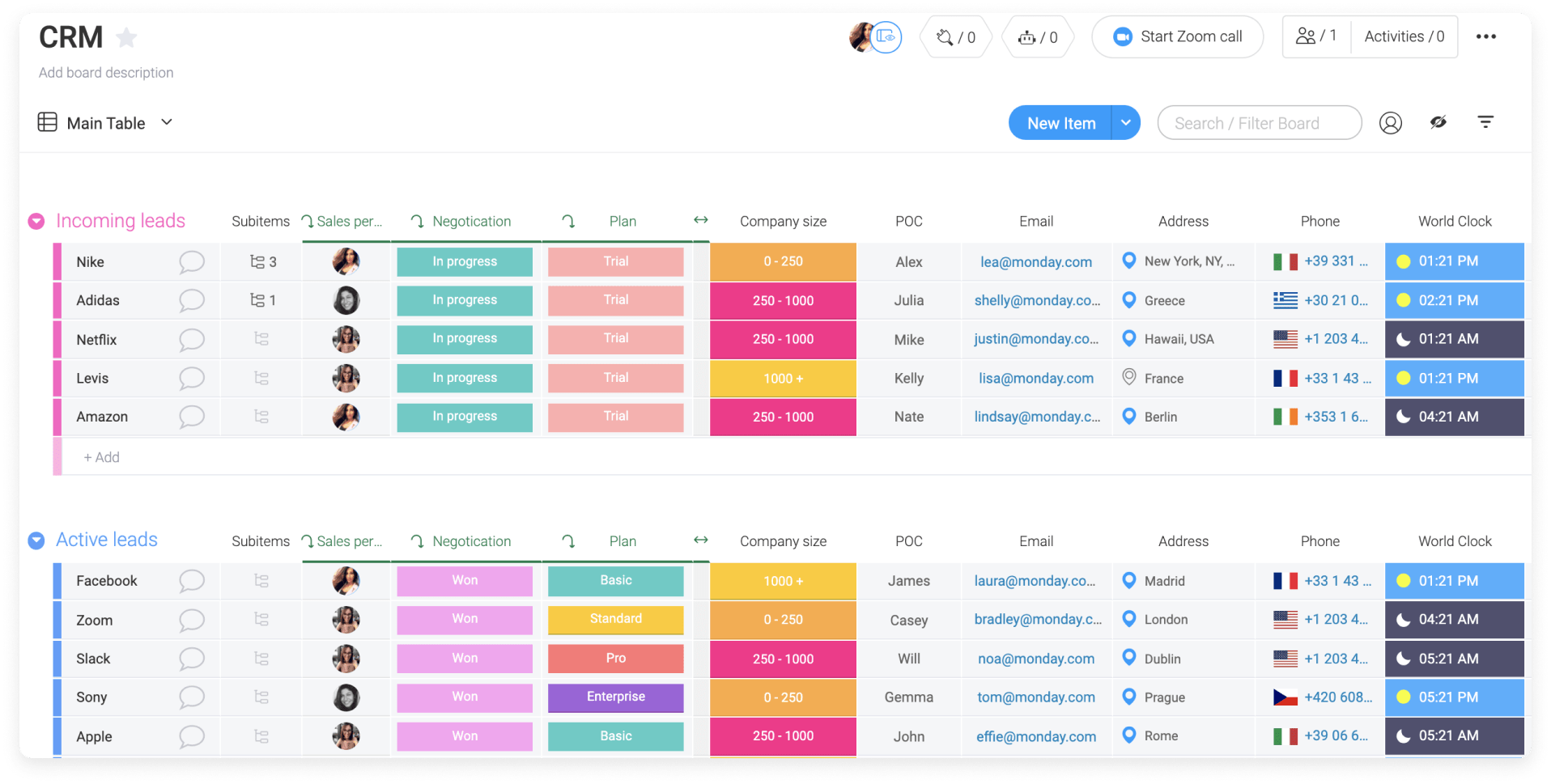
Best Database Programs For Your Professional Needs
Are you looking for a reliable database program to manage your professional activities, website, or other projects? Look no further! In this article, we’ll explore the top database programs available for both computer and smartphone devices.
Understanding Database Programs
Before we dive into the specifics of each program, let’s quickly cover what database programs are and why you need them. A database program is a software tool that allows you to create, manage, and store data in a structured format. This can be useful for various purposes, such as:
- Managing customer information
- Tracking sales or inventory levels
- Creating databases for research projects
- Developing web applications
Free Database Programs
If you’re on a tight budget or just starting out, consider the following free database programs:
Libreoffice Base (Windows/macOS/Linux)
LibreOffice Base is an excellent choice for managing relational databases. It’s part of the popular LibreOffice suite and can be used to create and manage databases with ease.
Installation Process
To install LibreOffice Base, follow these steps:
- Download the software from the official website.
- Run the installation file and follow the prompts to complete the installation process.
- Launch LibreOffice Base and start creating your database!
Apache Openoffice Base (Windows/macOS/Linux)
Apache OpenOffice Base is another great option for managing databases. It’s similar to LibreOffice Base but has some differences in terms of features and functionality.
Installation Process
To install Apache OpenOffice Base, follow these steps:
- Download the software from the official website.
- Run the installation file and follow the prompts to complete the installation process.
- Launch Apache OpenOffice Base and start creating your database!
Axisbase (Windows)
Axisbase is a free database manager specifically designed for creating files containing commands, sales, and inventory levels.
Installation Process
To install Axisbase, follow these steps:
- Download the software from the official website.
- Run the installation file and follow the prompts to complete the installation process.
- Launch Axisbase and start creating your database!
Mariadb (Windows/Linux)
MariaDB is a free, open-source server that’s primarily designed for expert users. It allows you to create relational databases using the command line.
Installation Process
To install MariaDB, follow these steps:
- Download the software from the official website.
- Run the installation file and follow the prompts to complete the installation process.
- Launch MariaDB and start creating your database!
Professional Database Programs
If you need more advanced features or are working on a large-scale project, consider the following professional database programs:
Microsoft Access (Windows)
Microsoft Access is a powerful database program included in the Microsoft Office suite. It allows you to create and manage databases using various formats, including SQL.
Installation Process
To install Microsoft Access, follow these steps:
- Purchase a commercial license or subscribe to Microsoft 365 Business.
- Download the software from the official website.
- Run the installation file and follow the prompts to complete the installation process.
- Launch Microsoft Access and start creating your database!
Libreoffice Base (Windows/macOS/Linux)
LibreOffice Base is also available for professional use, with a free, open-source license.
Installation Process
To install LibreOffice Base, follow these steps:
- Download the software from the official website.
- Run the installation file and follow the prompts to complete the installation process.
- Launch LibreOffice Base and start creating your database!
Claris Filemaker (Windows/macOS)
Claris FileMaker is a comprehensive solution for creating, managing, and handling various types of databases.
Installation Process
To install Claris FileMaker, follow these steps:
- Purchase a commercial license or subscribe to Claris FileMaker.
- Download the software from the official website.
- Run the installation file and follow the prompts to complete the installation process.
- Launch Claris FileMaker and start creating your database!
Ninox Database (macOS)
Ninox Database is an easy-to-use, professional-grade database program designed for creating business apps and databases.
Installation Process
To install Ninox Database, follow these steps:
- Purchase a commercial license or subscribe to Ninox Database.
- Download the software from the official website.
- Run the installation file and follow the prompts to complete the installation process.
- Launch Ninox Database and start creating your database!
Sql Database Programs
If you need to create, manage, and handle SQL databases natively, consider the following programs:
Xampp (Windows/macOS/Linux)
XAMPP is a free program that allows you to create, manage, and manipulate SQL databases using the command line.
Installation Process
To install XAMPP, follow these steps:
- Download the software from the official website.
- Run the installation file and follow the prompts to complete the installation process.
- Launch XAMPP and start creating your database!
Sqlite-pro (iPadOS)
SQLite-Pro is a free app for creating, handling, and managing SQL databases using the engine SQLite.
Installation Process
To install SQLite-Pro, follow these steps:
- Download the software from the official website.
- Run the installation file and follow the prompts to complete the installation process.
- Launch SQLite-Pro and start creating your database!
Database Programs For Ipad And Android Devices
If you’re looking for database programs specifically designed for use on iPad or Android devices, consider the following options:
Airtable (Android/iOS/iPadOS)
Airtable is a user-friendly app that allows you to create and manage various types of databases.
Installation Process
To install Airtable, follow these steps:
- Download the software from the official website.
- Run the installation file and follow the prompts to complete the installation process.
- Launch Airtable and start creating your database!
Memento Database (Android)
Memento Database is a free app that allows you to create and manage various types of databases, including inventories, lists, contacts, and more.
Installation Process
To install Memento Database, follow these steps:
- Download the software from the official website.
- Run the installation file and follow the prompts to complete the installation process.
- Launch Memento Database and start creating your database!
Sqlite- Pro (iPadOS)
SQLite-Pro is a free app for creating, handling, and managing SQL databases using the engine SQLite.
Installation Process
To install SQLite-Pro, follow these steps:
- Download the software from the official website.
- Run the installation file and follow the prompts to complete the installation process.
- Launch SQLite-Pro and start creating your database!
In conclusion, there are many excellent database programs available for both computer and smartphone devices. Whether you’re looking for a free option or a professional-grade solution, we’ve got you covered.
Conclusion
Database programs can be incredibly useful for managing various types of data, from customer information to sales inventory levels. By choosing the right program for your needs, you’ll be able to streamline your workflow and make informed decisions with confidence.
So, which database program will you choose?
Q&a Session
Do you have any questions about database programs or how to use them? Feel free to ask!
Recommended Reading
For more information on database programs and how to use them, check out these recommended resources:
- LibreOffice Base User Manual
- Apache OpenOffice Base User Guide
- XAMPP Documentation


