
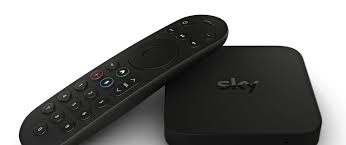
Why Re-synchronize Your Sky Decoder?
Severe weather conditions can cause interference with signal reception, leading to issues with your Sky decoder. By re-synchronizing it, you’ll be able to enjoy your favorite channels with optimal quality and minimal interruptions.
Re-syncing Your Sky Hd/my Sky HD Decoder
To re-sync your Sky HD or My Sky HD decoder:
- Light the decoder and wait for it to boot up.
- Press the Menu button on your remote control.
- Select the terrestrial Digital voice and other channels option and press OK.
- Choose the Research Automatic Sat (RAS) option and press OK twice in a row to initiate the channel enquiry process.
Re-syncing Your Sky Q Decoder
To re-sync your Sky Q decoder:
- Press the Menu button on your remote control.
- Select the Options and Other channels Sat option.
- Choose the Enquiry channels option and press OK.
- Initiate the channel enquiry process by pressing the red button.
Updating Your My Sky HD to Sky Q Black
If you’re using a My Sky HD decoder, follow these steps to update it to Sky Q Black:
- Connect your decoder to the internet via Ethernet cable or Wi-Fi.
- Access the Configure section and select the Enforced My Sky option.
- Highlight the voice Wi-Fi integrated option and press the right arrow button to activate it.
- Save the changes by pressing the green button.
Re-synchronizing Your Sky Digital Key
To re-sync your Sky digital key:
- Connect your antenna analogica to your decoder.
- Access the terrestrial > Digital Options section and select the Typology channels on All the channels option.
- Choose the Create new list option in the Modality scanning section.
- Initiate the channel enquiry process by pressing the red button.
Troubleshooting Channel Receipt Issues
If you’re experiencing issues with channel receipt after re-syncing your Sky decoder, ensure that:
- The parabola satellitare is correctly aligned and positioned.
- The antenna analogica is securely connected to the decoder.
Conclusion
Re-synchronizing your Sky decoder is a straightforward process that can be completed in just a few steps. By following this guide, you’ll be able to enjoy optimal channel reception with minimal interruptions. Remember to update your My Sky HD to Sky Q Black and troubleshoot any issues you may encounter during the process.
Frequently Asked Questions (FAQs)
-
Q: How Often do I Need to Re-sync my Sky Decoder?
A: You’ll need to re-sync your Sky decoder after severe weather conditions.
2. Q: What Are The Benefits of Updating my My Sky HD to Sky Q Black?A: Updating your My Sky HD to Sky Q Black ensures optimal channel reception and minimizes interruptions.
3. Q: How do I Troubleshoot Issues With Channel Receipt?A: Check that the parabola satellitare is correctly aligned and positioned, and ensure that the antenna analogica is securely connected to the decoder.


