
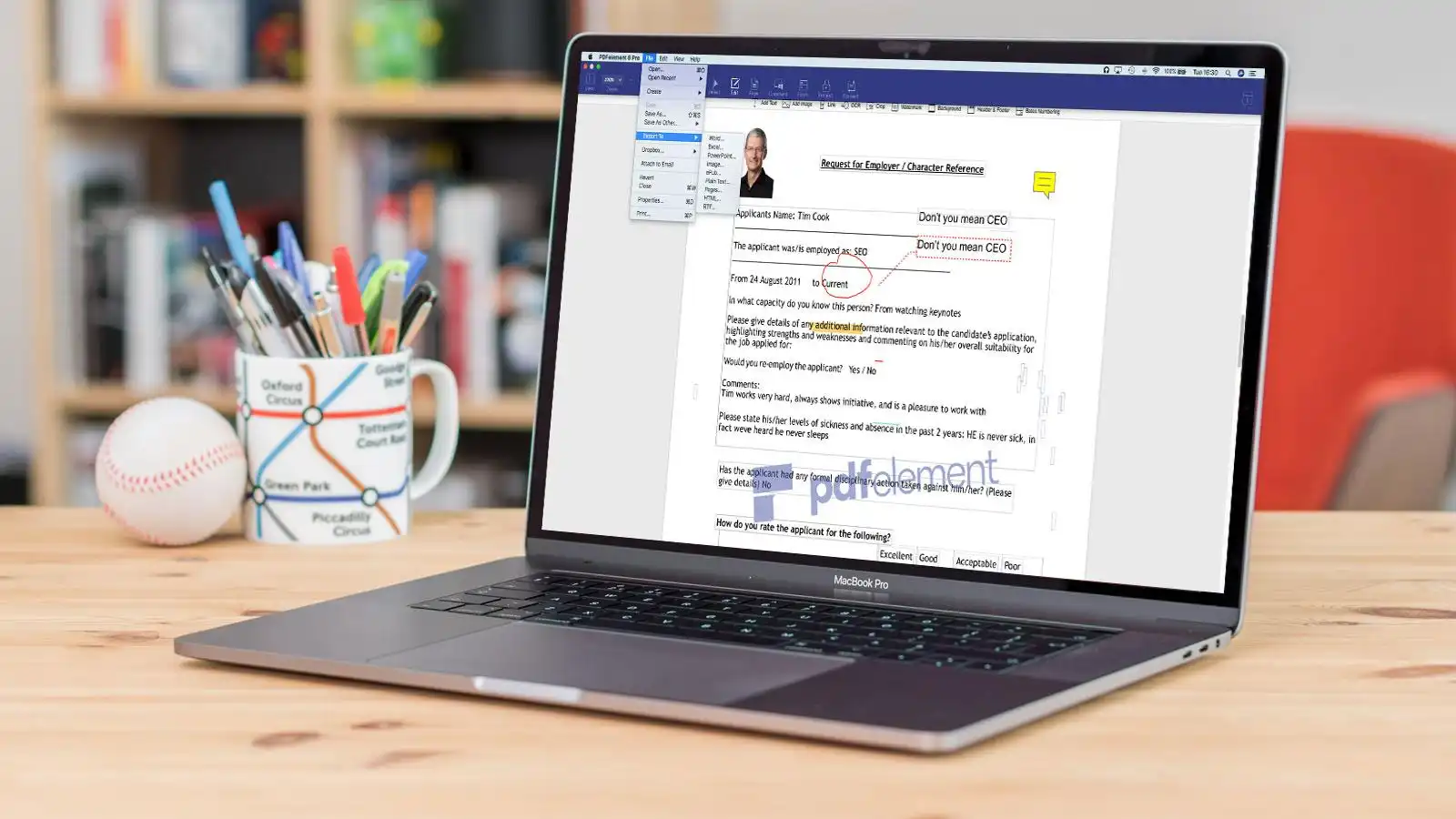
The Ultimate Guide to Pdf Programs on Mac: A Comprehensive Review
Are you looking for the best programs to read, edit, and create PDFs on your Mac? Look no further! In this article, we’ll explore the top-notch software that will make managing PDFs a breeze.
Table of Contents
- Introduction
- Programs to Read Pdfs on Mac
- Quick Look
- Skim
- Programs to Edit Pdfs on Mac
- Trailer
- Libreoffice
- Pdf Toolkit Plus
- Pdf Expert
- Programs to Join Pdfs on Mac
- Trailer
- Pdf Toolkit Plus
- Programs to Create Pdfs on Mac
- Printer Pdf
- Pdfelement
Introduction
PDFs are an essential part of our digital lives, and having the right tools can make a huge difference. Whether you’re a student, professional, or just someone who likes to stay organized, this article will show you the best programs to read, edit, create, and join PDFs on your Mac.
Programs to Read Pdfs on Mac
Quick Look
Quick Look is a built-in program on macOS that allows you to preview files without opening them. To view a PDF with Quick Look, simply click on it, and you’ll see the content displayed in a window.
How it Works
To use Quick Look, follow these steps:
- Click on the PDF file.
- Press the spacebar on your keyboard.
- The Quick Look window will appear, showing the contents of the PDF.
Skim
Skim is a free and open-source program that offers more features than Quick Look. To install Skim, follow these steps:
- Download Skim from its official website.
- Open the downloaded file and drag Skim to your Applications folder.
- Run Skim by double-clicking on it.
How it Works
To use Skim, follow these steps:
- Open a PDF file in Skim.
- Use the toolbar to add annotations, highlights, and other features.
- Click on the sidebar icon to view thumbnails of the pages.
Programs to Edit Pdfs on Mac
Trailer
Trailer is a built-in program on macOS that allows you to edit PDFs. To use Trailer, follow these steps:
- Open a PDF file in Trailer.
- Use the toolbar to add annotations, highlights, and other features.
- Click on the pencil icon to access editing tools.
How it Works
To edit a PDF with Trailer, follow these steps:
- Open a PDF file in Trailer.
- Select the text you want to modify.
- Use the toolbar to make changes to the text.
Libreoffice
LibreOffice is a free and open-source office suite that includes a PDF editor. To install LibreOffice, follow these steps:
- Download LibreOffice from its official website.
- Open the downloaded file and drag LibreOffice to your Applications folder.
- Run LibreOffice by double-clicking on it.
How it Works
To edit a PDF with LibreOffice, follow these steps:
- Open a PDF file in LibreOffice.
- Select the text you want to modify.
- Use the toolbar to make changes to the text.
Pdf Toolkit Plus
PDF Toolkit Plus is an application that allows you to edit and manipulate PDFs. To install PDF Toolkit Plus, follow these steps:
- Download PDF Toolkit Plus from its official website.
- Open the downloaded file and drag PDF Toolkit Plus to your Applications folder.
- Run PDF Toolkit Plus by double-clicking on it.
How it Works
To use PDF Toolkit Plus, follow these steps:
- Open a PDF file in PDF Toolkit Plus.
- Use the toolbar to add annotations, highlights, and other features.
- Click on the sidebar icon to view thumbnails of the pages.
Pdf Expert
PDF Expert is an application that allows you to edit and manipulate PDFs with ease. To install PDF Expert, follow these steps:
- Download PDF Expert from its official website.
- Open the downloaded file and drag PDF Expert to your Applications folder.
- Run PDF Expert by double-clicking on it.
How it Works
To use PDF Expert, follow these steps:
- Open a PDF file in PDF Expert.
- Use the toolbar to add annotations, highlights, and other features.
- Click on the sidebar icon to view thumbnails of the pages.
Programs to Join Pdfs on Mac
Trailer
Trailer allows you to join multiple PDF files into one document. To use Trailer, follow these steps:
- Open a PDF file in Trailer.
- Drag and drop additional PDF files onto the Trailer window.
- Click on the “Merge” button to combine the documents.
How it Works
To merge PDFs with Trailer, follow these steps:
- Open multiple PDF files in Trailer.
- Use the toolbar to add annotations, highlights, and other features.
- Click on the “Save As” button to save the merged document.
Pdf Toolkit Plus
PDF Toolkit Plus allows you to join multiple PDF files into one document. To use PDF Toolkit Plus, follow these steps:
- Open a PDF file in PDF Toolkit Plus.
- Drag and drop additional PDF files onto the PDF Toolkit Plus window.
- Click on the “Merge” button to combine the documents.
How it Works
To merge PDFs with PDF Toolkit Plus, follow these steps:
- Open multiple PDF files in PDF Toolkit Plus.
- Use the toolbar to add annotations, highlights, and other features.
- Click on the “Save As” button to save the merged document.
Programs to Create Pdfs on Mac
Printer Pdf
The Printer PDF feature in macOS allows you to create a PDF from any content. To use Printer PDF, follow these steps:
- Open the content you want to convert (e.G., A web page or document).
- Click on the “Print” menu and select “Save as PDF”.
- Choose the location where you want to save the PDF.
How it Works
To create a PDF with Printer PDF, follow these steps:
- Open the content you want to convert.
- Use the printer settings to customize your PDF (e.G., Add annotations or highlights).
- Click on the “Save” button to save the PDF.
Pdfelement
PDFelement is an application that allows you to create and edit PDFs with ease. To install PDFelement, follow these steps:
- Download PDFelement from its official website.
- Open the downloaded file and drag PDFelement to your Applications folder.
- Run PDFelement by double-clicking on it.
How it Works
To use PDFelement, follow these steps:
- Open PDFelement and select “Create a new PDF”.
- Use the toolbar to add annotations, highlights, and other features.
- Click on the “Save” button to save your PDF.
Conclusion
In this article, we’ve explored the best programs to read, edit, create, and join PDFs on your Mac. Whether you’re looking for a built-in program or a dedicated application, we’ve got you covered. Remember, with these tools at your disposal, managing PDFs has never been easier!
Frequently Asked Questions (FAQs)
- What is The Best Program to Read Pdfs on Mac?
- Quick Look and Skim are both excellent options.
- How do I Edit a Pdf on Mac?
- Use Trailer, LibreOffice, PDF Toolkit Plus, or PDF Expert for editing PDFs.
- Can I Join Multiple Pdf Files Into One Document?
- Yes! Use Trailer or PDF Toolkit Plus to merge multiple PDFs.
- What is The Best Program to Create a Pdf on Mac?
- Printer PDF and PDFelement are both excellent options.
References
- “Quick Look” by Apple
- “Skim” by Skim Apps
- “Trailer” by Apple
- “LibreOffice” by LibreOffice Foundation
- “PDF Toolkit Plus” by Smile Software
- “PDF Expert” by Readdle Ltd.
- “Printer PDF” by Apple
- “PDFelement” by Wondershare


