
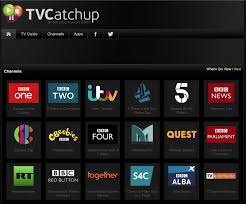
How to See TV on Internet in Direct
Are you tired of receiving poor digital terrestrial signals and unable to watch your favorite TV channels? Have you decided to cut the cord and switch to streaming services instead? Look no further! This tutorial will guide you through how to see TV on internet in direct.
What Are The Available Services?
There are several popular services that allow you to watch live TV on internet. Some of these include:
- Raiplay: This is a service offered by Rai, Italy’s national broadcaster. It allows you to watch live and on-demand content from various channels, including Rai 1, Rai 2, Rai 3, and more.
- Mediaset Infinity: This is another popular service that offers live TV streaming from Mediaset channels such as Canale 5, Italia 1, and more.
- Discovery+: This is a relatively new service that offers live TV streaming from various Discovery channels such as Real Time, NINE, and more.
How to Use These Services?
Using these services is quite straightforward. Simply:
- Go to the website or mobile app of your chosen service.
- Select the channel you want to watch.
- Choose the “Live” option to start watching live TV.
- You can also use the “On-demand” option to watch previously recorded content.
Other Services
There are several other services that offer live TV streaming, including:
- Sky: This is a popular service that offers live TV streaming from various Sky channels such as Sky TG24 and more.
- La7: This is another service offered by La7 channel that allows you to watch live TV streaming.
- Super TV: This is a service that offers live TV streaming from ViacomCBS Network Italia.
How to Watch Live TV on Smartphone or Tablet
You can also use mobile apps to watch live TV on your smartphone or tablet. Some of the popular services that offer live TV streaming on mobile devices include:
- Mediaset Infinity: This app allows you to watch live TV from various Mediaset channels.
- Discovery+: This app offers live TV streaming from various Discovery channels.
- Raiplay: This app allows you to watch live and on-demand content from Rai channels.
How to Choose The Best Camera For Your Needs?
If you’re looking to purchase a camera for surveillance purposes, there are several factors to consider. Some of these include:
- Resolution: Look for cameras with high resolution (1080p or higher) for clear video quality.
- Night Vision: If you want to be able to see what’s happening in your home at night, look for cameras with infrared or night vision capabilities.
- Motion Detection: This feature allows the camera to detect motion and send notifications to your smartphone.
- Storage: Consider how much storage space you’ll need for video footage.
Types of Cameras
There are several types of cameras available, including:
- Wi-fi Cameras: These cameras can be connected to your home network using Wi-Fi and allow remote access to live feeds.
- IP Cameras: These cameras use internet protocol (IP) to connect to a central device or server.
- Analog Cameras: These cameras use traditional analog technology to transmit video signals.
- Ptz Cameras: These cameras can pan, tilt, and zoom remotely.
How to Choose The Best Camera For Your Home?
When choosing a camera for your home, consider factors such as:
- Location: Where will you place the camera?
- Purpose: What do you want to use the camera for (surveillance, baby monitoring, etc.)?
- Budget: How much are you willing to spend on a camera?
How to Install And Use a Camera?
Installing and using a camera is relatively straightforward. Most cameras come with instructions and can be installed by following these steps:
- Place the camera in the desired location.
- Connect the camera to your home network (if necessary).
- Download and install any required software or apps.
- Follow on-screen instructions to configure and use the camera.
I hope this tutorial has been helpful! Let me know if you have any questions or need further assistance.


