
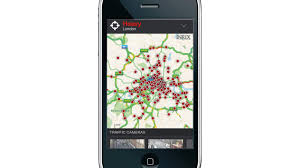
Navigating Through Traffic: Top Apps to Monitor Road, Air, And Sea Traffic
Are you tired of getting stuck in traffic? Do you wish there was a way to plan your route accordingly? Look no further! In this article, we’ll explore the top apps that help you monitor road, air, and sea traffic, making your daily commute or travel more efficient.
Google Maps: The Ultimate Road Traffic App
When it comes to navigating through traffic, Google Maps is the ultimate app. Available on both Android and iOS devices, this app provides real-time traffic updates, helping you avoid congested roads and plan your route accordingly. To use Google Maps for traffic monitoring, follow these simple steps:
- Open Google Maps on your device.
- Tap on the “Explore” button in the bottom menu.
- Select the “Traffic” option from the details map section.
With Google Maps, you can see the traffic situation in real-time, with roads colored green for regular traffic, orange for moderate congestion, and red for intense traffic. You can also tap on a specific route to view its current traffic status.
Waze: The Community-driven Traffic App
Another popular app for monitoring road traffic is Waze. This app not only provides real-time traffic updates but also allows other users to report incidents like accidents or roadworks, helping you avoid congested areas. To use Waze, follow these steps:
- Download and install the app on your Android or iOS device.
- Tap on the “Continuous” button to start using the app.
- Select your destination and choose the route with the least traffic.
With Waze, you can also contribute to the community by reporting incidents or updating the traffic conditions in real-time.
Here Wego: The Comprehensive Traffic App
If you’re looking for an app that provides detailed information on urban and highway traffic, look no further than HERE WeGo. This free app is available on both Android and iOS devices and offers features like weather forecasts, road closures, and traffic incidents. To use HERE WeGo, follow these steps:
- Download and install the app on your device.
- Tap on the “Continuous” button to start using the app.
- Select your destination and view the current traffic conditions.
With HERE WeGo, you can also download maps offline for use when you don’t have an internet connection.
Flightradar24: The Air Traffic Monitoring App
If you’re interested in monitoring air traffic, Flightradar24 is an excellent app to consider. This free app provides real-time information on flights worldwide, including their speed, altitude, and estimated time of arrival. To use Flightradar24, follow these steps:
- Download and install the app on your Android or iOS device.
- Tap on a specific flight to view its details.
- Select the “View 3D” option to visualize the flight’s route.
With Flightradar24, you can also use the augmented reality (AR) feature to identify aircraft in real-time using your device’s camera.
Flightaware: The Air Traffic Monitoring App
Another app for monitoring air traffic is FlightAware. This app provides detailed information on flights worldwide, including their speed, altitude, and estimated time of arrival. To use FlightAware, follow these steps:
- Download and install the app on your Android or iOS device.
- Tap on a specific flight to view its details.
- Select the “Near me” option to see the list of aircraft in real-time.
With FlightAware, you can also receive notifications for flights of interest and get updates on delays, cancellations, and new schedules.
Marinetraffic: The Sea Traffic Monitoring App
If you’re interested in monitoring sea traffic, MarineTraffic is an excellent app to consider. This app provides real-time information on ships worldwide, including their speed, course, and estimated time of arrival. To use MarineTraffic, follow these steps:
- Download and install the app on your Android or iOS device.
- Tap on a specific ship to view its details.
- Select the “AR” option to identify ships in real-time using your device’s camera.
With MarineTraffic, you can also receive notifications for ships of interest and get updates on their schedule and status.
Ship Finder Lite: The Sea Traffic Monitoring App
Another app for monitoring sea traffic is Ship Finder Lite. This app provides detailed information on ships worldwide, including their speed, course, and estimated time of arrival. To use Ship Finder Lite, follow these steps:
- Download and install the app on your iOS device.
- Tap on a specific ship to view its details.
- Select the “AR” option to identify ships in real-time using your device’s camera.
With Ship Finder Lite, you can also receive notifications for ships of interest and get updates on their schedule and status.
Conclusion
Monitoring traffic has never been easier with these top apps that provide real-time information on road, air, and sea traffic. Whether you’re a commuter or a traveler, these apps will help you plan your route accordingly and avoid congested areas. So next time you hit the road, air, or sea, make sure to have one of these apps handy to ensure a smooth journey.
Frequently Asked Questions
- Q: Which App is Best For Monitoring Road Traffic?
A: Google Maps is the ultimate app for monitoring road traffic. - Q: Can I Use Waze For Air Traffic Monitoring?
A: No, Waze is primarily designed for monitoring road traffic. - Q: Is Here Wego a Comprehensive Traffic App?
A: Yes, HERE WeGo provides detailed information on urban and highway traffic. - Q: Can Flightradar24 be Used to Monitor Sea Traffic?
A: No, Flightradar24 is primarily designed for monitoring air traffic. - Q: Is Marinetraffic The Best App For Monitoring Sea Traffic?
A: Yes, MarineTraffic provides real-time information on ships worldwide. - Q: Can I Use Ship Finder Lite to Monitor Air Traffic?
A: No, Ship Finder Lite is primarily designed for monitoring sea traffic. - Q: Are These Apps Available on Both Android And Ios Devices?
A: Yes, most of these apps are available on both Android and iOS devices. - Q: Do I Need an Internet Connection to Use These Apps?
A: Some apps require a stable internet connection for real-time updates, but you can also download maps offline for use when disconnected.


