
Managing Your Enel Energy Consumption: A Guide to Official Apps
Are you tired of receiving unexpected bills from Enel? Do you want to keep track of your energy consumption and stay on top of your payments? Look no further! In this article, we will explore the official apps provided by Enel that allow you to monitor and control your energy consumption remotely.
The Importance of Monitoring Your Energy Consumption
Before we dive into the world of apps, it’s essential to understand why monitoring your energy consumption is crucial. By keeping track of your usage, you can identify areas where you might be wasting energy, which can lead to significant savings on your bills. Moreover, being aware of your energy consumption habits helps you make informed decisions about your energy use.
Official Apps For Monitoring Your Enel Energy Consumption
Enel offers two official apps that allow you to monitor and control your energy consumption: Enel Energy and And-Distribution.
Enel Energy App
The Enel Energy app is available for both Android and iOS devices. To download the app, follow these steps:
- Go to the Google Play Store (for Android) or the Apple App Store (for iOS).
- Search for “Enel Energy” and select the official app.
- Click on “Install” or “Get” to download the app.
How to Use The Enel Energy App
To access the app, follow these steps:
- Open the app on your mobile device.
- If you already have an account with Enel Energy, log in using your credentials.
- If not, create a new account by following the on-screen instructions.
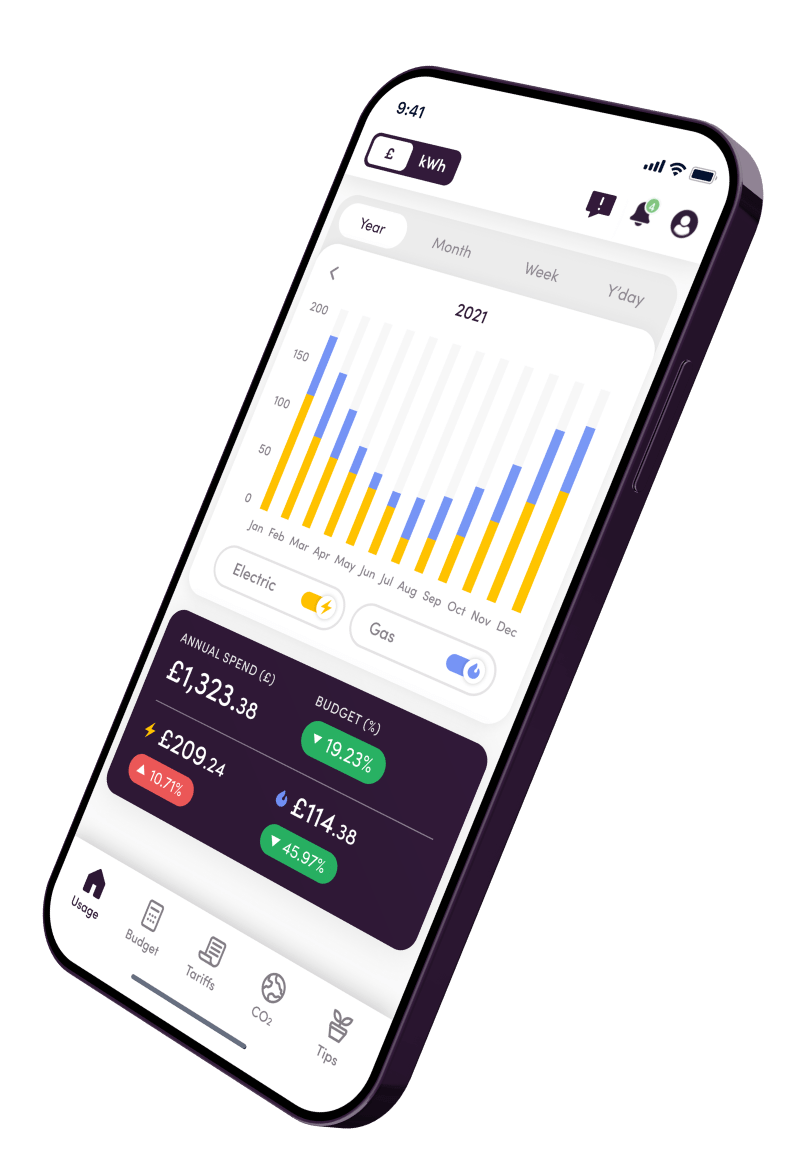
Once logged in, you can view the following information:
- Energy Consumption: View your daily, weekly, and monthly energy consumption in kWh or m3 (for gas).
- Historical Data: Access your past energy consumption data to identify trends and areas for improvement.
- Bill Management: Pay your bills directly through the app or schedule payments.
- Settings: Customize your notification preferences and set reminders for upcoming payments.
And-distribution App
The And-Distribution app is also available for both Android and iOS devices. This app is designed specifically for clients who have a contract with Enel Energy’s free market service. To download the app, follow these steps:
- Go to the Google Play Store (for Android) or the Apple App Store (for iOS).
- Search for “And-Distribution” and select the official app.
- Click on “Install” or “Get” to download the app.
How to Use The And-distribution App
To access the app, follow these steps:
- Open the app on your mobile device.
- If you already have an account with Enel Energy’s free market service, log in using your credentials.
- If not, create a new account by following the on-screen instructions.
Once logged in, you can view the following information:
- Energy Consumption: View your daily, weekly, and monthly energy consumption in kWh or m3 (for gas).
- Historical Data: Access your past energy consumption data to identify trends and areas for improvement.
- Bill Management: Pay your bills directly through the app or schedule payments.
- Service Interruptions: View scheduled service interruptions and report any issues.
Other Apps For Monitoring Your Enel Energy Consumption
While Enel’s official apps are the most reliable options, there are other apps available that can help you monitor your energy consumption. These include:
Smart Info+ App
The Smart Info+ app is an official app from And-Distribution, designed to work in conjunction with a device called Smart Info+. This device allows you to read your Enel energy counter remotely.
Alexa App
Enel has also released a skill for Amazon’s Alexa assistant, allowing you to control your energy consumption using voice commands.
Conclusion
Monitoring and controlling your energy consumption is crucial for reducing your bills and promoting sustainability. With Enel’s official apps, you can stay on top of your energy usage and make informed decisions about your energy use. Remember to also explore other available apps that can help you achieve your goals.
Frequently Asked Questions (FAQs)
- Q: What is The Purpose of Monitoring my Energy Consumption?
A: Monitoring your energy consumption helps you identify areas where you might be wasting energy, which can lead to significant savings on your bills. - Q: How do I Download And Install The Enel Energy App?
A: To download and install the Enel Energy app, go to the Google Play Store (for Android) or the Apple App Store (for iOS), search for “Enel Energy,” and select the official app. - Q: Can I Use The And-distribution App if I Don’t Have a Contract With Enel Energy’s Free Market Service?
A: No, the And-Distribution app is designed specifically for clients who have a contract with Enel Energy’s free market service. - Q: How do I Access The Historical Data Feature on The Enel Energy App?
A: To access your past energy consumption data, go to the “Energy Consumption” section and select “Historical Data.” - Q: Can I Use Multiple Apps to Monitor my Energy Consumption?
A: Yes, you can explore other available apps that can help you achieve your goals. - Q: How do I Report Service Interruptions Using The And-distribution App?
A: To report service interruptions, go to the “Service Interruptions” section and select “Report Issue.” - Q: Can I Use Voice Commands to Control my Energy Consumption With Alexa?
A: Yes, you can use voice commands to control your energy consumption with Alexa by installing the Enel skill. - Q: What Should I do if I’m Experiencing Issues With The App?
A: If you’re experiencing issues with the app, try restarting your device or contacting Enel’s customer support for assistance.


