
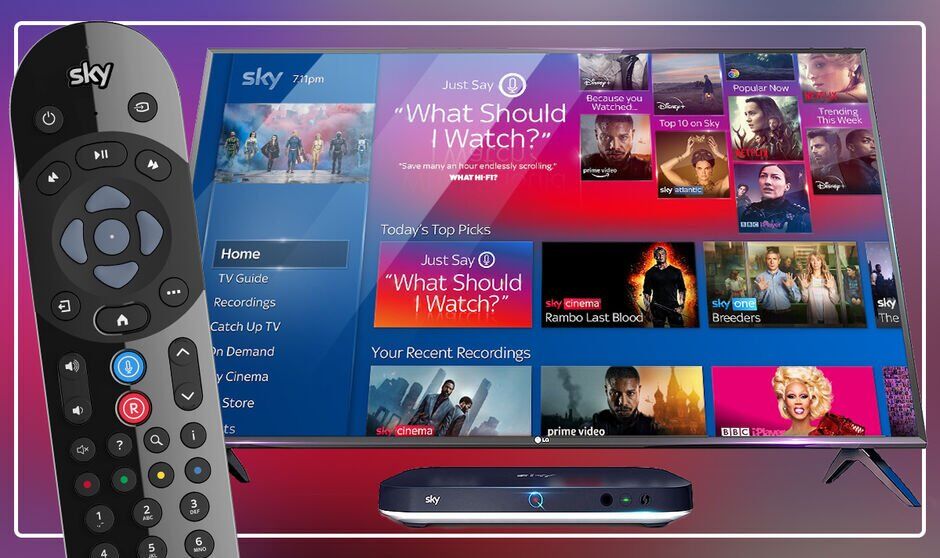
How to Watch Digital Terrestrial on Sky Q: A Step-by-step Guide
Are you tired of juggling multiple remote controls to watch your favorite TV channels? Do you want to enjoy digital terrestrial television without the hassle of separate devices? Look no further! In this article, we will guide you through the process of watching digital terrestrial on Sky Q, making it easier than ever to access a wide range of channels.
Understanding The Basics
To start, it’s essential to understand that all Sky Q decoders are equipped with built-in sintonizzatori for digital terrestrial TV. This means that you can use your Sky Q decoder to receive and display digital terrestrial channels without needing an additional device.
Getting Started: Setting Up Your Sky Q Decoder
Before you begin, ensure that your Sky Q decoder is properly connected to the antenna cable. All Sky Q decoders (including Sky Q Black, Sky Q Platinum, Sky Q without parabola, and Sky Q road Internet) come with integrated DVB-T2 HEVC sintonizzatori for digital terrestrial TV.
- Locate the RF IN port on the back of your Sky Q decoder.
- Connect the coaxial cable from your antenna (or a dedicated wall-mounted adapter) to the RF IN port.
- Make sure the connectors are not folded or damaged.
Configuring Your Sky Q Decoder
Once you have connected the antenna, follow these steps:
- Press the Home button on your Sky remote control.
- Select the Settings menu option from the directional arrows.
- Navigate to the Digital Terrestrial sections and select Channels.
- Choose Create new list from the menu options.
- Select Initiate enquiry and confirm with OK.
- Your decoder will now search for digital terrestrial channels and add them to your Sky Q channel list.
Troubleshooting Issues
If you’re experiencing problems receiving digital terrestrial signals, there are a few possible causes:
- Physical Issues: Check the antenna cable for any damage or defects. If necessary, replace it with a new one.
- Incorrect Antenna Orientation: Refer to our guide on how to properly direct your TV antenna for optimal reception.
Contacting Sky Support
If none of the above solutions resolve the issue, you may need to contact Sky technical support:
- Access your user area or call 199.100.400 (At a cost) between 08:30 And 22:30.
- Follow their instructions and troubleshooting steps.
Additional Tips And Alternatives
If you’re experiencing issues due to faulty antennas, consider the following alternatives:
- Acquire an Indoor TV Antenna: This can help improve reception quality, especially if your building’s exterior is obstructing signals.
- Connect Sky Q to The Internet: Download official applications from various television emitters (e.G., RaiPlay and Mediaset Infinity) to stream their content.
Conclusion
Watching digital terrestrial on Sky Q is now easier than ever! With these simple steps, you can enjoy a wide range of channels without the hassle of separate devices. Remember to troubleshoot any issues by checking your antenna cable and orientation or contacting Sky technical support if needed. Happy watching!
Frequently Asked Questions (FAQs)
- Q: Can I Watch Digital Terrestrial on Any Sky Q Decoder?
A: Yes, all Sky Q decoders come with integrated sintonizzatori for digital terrestrial TV. - Q: How do I Connect my Antenna to The Sky Q Decoder?
A: Locate the RF IN port and connect the coaxial cable from your antenna (or a dedicated wall-mounted adapter). - Q: What if I’m Experiencing Issues Receiving Digital Terrestrial Signals?
A: Check the antenna cable for any damage or defects, and ensure the correct orientation of your TV antenna. - Q: Can I Contact Sky Technical Support For Assistance?
A: Yes, access your user area or call 199.100.400 (At a cost) between 08:30 And 22:30 For guidance. - Q: What Alternatives Can I Use if my Antenna is Faulty?
A: Consider acquiring an indoor TV antenna or connecting Sky Q to the internet and downloading official applications from various television emitters. - Q: How do I Properly Direct my TV Antenna For Optimal Reception?
A: Refer to our guide on how to properly direct your TV antenna for optimal digital terrestrial signal reception. - Q: Can I Stream Digital Terrestrial Channels if I Don’t Have an Antenna?
A: Yes, you can download official applications from various television emitters and stream their content using the internet.


