
Understanding Copyright: A Guide to Using Videos on Youtube And Online
As you navigate the vast expanse of the internet, you’ve likely stumbled upon a captivating video that you’d love to share with your audience on YouTube or other online projects. Before proceeding, however, you want to ensure that the video isn’t protected by copyright. This is where we come in – in this article, we’ll guide you through the process of determining whether a video is covered by copyright and provide you with the necessary tools to make informed decisions.
Why Copyright Matters
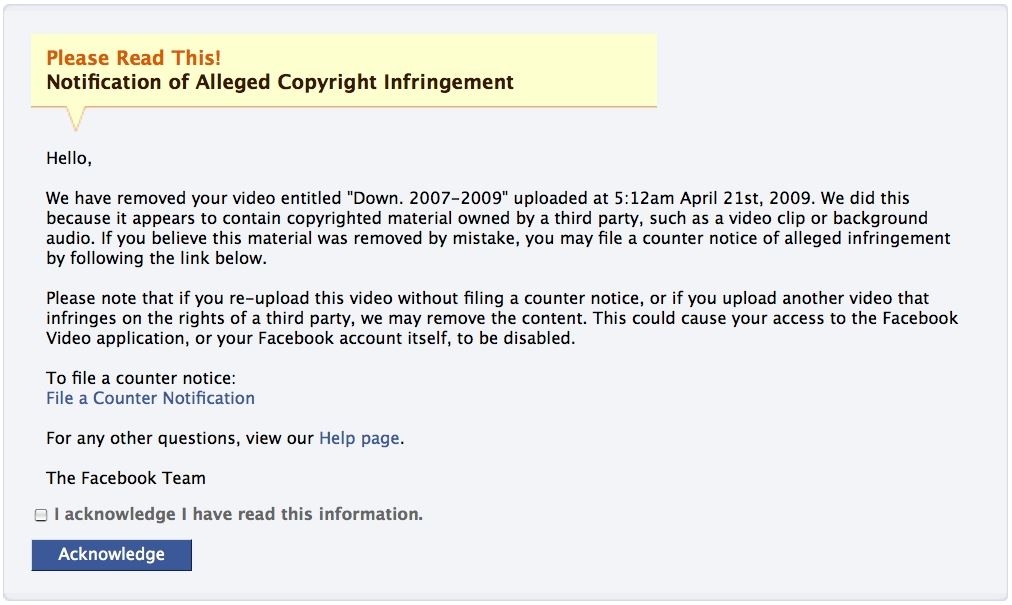
Copyright laws exist to protect the intellectual property rights of creators, including writers, artists, musicians, and filmmakers. By law, these creators have exclusive rights to their work, which includes the right to reproduce, distribute, and display their creations publicly. In the context of online content sharing, this means that you can’t use someone else’s copyrighted material without permission.
Determining Copyright Status: A Step-by-step Guide
To determine whether a video is protected by copyright, follow these steps:
Verifying Conditions of Use
The best way to find out if a video is covered by copyright is to check the conditions of use on the website where it was originally published. Look for the “Conditions of Use” or “Terms of Use” section, usually located at the bottom of the homepage.
- If you can’t find this information online, try contacting the website owner directly.
- Be aware that some websites may not have a clear copyright policy in place, which can make it difficult to determine whether the content is protected.
Conducting Online Research
If the conditions of use aren’t clear or if you’re still unsure about the video’s copyright status, try conducting online research. You can:
- Search for the video title, author, and a brief description on Google.
- Use image search to look for screenshots from the video.
- Check YouTube and other video sharing platforms to see if they have any information about the video’s copyright.
Understanding Copyright on Youtube
If you’re using YouTube as your platform of choice, be aware that copyright laws still apply. To determine whether a video is protected by copyright on YouTube:
- Look for the “Show more” button (or tap on it) to expand the video’s details.
- Check if there are any mentions of the author or copyright holder.
Using Copyrighted Videos
If you’ve determined that a video is indeed copyrighted, don’t panic! You can still use it with permission from the copyright holder. This may involve:
- Contacting the creator directly to ask for permission.
- Obtaining a license to use the video.
- Using royalty-free alternatives.
Alternatives to Copyrighted Videos
If you’re looking for videos that are not copyrighted, consider using platforms like Pixabay, Pexels, Videvo, Vimeo, and Archive.Org. These websites offer a vast library of free-to-use content.
Conclusion
In conclusion, determining whether a video is covered by copyright requires some effort and research. By following the steps outlined in this article, you can ensure that your online content sharing activities comply with copyright laws and regulations.
Frequently Asked Questions (FAQs)
- What is copyright, and why does it matter?
- Copyright protects original creative works, including videos.
- How do I determine if a video is copyrighted?
- Check the conditions of use on the website where it was published.
- Can I use a copyrighted video without permission?
- No, using someone else’s copyrighted material without permission can result in copyright infringement.
- What are some alternatives to copyrighted videos?
- Websites like Pixabay and Pexels offer royalty-free content.
Additional Resources
If you’re interested in learning more about copyright laws or need help with your online content sharing activities, consider consulting:
- Your local government’s website for information on intellectual property rights.
- Online resources like YouTube’s Copyright Center or the U.S. Copyright Office’s website.
- A legal professional if you’re unsure about specific copyright issues.
By following these guidelines and seeking guidance when needed, you can create engaging online content while respecting the intellectual property rights of others.


