
The Ultimate Guide to Choosing The Best Browser App to Open Urls
Are you tired of searching for the perfect browser app to open URLs on your smartphone or tablet? Do you struggle with errors when trying to access links? Look no further! In this article, we’ll explore the top browser apps available for Android and iPhone devices, as well as provide tips on how to choose the best one for your needs.
Understanding The Problem
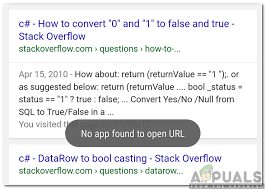
Have you ever encountered an error when trying to open a link on your device? If so, you’re not alone. Many users face this issue due to forgotten app installations or incorrect settings. But fear not! With the right guidance, you can easily resolve this problem and enjoy seamless browsing experiences.
What Are Browser Apps?
Browser apps, also known as browsers, are software applications that allow users to access and view web pages on their devices. They are pre-installed on most smartphones and tablets, but users can also download alternative browser apps from the App Store or Google Play Store.
Top Browser Apps For Android Devices
- Google Chrome: The first browser app we’ll discuss is Google Chrome, which is widely considered one of the best browsers available for Android devices.
- Pros: Optimum speed of opening pages, better integration with Google services, and synchronization across devices using a single account.
- Cons: May consume more data than other browsers due to its high-speed feature.
- Microsoft Edge: The second browser app we’ll explore is Microsoft Edge, which offers a great browsing experience on Android devices.
- Pros: Fast page loading times, good integration with Microsoft services, and advanced protection features like Bing’s tracker prevention.
- Cons: May not be as customizable as other browsers.
Top Browser Apps For Iphone Devices
- Safari: The default browser app on iPhone devices is Safari, which provides a smooth browsing experience.
- Pros: Fast page loading times, easy to use, and integration with Apple’s services.
- Cons: Limited customization options compared to other browsers.
- Google Chrome: Google Chrome is also available for iPhone devices, offering similar features to its Android counterpart.
- Pros: Good integration with Google services, synchronization across devices using a single account, and advanced features like incognito mode.
- Cons: May consume more data than other browsers due to its high-speed feature.
Other Browser Apps Available For Android And Iphone Devices
- Microsoft Edge: Microsoft Edge is available on both Android and iPhone devices, offering similar features to its Windows counterpart.
- Mozilla Firefox: Mozilla Firefox is another popular browser app available for Android and iPhone devices.
- Pros: Good integration with Google services, advanced protection features like tracker prevention, and synchronization across devices using a single account.
- Cons: May not be as customizable as other browsers.
Choosing The Best Browser App For Your Needs
When selecting the best browser app for your device, consider factors such as:
- Speed: Look for browsers with fast page loading times to ensure smooth browsing experiences.
- Integration: Choose a browser that integrates well with your existing services, such as Google or Microsoft accounts.
- Customization: Consider browsers that offer advanced customization options, like Mozilla Firefox.
- Protection: Opt for browsers with robust protection features, such as tracker prevention and synchronization across devices.
Conclusion
Choosing the best browser app to open URLs on your device can be a daunting task. However, by understanding the pros and cons of each option, you can make an informed decision that suits your needs. Remember to consider factors like speed, integration, customization, and protection when selecting the perfect browser app for your Android or iPhone device.
Frequently Asked Questions (FAQs)
- What is a Browser App?
A browser app, also known as a browser, is software that allows users to access and view web pages on their devices. - Why do I Need a Browser App?
You don’t necessarily need a browser app if you have a default browser pre-installed on your device. However, downloading alternative browsers can provide better features and customization options. - Which Browser App is The Best For my Android Device?
The best browser app for your Android device depends on your specific needs. Google Chrome offers great speed and integration with Google services, while Microsoft Edge provides advanced protection features. - Can I Use Multiple Browser Apps on my Iphone Device?
Yes, you can download and use multiple browser apps on your iPhone device, including Safari, Google Chrome, and Microsoft Edge. - How do I Sync my Browsing Data Across Devices Using a Single Account?
You can synchronize your browsing data across devices by creating a single account with the chosen browser app, such as Google or Microsoft accounts. - What Are Some Advanced Protection Features to Look For in Browser Apps?
Look for browser apps with advanced protection features like tracker prevention, synchronization across devices using a single account, and robust security measures. - Can I Customize my Browser App’s Appearance And Settings?
Yes, many browser apps allow users to customize their appearance and settings, such as changing the theme or enabling/disabling specific features. - Are There Any Free Browser Apps Available For Download?
Yes, most popular browser apps are free to download from the App Store or Google Play Store.
Recommendations
- For Android devices: Google Chrome or Microsoft Edge
- For iPhone devices: Safari or Google Chrome


