
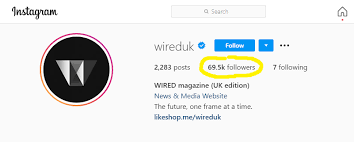
Understanding Instagram Follower Lists: A Comprehensive Guide
Are you curious about who follows you on Instagram? Have you ever wondered how to see the complete list of people who are interested in your content? In this article, we will delve into the world of Instagram follower lists and explore various methods to discover who’s following you.
Why Should You Care About Your Follower List?
Before we dive into the nitty-gritty, let’s discuss why it’s essential to know who follows you on Instagram. A comprehensive understanding of your follower list can help you:
- Identify influencers or potential collaborators in your niche
- Gauge the interest in your content and adjust your strategy accordingly
- Discover new accounts that align with your brand values
Accessing Your Follower List: A Step-by-step Guide
Now, let’s get started! To access your follower list on Instagram:
On Smartphone (iOS/Android)
- Launch the official Instagram app on your device.
- Tap on your profile picture in the bottom right corner of the screen.
- Scroll down to the “Follower” section and tap on it.
- You’ll see a complete list of people who follow you.
On PC (Web Version)
- Log in to your Instagram account using the official website or application for Windows.
- Click on your profile picture at the top right corner of the screen.
- Navigate to the “Follower” section and click on it.
- You’ll see a complete list of people who follow you.
Searching For Specific Accounts
If you want to find a specific account in your follower list, you can use the search bar provided by Instagram:
- On smartphone: Tap on the magnifying glass icon at the top right corner and type the username.
- On PC: Type the username directly into the search bar.
Understanding Follower Lists
Your follower list is an essential tool for understanding who’s interested in your content. A good tip is to keep an eye out for accounts that have a consistent engagement rate, as they might be more likely to interact with your posts.
Why Some Accounts May Not Be Displayed in Your Follower List
There are some cases where an account may not appear in your follower list:
- If the account has been blocked or muted by you.
- If the account is private and doesn’t allow others to see their followers.
- If the account has a very large number of followers, making it difficult to load the entire list.
How to Verify if Someone Follows You
To confirm whether someone follows you on Instagram:
- Check their profile for a “Follow” button ().
- Look for your name in their follower list.
- If they have blocked or muted you, it won’t be possible to see their follower list.
Conclusion
In conclusion, understanding your follower list is crucial for growing your audience and engaging with potential collaborators. By following the steps outlined in this article, you’ll be able to access your follower list on both smartphone and PC. Remember to keep an eye out for accounts that consistently engage with your content, as they might be valuable connections in the future.
Faqs
- Q: How Can I See my Follower List on Instagram?
A: You can access your follower list by tapping on your profile picture in the bottom right corner of the screen (on smartphone) or clicking on it at the top right corner (on PC). - Q: What if Someone Doesn’t Show up in my Follower List?
A: This could be due to various reasons, such as being blocked or muted by you, having a private account, or having a very large number of followers. - Q: How Can I Verify if Someone Follows Me?
A: You can check their profile for a “Follow” button ( and look for your name in their follower list.


