
The Ultimate Guide to Downloading Music on Utorrent: A Step-by-step Tutorial
Are you tired of searching for the perfect music download platform? Look no further than uTorrent, the popular BitTorrent client that allows you to download a wide variety of music files from around the world.
However, with great power comes great responsibility. In this guide, we’ll show you how to configure uTorrent for optimal music downloading, as well as some of the best websites and resources available for finding and downloading your favorite tunes.
Configuring Utorrent For Music Downloading
Before you can start downloading music on uTorrent, you need to make sure that the program is configured correctly. Here’s a step-by-step guide:
Step 1: Check Your Modem/router Configuration
First things first, you need to check your modem/router configuration to ensure that it’s set up for optimal internet usage.
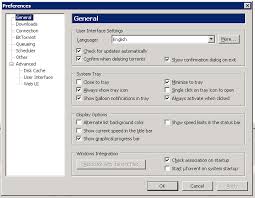
- Open uTorrent and go to Options > Configuration
- Select the “Net” tab and click on the “Start Test” button
- If everything is configured correctly, the test should pass
Step 2: Configure Your Modem/router
If the test failed, it’s likely that your modem/router needs to be configured.
- Access your modem/router settings by typing in the IP address (usually 192.168.1.1 Or 192.168.0.1) Into your web browser
- Look for the “Port Mapping” or “Advanced” section and create a new virtual server with the following settings:
- External Port: The port number you specified in uTorrent’s configuration
- Internal IP Address: Your computer’s IP address
- Internal Port: The same port number as above
- Save your changes and restart uTorrent
Step 3: Configure Utorrent
Once you’ve configured your modem/router, it’s time to configure uTorrent.
- Go back to uTorrent and select the “Configuration” option
- Select the “Band” tab and ensure that the correct network interface is selected
- Click on the “Start Test” button to test your connection
Step 4: Save Your Changes
If everything looks good, click on the “Save & Close” button to save your changes.
The Best Websites For Music Downloading on Utorrent
Now that you’ve configured uTorrent, it’s time to find some great music downloading websites. Here are a few of our favorites:
1. Torrentseeker
TorrentSeeker is one of the best BitTorrent search engines available. With a vast database of over 10 million torrents, you’re sure to find something that suits your musical tastes.
- Simply type in the name of the song or artist you’re looking for and click on the “Search” button
- Select the torrent with the most seeders (the more seeders, the faster the download)
- Click on the magnet link to initiate the download
2. Torrends
Torrends is another excellent search engine that’s specifically designed for music torrents.
- Type in your desired song or artist and click on the “Search” button
- Browse through the results and select the torrent with the most seeders
- Click on the magnet link to start the download
3. Archive.org
Archive.Org is a treasure trove of free, legal downloads, including music.
- Simply type in your desired song or artist in the search bar
- Browse through the results and select the torrent you’d like to download
- Click on the “Torrent” button to initiate the download
Alternative to Utorrent: Qbittorrent
If you’re not happy with the advertising-filled interface of uTorrent, consider trying out qBittorrent. This free and open-source client is compatible with Windows, macOS, and Linux.
- Download and install qBittorrent from the official website
- Configure your network settings in the same way as above
- Search for your desired music using the built-in search engine
Conclusion
Downloading music on uTorrent can be a breeze once you’ve configured the program correctly. With these steps, you’ll be able to find and download your favorite tunes with ease.
Remember to always respect copyright laws and only download from reputable sources.
Frequently Asked Questions (FAQs)
Q: Why is my Utorrent Connection so Slow?
A: This could be due to a variety of reasons, including incorrect modem/router configuration or inadequate network settings. Try restarting your modem/router and re-configuring uTorrent to see if that resolves the issue.
Q: Can I Download Music From Multiple Websites at Once?
A: Yes! You can use multiple search engines and websites simultaneously to find and download music.
Q: What’s The Difference Between a Magnet Link And a Torrent File?
A: A magnet link is a small, self-contained link that allows you to download a torrent without having to manually seed it. A torrent file, on the other hand, contains all the necessary metadata for downloading a specific file or set of files.
Q: Can I Use Qbittorrent With Windows 10?
A: Yes! qBittorrent is compatible with Windows 10 and can be downloaded from the official website.
Q: Why Are Some Music Downloads Not Working on Utorrent?
A: This could be due to a variety of reasons, including incorrect network settings or outdated software. Try restarting your modem/router and re-configuring uTorrent to see if that resolves the issue.
Q: Is it Safe to Download Music From The Internet?
A: While most music downloads are perfectly safe, there is always a risk of downloading malware or other malicious content. Be sure to only download from reputable sources and use a VPN to protect your identity.
Q: Can I Convert Music Files Using Qbittorrent?
A: Yes! You can convert music files using the built-in converter tool in qBittorrent.


