
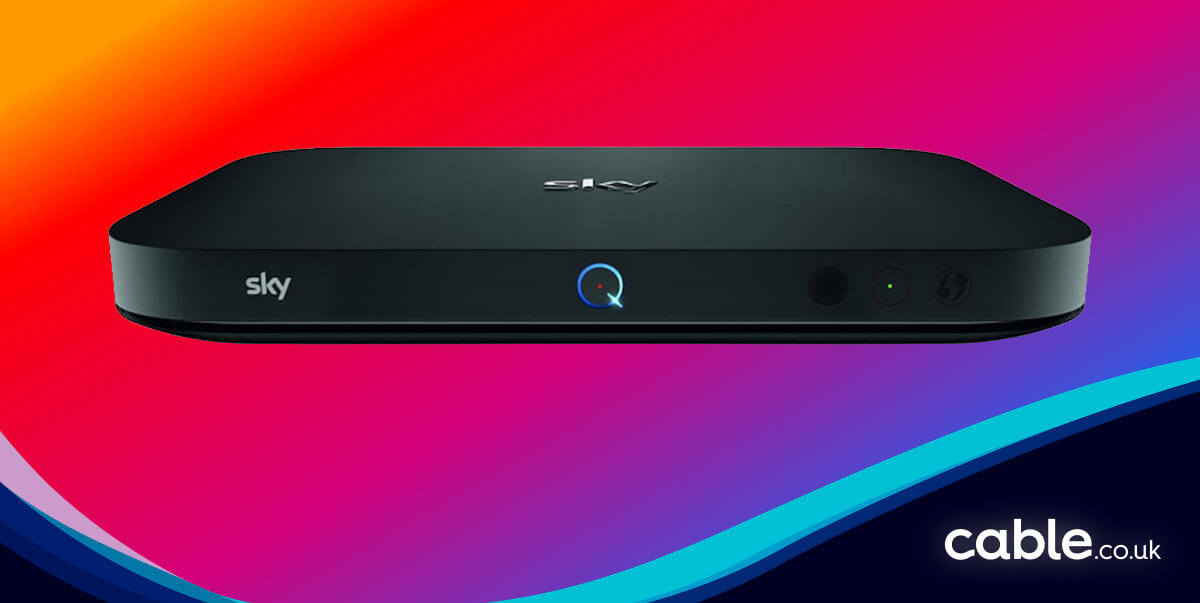
Sky Q: The Ultimate Entertainment Experience
Are you tired of being stuck to a single screen while watching your favorite TV shows or movies? Do you wish there was a way to access multiple channels, on-demand content, and even stream your favorite programs on the go? Look no further than Sky Q!
In this article, we’ll delve into the world of Sky Q, a revolutionary entertainment service that offers an unparalleled viewing experience. From its sleek and user-friendly interface to its impressive range of features, we’ll explore everything you need to know about this innovative platform.
What is Sky Q?
Sky Q is a next-generation entertainment system developed by Sky Italia. It’s designed to provide users with a seamless and immersive viewing experience across multiple screens and devices. With Sky Q, you can enjoy over 40 channels, on-demand content, and even stream your favorite shows or movies on the go.
Minimum Requirements And Devices Supported
To get started with Sky Q, you’ll need to meet certain minimum requirements:
- A connection internet via ADSL or optical fiber with a speed of at least 15 Mbps in download
- A TV equipped with an HDMI input or SCART connector
These requirements ensure that you can enjoy the best possible viewing experience with Sky Q.
Prices And Plans
Sky Q comes in two main flavors: Sky Q Platinum and Sky Q Mini. The former is a comprehensive package that includes access to all channels, on-demand content, and even the Record and Pause functions. The latter is an add-on device that allows you to enjoy Sky Q on a second TV.
The prices for these plans are as follows:
- Sky Q Platinum: €199 (Including installation of the first Sky Q Mini)
- Sky Q Mini: €50 (Additional cost for each device installed)
Activating Sky Q
To activate your Sky Q service, follow these steps:
- Via Internet: Visit the Sky website and log in to your account using your credentials.
- By Telephone: Call the Sky hotline at 02 7070 and follow the voice guide instructions.
- In Person: Visit a nearby Sky office or branch and meet with a representative who will assist you.
Activating Sky Q Via Internet
If you’re already an existing Sky client, you can activate your Sky Q service online. Here’s how:
- Log in to your Sky account using your credentials.
- Click on the “Do You” tab and select “Promotions.”
- Find the Sky Q box and click on it to initiate activation.
Activating Sky Q Via Telephone
If you’re not already an existing Sky client, you can activate a new subscription with Sky Q by calling their hotline at 02 7070.
The Intervention of The Technician
Once you’ve activated your Sky Q service, a technician from Sky will contact you within two working days to schedule an appointment. The technician will visit your home and install the necessary equipment to enable Sky Q on all your devices.
Conclusion
Sky Q is an innovative entertainment platform that offers users a seamless and immersive viewing experience across multiple screens and devices. With its sleek interface, impressive range of features, and affordable prices, it’s no wonder why many are switching to Sky Q for their entertainment needs.
Whether you’re a seasoned viewer or just looking to upgrade your viewing experience, we hope this article has provided you with the necessary information to make an informed decision about Sky Q. Happy watching!
Frequently Asked Questions
-
What is The Minimum Speed Requirement For Sky Q?
The minimum speed requirement for Sky Q is 15 Mbps in download. -
Can I Activate Sky Q Via Internet or Telephone?
Yes, you can activate Sky Q via both internet and telephone by calling their hotline at 02 7070 or visiting their website and logging in to your account. -
How Much Does it Cost to Activate Sky Q?
The activation fee for Sky Q is €199 (including installation of the first Sky Q Mini) for existing clients, while new subscribers can take advantage of a special offer starting at €120. -
Can I Install Multiple Sky Q Minis?
Yes, you can install up to four Sky Q Minis on separate devices for an additional fee of €50 per device. -
Do I Need a Sky Subscription to Activate Sky Q?
Yes, you will need a Sky subscription to activate your Sky Q service. -
What is The Activation Process Like Via Internet or Telephone?
The activation process is straightforward and can be completed online or over the phone by following the instructions provided by Sky’s customer support team. -
How Long Does The Installation Process Take?
The installation process typically takes around 2 hours (3 if you don’t have a satellite dish) to complete, depending on your specific requirements and location. -
Can I Cancel or Reschedule my Appointment With The Technician?
Yes, you can cancel or reschedule your appointment by contacting Sky’s customer support team at 199 100 400.


