
Unlocking Facebook’s Secret: A Guide on How to Contact Facebook For a Blocked Account
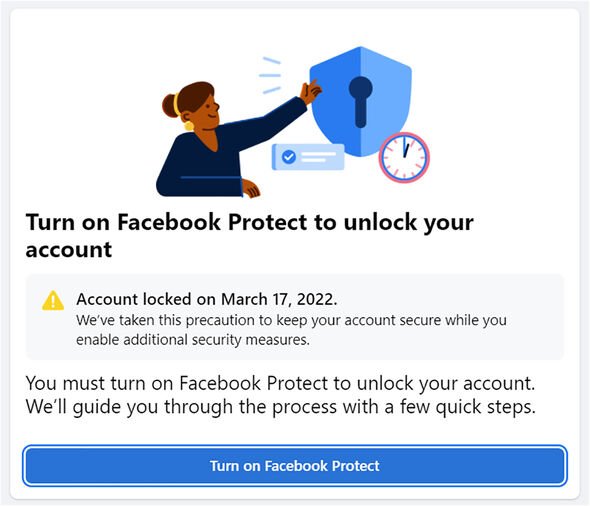
Are you facing an issue where your Facebook account has been blocked, and you’re unable to access it from any device? Don’t worry; this article will walk you through the step-by-step process of contacting Facebook to resolve the issue.
Understanding Why Your Facebook Account Might Be Blocked
Before we dive into the solution, let’s understand why your Facebook account might be blocked in the first place. There are several reasons for this:
- Breach of Terms of Service: If you’ve violated Facebook’s terms of service, your account may be blocked.
- Theft of Identity: If someone has stolen your identity and used it to create a fake Facebook profile, your account might be blocked.
- Publication of Inappropriate Content: If you’ve published content that goes against Facebook’s community standards, your account may be blocked.
The Process of Contacting Facebook For a Blocked Account
Here are the steps you can follow:
Step 1: Check if Your Account is Temporarily or Permanently Blocked
First, try logging in to your Facebook account from multiple devices. If you’re unable to access it from any device, it’s likely that your account has been blocked.
Step 2: Review Facebook’s Community Standards
If you think your account has been blocked due to a breach of community standards, review the guidelines on Facebook’s website. Make sure you understand what’s expected of you as a user.
Step 3: Contact Facebook Support
You can contact Facebook support by filling out a form or reaching out through their live chat feature. If you’re unable to access your account, try contacting them via email using the address provided in the message that appears when you try to log in.
Alternative Solutions
If you’re having trouble accessing your Facebook account, there are other options you can explore:
- Facebook Help Center: Visit the Facebook help center for answers to common questions and troubleshooting tips.
- Community Forum: Join the Facebook community forum to connect with other users who may be experiencing similar issues.
Conclusion
In conclusion, if your Facebook account has been blocked, don’t panic! Follow these steps, and you’ll be able to contact Facebook support and resolve the issue. Remember, it’s always best to review Facebook’s community standards and ensure you’re using the platform responsibly.
Faqs
Here are some frequently asked questions related to contacting Facebook for a blocked account:
-
Q: How Long Does it Take For Facebook to Respond?
A: The response time varies depending on the issue and the team that’s working on it.
-
Q: What Should I do if my Account is Permanently Blocked?
A: If your account has been permanently blocked, try reviewing Facebook’s community standards and ensuring you’re using the platform responsibly. If you still have issues, consider reaching out to a social media expert for assistance.
-
Q: Can I Appeal a Block on my Facebook Account?
A: Yes, you can appeal a block on your Facebook account by contacting support directly.


