
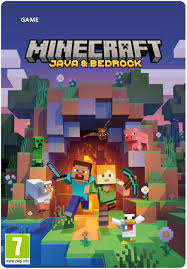
How to Acquire Minecraft: A Comprehensive Guide
Are you eager to dive into the world of Minecraft but not sure how to acquire it? Look no further! This article will guide you through the process of buying Minecraft on various platforms, including PC, console, and mobile devices.
Acquiring Minecraft on PC
To start playing Minecraft on your PC, follow these steps:
- Visit The Official Minecraft Website: Go to www.Minecraft.Net and select the version you want to acquire.
- Choose Your Edition: Select either the Java or Bedrock Edition, depending on your operating system. Note that the Java Edition is available for Windows, macOS, and Linux, while the Bedrock Edition is only compatible with Windows 10 and Windows 11.
- Purchase The Game: Click on the “Buy” button to purchase the game. You can choose from various payment options, including credit cards or PayPal.
Differences Between Minecraft: Java And Bedrock Edition
The main difference between the two editions lies in their development and compatibility. The Java Edition is developed using the Java programming language and is compatible with Windows, macOS, and Linux. On the other hand, the Bedrock Edition is programmed in C++ for cross-platform compatibility.
Acquiring Minecraft on Console
To acquire Minecraft on your console, follow these steps:
Acquiring Minecraft on Ps4 And Ps5
- Visit The Playstation Store: Go to the PlayStation Store and search for “Minecraft”.
- Select The Game: Choose the version you want to purchase, which is currently available for $19.99.
- Pay For The Game: Use your credit card or PayPal to complete the purchase.
Acquiring Minecraft on Xbox
- Visit The Microsoft Store: Go to the Microsoft Store and search for “Minecraft”.
- Select The Game: Choose the version you want to purchase, which is currently available for $19.99.
- Pay For The Game: Use your credit card or PayPal to complete the purchase.
Acquiring Minecraft on Switch
- Visit The Nintendo Eshop: Go to the Nintendo eShop and search for “Minecraft”.
- Select The Game: Choose the version you want to purchase, which is currently available for $29.99.
- Pay For The Game: Use your credit card or PayPal to complete the purchase.
Acquiring Minecraft on Mobile Devices
To acquire Minecraft on your mobile device, follow these steps:
Acquiring Minecraft on Android
- Visit The Google Play Store: Go to the Google Play Store and search for “Minecraft”.
- Select The Game: Choose the version you want to purchase, which is currently available for $7.49.
- Pay For The Game: Use your credit card or PayPal to complete the purchase.
Acquiring Minecraft on Iphone And Ipad
- Visit The App Store: Go to the App Store and search for “Minecraft”.
- Select The Game: Choose the version you want to purchase, which is currently available for $7.99.
- Pay For The Game: Use your credit card or PayPal to complete the purchase.
Acquiring Minecraft For Free
While it’s not possible to acquire the full version of Minecraft for free, there are some options available:
- Download The Trial Version: You can download a trial version of Minecraft on various platforms, including PC, Android, and PlayStation.
- Get it With Xbox Game Pass: If you have an Xbox console or PC (Windows 10 and Windows 11), you can get Minecraft as part of your Xbox Game Pass subscription.
Conclusion
Acquiring Minecraft is a straightforward process that involves visiting the official website or store for your preferred platform. Whether you’re playing on PC, console, or mobile devices, you can enjoy this popular game with just a few clicks. Remember to choose the right edition and payment option for your needs!
Frequently Asked Questions
- What is The Difference Between Minecraft: Java And Bedrock Edition?
The main difference lies in their development and compatibility. The Java Edition is developed using the Java programming language and is compatible with Windows, macOS, and Linux. On the other hand, the Bedrock Edition is programmed in C++ for cross-platform compatibility. - Can I Acquire Minecraft on Mobile Devices?
Yes, you can acquire Minecraft on Android and iOS devices through their respective app stores. - Is it Possible to Get Minecraft For Free?
While it’s not possible to acquire the full version of Minecraft for free, there are some options available, such as downloading a trial version or getting it with an Xbox Game Pass subscription. - What Platforms is Minecraft Compatible With?
Minecraft is compatible with various platforms, including PC (Windows, macOS, and Linux), console (PS4, PS5, Xbox, Switch), and mobile devices (Android and iOS). - How Much Does Minecraft Cost on Different Platforms?
The price of Minecraft varies depending on the platform and edition. On PC, it costs $29.99 For the Java Edition and $39.99 For the Bedrock Edition. On console, it costs $19.99 For PS4 and PS5, $19.99 For Xbox, and $29.99 For Switch. - Can I Play Minecraft With my Friends?
Yes, you can play Minecraft with your friends on various platforms, including PC (Java Edition), console (Bedrock Edition), and mobile devices.
The Final Word
Minecraft is an incredible game that offers endless possibilities for creativity and adventure. With this comprehensive guide, you’re now ready to acquire Minecraft on your preferred platform!


