
How to Play Minecraft Online: A Comprehensive Guide
Are you ready to embark on a thrilling adventure with friends? Look no further than Minecraft, the popular video game that lets you build, explore, and survive in a blocky world. But how do you play Minecraft online? In this article, we’ll guide you through the process of playing Minecraft with your friends, covering various platforms such as PC, PS4, Xbox, Nintendo Switch, and mobile devices.
The Basics of Online Multiplayer
Before diving into the specifics, let’s cover the basics of online multiplayer in Minecraft. The game allows players to join or create servers, which are essentially virtual worlds that can be accessed by multiple players. To play with friends online, you’ll need to have a Minecraft account and a stable internet connection.
Playing Minecraft Online on PC
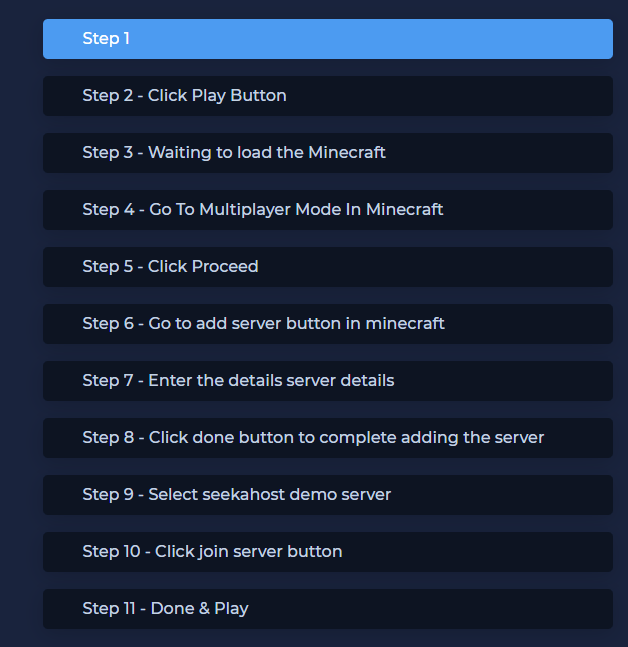
To play Minecraft online on your PC, follow these steps:
- Launch Minecraft: Open the game on your computer and click on “Play”.
- Select Multiplayer: In the main menu, select the “Multiplayer” option.
- Add a Server: Click on “Add a Server” and enter the server address provided by your friend or host.
- Join The Server: Once added, you can join the server by clicking on it.
Playing Minecraft Online on Ps4
If you’re playing Minecraft on your PS4, follow these steps:
- Launch Minecraft: Open the game on your console and select “Play”.
- Select Multiplayer: In the main menu, select the “Multiplayer” option.
- Add a Server: Click on “Add a Server” and enter the server address provided by your friend or host.
- Join The Server: Once added, you can join the server by clicking on it.
Playing Minecraft Online on Xbox
To play Minecraft online on your Xbox console, follow these steps:
- Launch Minecraft: Open the game on your console and select “Play”.
- Select Multiplayer: In the main menu, select the “Multiplayer” option.
- Add a Server: Click on “Add a Server” and enter the server address provided by your friend or host.
- Join The Server: Once added, you can join the server by clicking on it.
Playing Minecraft Online on Nintendo Switch
If you’re playing Minecraft on your Nintendo Switch, follow these steps:
- Launch Minecraft: Open the game on your console and select “Play”.
- Select Multiplayer: In the main menu, select the “Multiplayer” option.
- Add a Server: Click on “Add a Server” and enter the server address provided by your friend or host.
- Join The Server: Once added, you can join the server by clicking on it.
Playing Minecraft Online on Mobile Devices
To play Minecraft online on your mobile device, follow these steps:
- Launch Minecraft: Open the game on your smartphone or tablet and select “Play”.
- Select Multiplayer: In the main menu, select the “Multiplayer” option.
- Add a Server: Click on “Add a Server” and enter the server address provided by your friend or host.
- Join The Server: Once added, you can join the server by clicking on it.
Minecraft Dungeons: A Different Twist
If you’re looking for a different twist on Minecraft online multiplayer, consider playing Minecraft Dungeons. This game is a dungeon crawler that lets you play with friends in a unique and challenging environment. To play Minecraft Dungeons online, follow these steps:
- Launch Minecraft Dungeons: Open the game on your console or PC.
- Select Multiplayer: In the main menu, select the “Multiplayer” option.
- Add a Server: Click on “Add a Server” and enter the server address provided by your friend or host.
- Join The Server: Once added, you can join the server by clicking on it.
Tips And Tricks
Here are some additional tips and tricks to keep in mind when playing Minecraft online:
- Make sure you have a stable internet connection to avoid lag or disconnections.
- Choose a server that suits your skill level and playstyle.
- Communicate with your friends through chat or voice chat to coordinate your gameplay.
- Experiment with different game modes, such as Creative or Survival, to find the most enjoyable experience.
Conclusion
Playing Minecraft online with friends is an exciting way to enjoy the game. By following these steps and tips, you can create a memorable gaming experience with your friends across various platforms. Happy building, exploring, and surviving!
Frequently Asked Questions (FAQs)
- Q: Do I Need a Subscription to Play Minecraft Online?
A: No, you don’t necessarily need a subscription to play Minecraft online, but some platforms may require it. - Q: Can I Play Minecraft Online With Friends on Different Platforms?
A: Yes, you can play Minecraft online with friends on different platforms, such as PC, PS4, Xbox, and mobile devices. - Q: How do I Join a Server in Minecraft?
A: To join a server in Minecraft, select the “Multiplayer” option, add the server address provided by your friend or host, and click on it to join. - Q: Can I Play Minecraft Dungeons Online With Friends?
A: Yes, you can play Minecraft Dungeons online with friends by following the same steps as playing Minecraft online. - Q: What Are Some Tips For Playing Minecraft Online With Friends?
A: Some tips for playing Minecraft online with friends include communicating through chat or voice chat, choosing a server that suits your skill level and playstyle, and experimenting with different game modes.
Sources


