
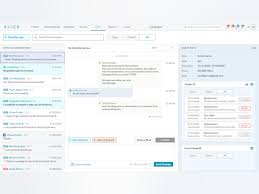
How to Erase Your Email Address on Alice: A Step-by-step Guide
As a digital native, you’re likely familiar with the importance of protecting your personal data online. But have you ever wondered how to erase your email address on Alice, also known as TIM Mail? In this article, we’ll guide you through a step-by-step process to help you delete your email account and any associated data.
Why Erase Your Email Address?
Before we dive into the nitty-gritty of deleting your email account, let’s explore why you might want to erase your email address in the first place. Perhaps you’re no longer using your Alice account or have created a new one with a different email address. Whatever your reason, erasing your email address on Alice can help:
- Protect your personal data from unauthorized access
- Reduce spam and unwanted emails
- Free up storage space on your device
Step 1: Backup Your Messages
Before deleting your email account, it’s essential to backup your messages. This will ensure that you don’t lose any important emails or attachments.
To backup your messages:
- Configure your Alice account on a “classic” mail client (e.G., Outlook, Mozilla Thunderbird, Apple Mail).
- Use the POP/IMAP parameters provided on the TIM website to set up your account.
- Save your emails in a secure location on your device.
If you encounter any difficulties during this process, consult the detailed explanations on how to configure your Alice account and save messages in a client.
Step 2: Erase Your Email Address
Now that you’ve backed up your messages, it’s time to erase your email address on Alice. To do this:
- Access the TIM website.
- Go to the dedicated page for deleting an email account.
- Provide the credentials of access to the mail account you want to delete.
- Follow the guided procedure.
Note that deleting your email account will also remove any associated data, such as messages and contacts. Make sure to complete this step carefully to avoid losing important information.
Step 3: Erase Saved Contacts
If you’ve saved contacts in your Alice account, you’ll need to erase them separately. To do this:
- Access the TIM website.
- Go to your email account.
- Find the contact you want to delete in the rubric.
- Select the contact and confirm its deletion.
Step 4: Resolve Any Issues
If you encounter any problems or doubts during this process, don’t hesitate to seek help from the TIM Mail customer support team. You can reach them through various channels, including:
- Telephone assistance (187 and 119)
- Social media platforms
The team will be happy to assist you in resolving any issues.
Conclusion
Erase your email address on Alice is a relatively straightforward process that requires some basic steps. By following this guide, you can protect your personal data, reduce spam, and free up storage space on your device.
If you have any further questions or concerns, please don’t hesitate to reach out to us.
FAQs
- Q: How do I Erase my Email Address on Alice?
A: To delete your email account, access the TIM website, go to the dedicated page for deleting an email account, provide the credentials of access to the mail account you want to delete, and follow the guided procedure. - Q: What Happens if I Delete my Email Account Without Backing up my Messages?
A: If you delete your email account without backing up your messages, you may lose important emails or attachments. It’s essential to backup your messages before deleting your email account. - Q: How do I Erase Saved Contacts in my Alice Account?
A: To erase saved contacts in your Alice account, access the TIM website, go to your email account, find the contact you want to delete in the rubric, select the contact, and confirm its deletion. - Q: What if I Encounter Problems or Doubts During This Process?
A: If you encounter any problems or doubts during this process, don’t hesitate to seek help from the TIM Mail customer support team. You can reach them through various channels, including telephone assistance and social media platforms.


