
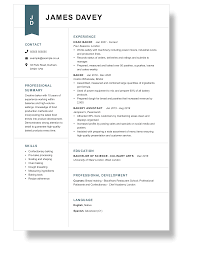
The Ultimate Guide to Creating a Perfect Curriculum Vitae
Are you tired of feeling like your curriculum vitae (CV) is holding you back from landing your dream job? Do you struggle with formatting, design, and writing the perfect CV that showcases your skills and experience? Look no further! In this comprehensive guide, we’ll show you how to create a stunning CV that will make you stand out from the crowd.
Understanding The Importance of a Great CV
Your CV is often the first impression a potential employer has of you. It’s what sets you apart from other candidates and makes them want to learn more about your qualifications and experience. A great CV can make all the difference in getting an interview, let alone landing the job. So, it’s essential to invest time and effort into creating a CV that truly reflects your skills, education, and work history.
The European Format: To Use or Not to Use?
In some cases, a CV in European format is required. However, this can be a bit of a challenge for those who are not familiar with the layout. The European format requires specific sections and formatting, which can make it difficult to create a CV that stands out from the crowd.
A Simple Guide to Creating a CV
Don’t worry if you’re not sure where to start! Creating a simple CV is easier than you think. Here’s a step-by-step guide to help you get started:
- Choose a Format: Decide on a layout that suits your needs and skills. You can choose from various templates online or create your own.
- Write a Summary: Craft a brief summary of your experience, education, and skills. This should be no more than 2-3 sentences.
- List Your Work Experience: Start with your most recent job and work backwards. Include relevant details such as job title, company name, dates of employment, and achievements.
- Include Education And Training: List any relevant courses, certifications, or degrees you’ve completed.
- Highlight Your Skills: Mention any specific skills you have, such as language proficiency, software expertise, or technical knowledge.
Using Canva to Create a Professional CV
Canva is an amazing tool that makes creating a professional CV a breeze! With its vast library of templates and design elements, you can create a stunning CV in no time. Here’s how:
- Choose a Template: Browse through Canva’s extensive collection of CV templates.
- Customize Your Design: Use the drag-and-drop editor to add or remove sections, change font styles, and adjust colors.
- Add Your Content: Fill in your work experience, education, skills, and other relevant details.
Other Solutions For Creating a Perfect CV
If you’re not fond of Canva or want more options, don’t worry! There are plenty of other tools to help you create the perfect CV:
- Word: A popular word processing software that comes with pre-designed templates.
- Google Documents: An online tool that allows real-time collaboration and automatic saving.
- Libreoffice: A free and open-source alternative to Microsoft Office.
Tips For Creating a Great CV
Here are some final tips to help you create an amazing CV:
- Be Honest: Only include relevant and true information about your experience, education, and skills.
- Tailor Your CV: Customize your CV to fit the specific job you’re applying for.
- Keep it Concise: Use bullet points and short sentences to make your CV easy to read.
- Use Action Verbs: Use action verbs like “managed,” “created,” or “developed” to describe your achievements.
Conclusion
Creating a perfect CV takes time, effort, and patience. By following these tips and using the right tools, you can create a stunning CV that showcases your skills and experience. Remember to tailor your CV to each job application, be honest about your qualifications, and keep it concise. With practice, you’ll become an expert in creating CVs that land interviews!
Frequently Asked Questions (FAQs)
-
What is The European Format For a Cv?
A: The European format requires specific sections and formatting for a CV. -
How do I Create a Simple Cv?
A: Start with a basic template, write a summary of your experience and skills, list your work experience in reverse chronological order, include education and training, and highlight relevant skills.
-
Can I Use Canva to Create a Professional Cv?
A: Yes! Canva is an excellent tool for creating stunning CVs with its vast library of templates and design elements.
-
What Are Some Other Solutions For Creating The Perfect Cv?
A: Word, Google Documents, LibreOffice, Curriculum.Free (online), Curriculum.Vitae App (Android/iOS/iPadOS), and Documents Google (online/Android/iOS/iPadOS) are all great options.
-
How do I Choose a Format For my Cv?
A: Select a layout that suits your needs and skills from various templates online or create your own.
-
What Should be Included in The Summary of my Cv?
A: Write a brief summary of your experience, education, and skills, which should be no more than 2-3 sentences.
-
How do I Highlight Relevant Skills on my Cv?
A: Mention any specific skills you have, such as language proficiency, software expertise, or technical knowledge.
-
Can I Use Action Verbs to Describe my Achievements on The Cv?
A: Yes! Use action verbs like “managed,” “created,” or “developed” to describe your accomplishments.
Feel free to ask more questions if you have any!


