
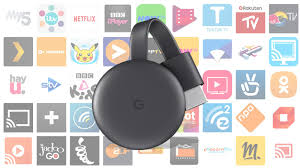
The Ultimate Guide to Chromecast: Unlocking The Full Potential of Your Smart TV
Are you tired of using your smartphone or tablet as a makeshift streaming device? Look no further than Chromecast, the wireless streaming technology developed by Google that allows you to stream your favorite content directly to your TV. In this comprehensive guide, we’ll explore the various applications for Chromecast, including entertainment, music, games, and more.
Getting Started With Chromecast
Before we dive into the world of Chromecast apps, it’s essential to understand how the technology works. Chromecast is a small device that plugs into your TV’s HDMI port, allowing you to stream content from your smartphone or tablet to the big screen. To get started, simply download and install the Google Home app on your mobile device, which will guide you through the setup process.
Top Free Entertainment Apps For Chromecast
If you’re looking for entertainment apps that won’t break the bank, look no further than these top picks:
- Raiplay: This popular streaming service offers a wide range of TV channels, movies, and documentaries. With RaiPlay, you can stream your favorite shows directly to your TV using Chromecast.
- Netflix: One of the most popular streaming services in the world, Netflix offers a vast library of movies, TV shows, and original content. Use Chromecast to stream your favorite titles to the big screen.
- Amazon Prime Video: With Amazon Prime Video, you can access a wealth of exclusive content, including movies, TV shows, and original programming. Plus, with Chromecast, you can easily switch between devices and enjoy seamless playback.
Music Apps For Chromecast
If music is your thing, don’t miss out on these fantastic apps that pair perfectly with Chromecast:
- Spotify: This popular music streaming service offers millions of tracks to choose from, as well as playlists, podcasts, and more. With Chromecast, you can stream your favorite tunes directly to the TV.
- Youtube Music: YouTube’s music-focused platform allows you to listen to music videos, songs, and playlists without any ads. Use Chromecast to stream your favorite artists and songs.
Gaming Apps For Chromecast
Get ready to game on! These apps bring the fun of gaming directly to your TV with Chromecast:
- Stadia: Google’s cloud gaming platform allows you to play high-quality games on your TV using Chromecast.
- Just Dance Now: Get moving with this popular dance game that lets you play directly on your TV using Chromecast.
Other Useful Apps For Chromecast
In addition to entertainment and music apps, there are plenty of other useful tools that can enhance your Chromecast experience:
- Bubble Upnp: This app allows you to cast media from your Android device to the TV.
- Allcast: Stream your favorite videos, photos, and music directly to the big screen with this versatile app.
Configuring Chromecast on PC
Are you looking for ways to control your Chromecast experience from your PC? Here’s what you need to know:
- Google Home App: While there isn’t a dedicated Chrome extension or Windows desktop app for Chromecast, the Google Home app on mobile devices is the best way to configure and control your device.
- Chrome Browser: For streaming content directly from your browser to the TV using Chromecast, use the Chrome browser’s built-in casting feature.
Frequently Asked Questions (FAQs)
- Q: What is Chromecast?
A: Chromecast is a wireless streaming technology developed by Google that allows you to stream content from your smartphone or tablet to your TV. - Q: How do I set up Chromecast?
A: Download and install the Google Home app on your mobile device, which will guide you through the setup process. - Q: What apps can I use with Chromecast?
A: There are numerous entertainment, music, gaming, and other apps compatible with Chromecast. - Q: Can I stream content from my PC to Chromecast?
A: Yes, but it’s recommended to use the Google Home app on mobile devices for easy setup and control. - Q: Is there a dedicated Chromecast app for Windows or macOS?
A: No, but you can use the Chrome browser’s built-in casting feature to stream content directly from your PC.
By now, you’re equipped with the knowledge to unlock the full potential of Chromecast and take your streaming experience to the next level. So go ahead, download some apps, and get ready to enjoy a world of entertainment on the big screen!


