
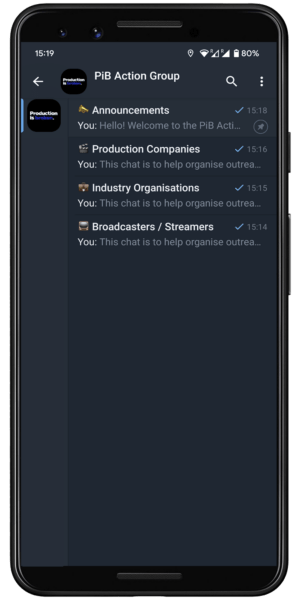
Getting Started With Telegram Clusters: A Step-by-step Guide
Are you ready to unlock the full potential of Telegram? Do you want to stay connected with your friends, family, or community without relying on traditional messaging apps? Then it’s time to dive into the world of Telegram clusters!
In this comprehensive guide, we’ll take you through the ins and outs of Telegram clusters, covering everything from the basics to advanced features. By the end of this tutorial, you’ll be well-equipped to create, join, or manage your own Telegram cluster, tailored to your specific needs.
What Are Telegram Clusters?
Telegram clusters are groups of users who share a common interest or purpose, facilitated by the Telegram messaging app. These clusters can be public or private, and they offer a more immersive and engaging experience than traditional messaging apps.
Types of Telegram Clusters
There are two primary types of Telegram clusters:
- Private Cluster: This type of cluster is limited to a small group of users, typically up to 200,000 members. Private clusters are ideal for communities or organizations that require a high level of security and control.
- Public Cluster: Public clusters, on the other hand, are open to anyone with a Telegram account. These clusters are perfect for public events, conferences, or online communities.
Joining a Telegram Cluster
To join a Telegram cluster, you can follow these steps:
- Open Telegram on your device.
- Search for the cluster name in the search bar.
- Tap on the cluster’s profile picture to access its details.
- Click on “Join” to become a member.
Creating a Telegram Cluster
To create a Telegram cluster, follow these steps:
- Open Telegram on your device.
- Tap on the “New Group” button.
- Select “Create Group” from the menu.
- Choose a name for your group and add members.
- Set the group type to either private or public.
Managing Your Telegram Cluster
Once you’ve created or joined a Telegram cluster, you’ll need to manage it effectively to ensure its success. Here are some tips:
- Set Clear Rules: Establishing clear rules and guidelines will help maintain order within your cluster.
- Assign Administrators: Appoint trusted members as administrators to help moderate the cluster.
- Encourage Engagement: Foster a sense of community by encouraging members to participate in discussions.
Conclusion
Telegram clusters offer an exciting way to connect with like-minded individuals, build communities, or manage online events. By following this guide, you’ll be well-equipped to create, join, or manage your own Telegram cluster, tailored to your specific needs.
Frequently Asked Questions (FAQs)
-
Q: What is The Difference Between a Private And Public Telegram Cluster?
A: Private clusters are limited to a small group of users, while public clusters are open to anyone with a Telegram account.
2. Q: How do I Join a Telegram Cluster?A: Search for the cluster name in the search bar, tap on its profile picture, and click “Join” to become a member.
3. Q: Can I Create my Own Telegram Cluster?A: Yes, you can create your own Telegram cluster by following the steps outlined in this guide.
4. Q: How do I Manage my Telegram Cluster?A: Assign trusted members as administrators, set clear rules, and encourage engagement to maintain order within your cluster.
Further Resources
For more information on Telegram clusters, visit the official Telegram website or explore online communities dedicated to this topic.


