
Understanding Pronouns on Instagram: A Comprehensive Guide
Are you ready to explore the world of pronouns on Instagram? With over 1 billion active users, this popular social media platform has become an essential tool for self-expression and identity representation. In this article, we’ll delve into the details of how to contact pronouns on Instagram, covering both Android and iOS devices.
What Are Pronouns on Instagram?
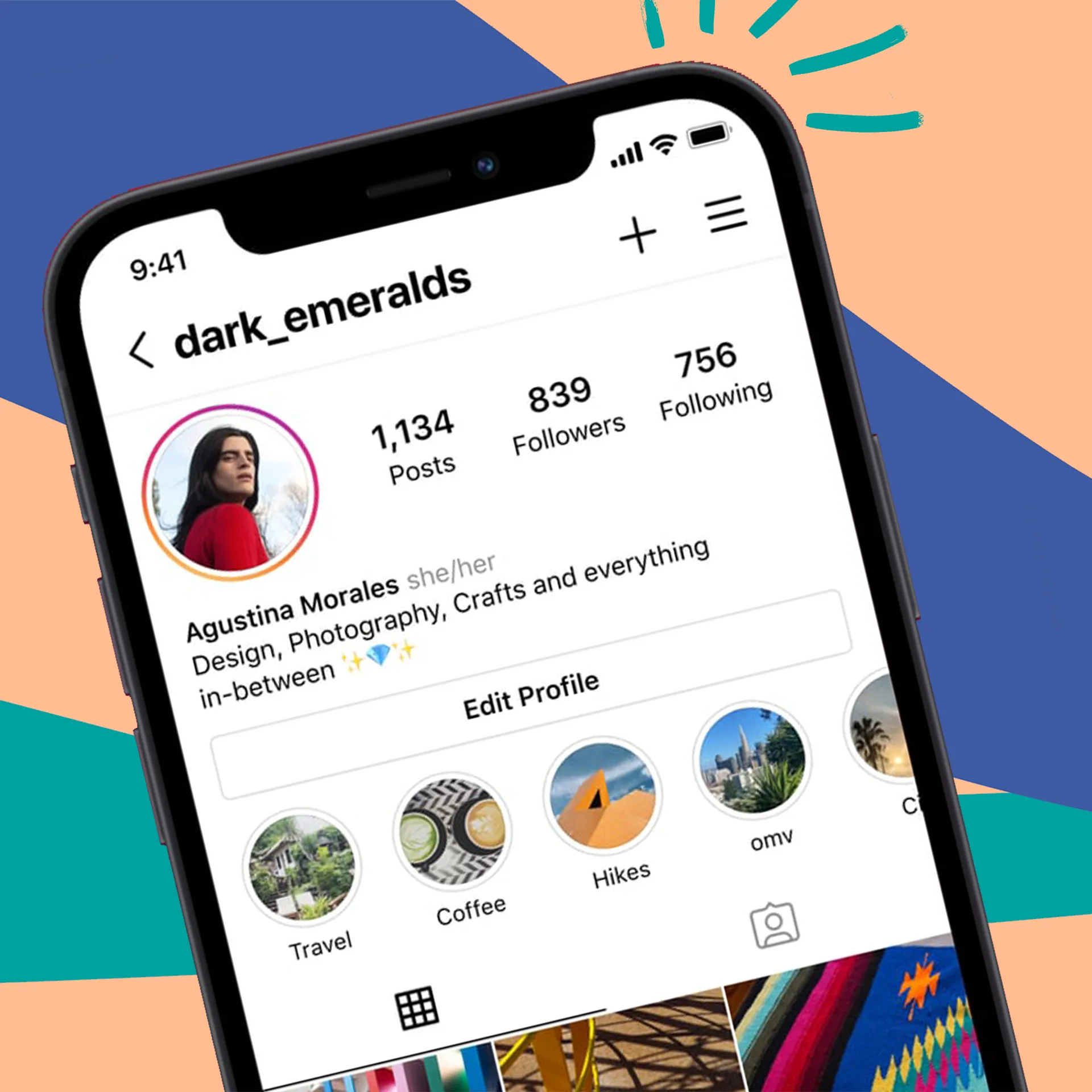
Pronouns on Instagram are a feature that allows users to indicate their preferred pronouns, which can be used by others when referring to them in conversations. This feature is designed to promote inclusivity and respect for individuals who identify as non-binary or trans.
Why Is It Important to Contact Pronouns on Instagram?
Contacting pronouns on Instagram is essential for building a safe and supportive community. By indicating your preferred pronouns, you can help others avoid misgendering you, which can be hurtful and invalidating. This feature also helps create a space where individuals feel comfortable sharing their true selves.
How to Contact Pronouns on Instagram: Android
If you’re using an Android device, follow these steps to contact pronouns on Instagram:
- Open The Instagram App: Launch the Instagram app on your Android device.
- Access Your Profile: Tap on your profile picture in the top-right corner of the screen.
- Modify Your Profile: Tap on the “Edit Profile” button below your profile picture.
- Select Pronouns: Scroll down to the “Pronouns” section and tap on it.
- Choose Your Pronouns: Select up to four pronouns that you prefer others to use when referring to you.
- Confirm Changes: Tap on the “Done” button to confirm your changes.
How to Contact Pronouns on Instagram: Ios
If you’re using an iOS device, follow these steps to contact pronouns on Instagram:
- Open The Instagram App: Launch the Instagram app on your iOS device.
- Access Your Profile: Tap on your profile picture in the top-right corner of the screen.
- Modify Your Profile: Tap on the “Edit Profile” button below your profile picture.
- Select Pronouns: Scroll down to the “Pronouns” section and tap on it.
- Choose Your Pronouns: Select up to four pronouns that you prefer others to use when referring to you.
- Confirm Changes: Tap on the “Done” button to confirm your changes.
How to Contact Pronouns on Instagram: PC
If you’re using a computer or laptop, follow these steps to contact pronouns on Instagram:
- Open The Instagram Website: Launch the Instagram website in your web browser.
- Access Your Profile: Click on your profile picture in the top-right corner of the screen.
- Modify Your Profile: Click on the “Edit Profile” button below your profile picture.
- Select Pronouns: Scroll down to the “Pronouns” section and click on it.
- Choose Your Pronouns: Select up to four pronouns that you prefer others to use when referring to you.
- Confirm Changes: Click on the “Done” button to confirm your changes.
Tips And Tricks
- Make sure to update your Instagram app to the latest version to access the pronoun feature.
- If you’re having trouble accessing the pronoun feature, try restarting your device or checking for updates.
- Remember that pronouns are a personal preference, and it’s okay to change them at any time.
Conclusion
Contacting pronouns on Instagram is an essential step in creating a safe and inclusive community. By following these simple steps, you can ensure that others respect your identity and use the correct pronouns when referring to you. Remember, pronouns are not just for trans or non-binary individuals; they’re for anyone who wants to express themselves authentically.
Frequently Asked Questions
- Q: Can I Change my Pronouns on Instagram?
A: Yes, you can change your pronouns on Instagram at any time. - Q: How do I Access The Pronoun Feature on Instagram?
A: To access the pronoun feature, go to your profile, tap on “Edit Profile,” and select “Pronouns.” - Q: Can I Use Multiple Pronouns on Instagram?
A: Yes, you can select up to four pronouns that others should use when referring to you.


