
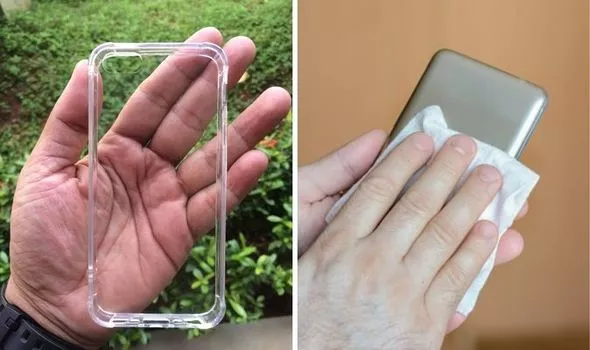
How to Clean Iphone Cases: A Step-by-step Guide
Are you tired of having a dirty and dusty iPhone case? Do you struggle with finding the right cleaning methods? Look no further! In this article, we will guide you through a step-by-step process on how to clean your iPhone case, making it look like new again.
The Importance of Cleaning Your Iphone Case
Before we dive into the steps, let’s talk about why cleaning your iPhone case is essential. A dirty and dusty case can affect the sound quality of your phone, leading to muffled or distorted audio. It can also cause damage to the internal components of your device. By regularly cleaning your case, you can ensure that your iPhone continues to function properly and sounds great.
Materials Needed
Before we start, make sure you have the following materials:
- A soft microfiber cloth (like a camera lens cleaning cloth)
- A small brush or a cotton swab
- A cotton ball or a cotton swab with a bit of water on it (optional)
- A can of compressed air (optional)
Step 1: Turn Off Your Iphone And Remove Accessories
To start, turn off your iPhone by going to Settings > General > Shut Down. Remove any accessories like cases, covers, or screen protectors that might be attached to your device.
Step 2: Prepare Your Cleaning Station
Place your iPhone on a flat surface and make sure it’s stable. You’ll also need a clean and dry workspace to lay out the cleaning materials.
Step 3: Clean The Exterior of Your Iphone Case
Using the soft microfiber cloth, gently wipe down the exterior of your iPhone case. This will remove any dust or dirt that might be accumulated on the surface.
Step 4: Clean The Speakers
The next step is to clean the speakers. Using the small brush or cotton swab, gently sweep away any debris from the speaker grills. You can also use a cotton ball with a bit of water on it to help loosen any stubborn dirt.
Step 5: Use Compressed Air (Optional)
If you have a can of compressed air, now’s the time to use it. Spray the compressed air into the speakers to blow out any remaining dust or debris.
Step 6: Clean Any Stubborn Stains
If there are any stubborn stains on your iPhone case, you might need to use a bit more elbow grease. Use the cotton swab with a bit of water on it to gently scrub away the stain.
Tips And Tricks
- Avoid using harsh chemicals or abrasive materials that might damage your iPhone case.
- Don’t use too much water when cleaning your iPhone case, as this can cause damage to the internal components.
- If you’re struggling with stubborn stains, try using a bit of soap or dish soap to help loosen them.
Conclusion
Cleaning your iPhone case is an essential part of maintaining its performance and longevity. By following these simple steps, you can ensure that your device continues to sound great and looks like new again. Remember to clean your iPhone case regularly to prevent dust and debris from building up.
Faqs
- How Often Should I Clean my Iphone Case?
You should clean your iPhone case every 1-2 weeks, or whenever it gets dirty. - What Materials Can I Use to Clean my Iphone Case?
You can use a soft microfiber cloth, a small brush, a cotton swab, and compressed air (optional). - Can I Use Water to Clean my Iphone Case?
No, avoid using too much water when cleaning your iPhone case, as this can cause damage to the internal components. - How do I Remove Stubborn Stains From my Iphone Case?
Try using a bit of soap or dish soap to help loosen stubborn stains. - What Should I do if my Iphone Case is Still Dirty After Cleaning?
Try using compressed air (optional) or consulting our guide on how to clean specific parts of your iPhone.
The Final Word
Cleaning your iPhone case might seem like a daunting task, but with these simple steps and tips, you’ll be a pro in no time! Remember to clean your iPhone case regularly to ensure that it continues to function properly and sounds great.


