
How to Play Brawl Stars: A Step-by-step Guide
Are you ready to dive into the world of Brawl Stars, the popular mobile game from Supercell? If so, you’ve come to the right place! In this article, we’ll take a step-by-step approach to explain how to play Brawl Stars on various platforms, including Android, iOS, and PC.
What is Brawl Stars?
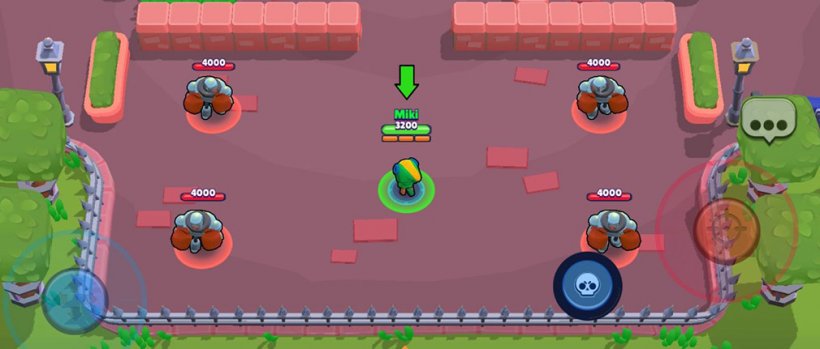
Brawl Stars is a free-to-play multiplayer online battle arena game developed by Supercell. The game features colorful graphics, addictive gameplay, and a wide range of playable characters, known as “brawlers.” Players can choose from various brawlers, each with its unique abilities and powers.
How to Play Brawl Stars on Android
To play Brawl Stars on your Android device:
- Download The Game: Search for Brawl Stars in the Google Play Store and download the app.
- Install The Game: Follow the prompts to install the game on your device.
- Launch The Game: Open the Brawl Stars app and follow the on-screen instructions to create an account or log in if you already have one.
How to Play Brawl Stars on Ios/ipados
To play Brawl Stars on your iOS or iPadOS device:
- Download The Game: Search for Brawl Stars in the App Store and download the app.
- Install The Game: Follow the prompts to install the game on your device.
- Launch The Game: Open the Brawl Stars app and follow the on-screen instructions to create an account or log in if you already have one.
How to Play Brawl Stars on PC
To play Brawl Stars on your PC:
- Emulator Option: Unfortunately, there is no official way to play Brawl Stars directly on a PC. However, you can use emulators like BlueStacks or NoxPlayer to play the game on your computer.
- Note: The use of emulators may be prohibited by Supercell’s terms of service, and it’s not recommended.
How to Play Brawl Stars on Nintendo Switch
Unfortunately, Brawl Stars is not available for the Nintendo Switch console.
Tips For Playing Brawl Stars
- Choose Your Brawler Wisely: Select a brawler that suits your playstyle.
- Focus on Collecting Gems: Gems are essential for progressing in the game.
- Master Your Brawler’s Abilities: Practice using your brawler’s powers to take down opponents.
Frequently Asked Questions (FAQs)
- Q: Can I Play Brawl Stars on Pc?
A: Yes, but only through emulators like BlueStacks or NoxPlayer. - Q: Is Brawl Stars Available For Nintendo Switch?
A: Unfortunately, no. - Q: What Are The Minimum System Requirements For Playing Brawl Stars on Android And Ios?
A: Check your device’s specifications to ensure they meet the game’s requirements.
Conclusion
Brawl Stars is a fun and engaging mobile game that can be played on various platforms, including Android, iOS, and PC (with emulators). By following this guide, you’ll be able to dive into the world of Brawl Stars and experience its addictive gameplay. Remember to choose your brawler wisely, focus on collecting gems, and master your brawler’s abilities to become a pro player!


