
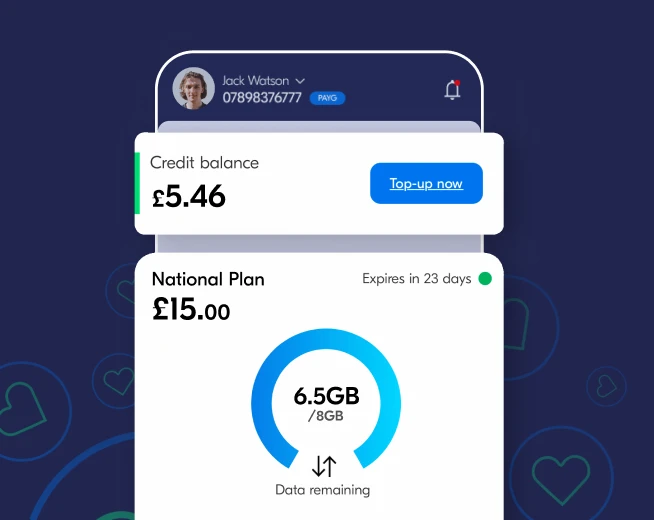
The Ultimate Guide to Managing Your Lycamobile Account: A Step-by-step Tutorial
Are you looking for a comprehensive guide on how to manage your Lycamobile account? Look no further! In this article, we will walk you through the process of checking your credit balance, monitoring your usage, and controlling your expenses with ease.
Why Choose Lycamobile?
Lycamobile is a leading virtual mobile network operator that provides low-cost prepaid plans to its customers. With over 20 million subscribers across the globe, Lycamobile has become a popular choice for those seeking affordable mobile services. As a customer of Lycamobile, you can enjoy seamless coverage on a vast network of partners, including Vodafone.
How to Check Your Credit Balance
Checking your credit balance is a straightforward process with Lycamobile. You can do it using various methods:
Method 1: Using The Lycamobile App
To check your credit balance using the Lycamobile app, follow these steps:
- Download and install the Lycamobile app on your smartphone.
- Launch the app and tap on the “Get Started” button to begin the configuration process.
- Select your country and preferred language from the menu options.
- Tap on the “The Forthcoming” button to access your account details, including your credit balance.
Method 2: Using a Pre-configured Code
You can also check your credit balance by dialing a pre-configured code using your smartphone’s keypad:
- Open the Phone app and enter the code *131#.
- Wait for a few seconds as the phone automatically dials the Lycamobile system.
- Follow the voice instructions to receive your current credit balance.
Method 3: Using The My Lycamobile Portal
If you prefer to manage your account online, you can use the My Lycamobile portal:
- Visit the official Lycamobile website and register for an account using your phone number.
- Log in to your account and navigate to the “My Lycamobile” section.
- Click on the “Credit” tab to view your current balance.
How to Check Your Credit Balance Abroad
If you’re traveling abroad, you can still check your credit balance using an international number:
- Dial the number +39 351 0001 321 from your Lycamobile SIM.
- Follow the voice instructions to receive your current credit balance.
Managing Your Lycamobile Account With Ease
In addition to checking your credit balance, you can also use the My Lycamobile portal to manage your account and monitor your usage:
- View your remaining minutes, SMS, and GB balances
- Check your promotional traffic and offers
- Control your expenses by setting limits on your usage
Conclusion
Managing your Lycamobile account is a breeze with these easy-to-follow steps. Whether you prefer using the app, pre-configured code, or online portal, you can stay on top of your credit balance and usage at all times.
Frequently Asked Questions (FAQs)
- Q: How do I Check my Lycamobile Credit Balance?
A: You can check your credit balance by using the Lycamobile app, dialing a pre-configured code (*131#), or logging in to the My Lycamobile portal. - Q: Can I Check my Credit Balance Abroad?
A: Yes, you can use an international number (+39 351 0001 321) to check your credit balance while traveling abroad. - Q: How do I Manage my Lycamobile Account Online?
A: You can log in to the My Lycamobile portal using your phone number and password to view your account details, including your credit balance.
Additional Resources
If you have any doubts or questions about managing your Lycamobile account, feel free to consult our FAQ section on the official website. Alternatively, you can contact an operator directly for assistance.


