
How to Open Docx Files: A Comprehensive Guide
Are you struggling to open DOCX files on your computer or mobile device? Look no further! In this article, we will explore the various ways to open DOCX files using Microsoft Word, LibreOffice, WordPad, Pages, and online services.
What is a Docx File?
A DOCX file is a document file format developed by Microsoft for their popular word processing software, Microsoft Word. It’s the default file format used by Word since 2007, and it’s widely supported by most office suites and productivity apps.
Opening Docx Files With Microsoft Word
If you’re using Microsoft Word on Windows or macOS, opening a DOCX file is as simple as double-clicking on it. If you don’t have Word installed, you can download the free trial version from the Microsoft website. However, please note that the free trial version only allows you to open and view files; you’ll need to purchase a subscription to Microsoft 365 or acquire a license for Office Home & Student to edit and create new documents.
Alternative Solutions: Libreoffice
If you’re looking for a free alternative to Microsoft Word, consider using LibreOffice. This open-source office suite is compatible with Windows, macOS, and Linux operating systems. To download and install LibreOffice on your computer:
- Visit the official website of LibreOffice.
- Click on the “Download” button and select the version that matches your operating system (x.X.X).
- Follow the installation instructions provided by the software.
Opening Docx Files With Wordpad
Yes, you read it right! You can open DOCX files using the old familiar WordPad program, pre-installed on Windows. To do so:
- Open WordPad on your PC.
- Click on the “File” menu and select “Open.”
- Browse to the location of the DOCX file you want to open.
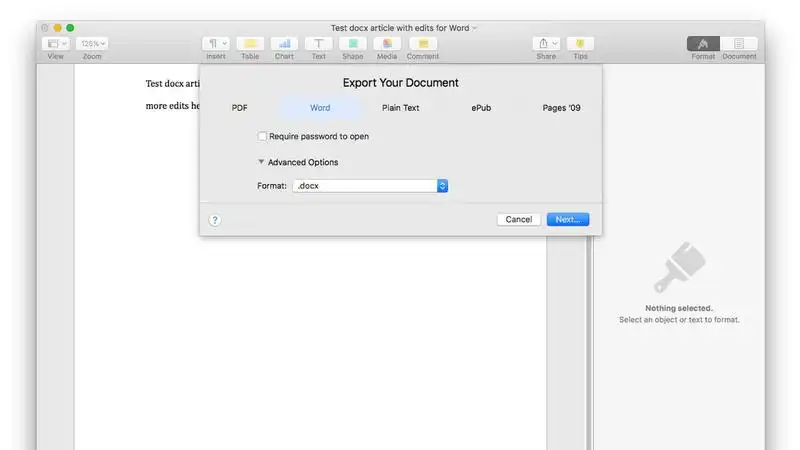
Opening Docx Files With Pages
If you’re using a Mac, you can use the built-in Pages app to open and edit DOCX files. To do so:
- Open Pages on your Mac.
- Click on the “File” menu and select “Open.”
- Browse to the location of the DOCX file you want to open.
Opening Docx Files Online
If you don’t have access to a computer or prefer not to download any software, there are several online services that allow you to open and edit DOCX files directly in your web browser. Some popular options include:
- Word Online: A free version of Microsoft Word that allows you to create, edit, and view documents online.
- Google Docs: A cloud-based word processing service that supports a wide range of file formats, including DOCX.
- Pages Online: The web-based version of Apple’s Pages app, which allows you to open and edit DOCX files online.
Opening Docx Files on Android And Ios
If you’re using an Android or iOS device, there are several apps available that allow you to open and edit DOCX files on your mobile device. Some popular options include:
- Word (Android/iOS): The official Microsoft Word app for Android and iOS devices.
- Pages (iOS/iPadOS): The Apple-made word processing app that allows you to create, edit, and view DOCX files on your iPad or iPhone.
- Google Docs (Android/iOS): The mobile version of the popular cloud-based word processing service.
Other Solutions
If you’re looking for alternative solutions to open and edit DOCX files on Android and iOS devices, consider using:
- WPS Office: A free office suite that supports a wide range of file formats, including DOCX.
- Polaris Office: Another popular office suite that allows you to create, edit, and view DOCX files on your mobile device.
Conclusion
In conclusion, opening DOCX files is no longer a challenge. With Microsoft Word, LibreOffice, WordPad, Pages, and online services like Word Online, Google Docs, and Pages Online at your disposal, there’s never been an easier time to create, edit, and view DOCX files on any device.
Frequently Asked Questions (FAQs)
- What is a Docx File?
A DOCX file is a document file format developed by Microsoft for their popular word processing software, Microsoft Word.
- How do I Open a Docx File With Microsoft Word?
If you’re using Microsoft Word on Windows or macOS, simply double-click on the DOCX file to open it.
- What if I Don’t Have Microsoft Word Installed?
You can download the free trial version from the Microsoft website and edit files with basic functionality. However, you’ll need a subscription to Microsoft 365 or acquire a license for Office Home & Student to edit and create new documents.
- Can I Use Libreoffice to Open Docx Files?
Yes! LibreOffice is an open-source office suite that’s compatible with Windows, macOS, and Linux operating systems. You can download and install it from the official website.
- How do I Open a Docx File With Wordpad?
Open WordPad on your PC, click on the “File” menu, select “Open,” and browse to the location of the DOCX file you want to open.
- Can I Use Pages to Open Docx Files?
Yes! Pages is an app built into macOS that allows you to create, edit, and view DOCX files. Simply click on the “File” menu, select “Open,” and browse to the location of the DOCX file you want to open.
- How do I Open a Docx File Online?
You can use services like Word Online, Google Docs, or Pages Online to open and edit DOCX files directly in your web browser.
- Can I Use an App on my Android or Ios Device to Open Docx Files?
Yes! There are several apps available that allow you to open and edit DOCX files on your mobile device, including Word (Android/iOS), Pages (iOS/iPadOS), and Google Docs (Android/iOS).


