
How to Play Minecraft Multiplayer: A Step-by-step Guide
Are you ready to embark on an epic adventure in the world of Minecraft? If so, you’re in luck because this guide will show you how to play Minecraft multiplayer like a pro! With our step-by-step instructions, you’ll be able to connect with friends and join servers in no time.
Understanding The Basics
Before we dive into the nitty-gritty details, let’s cover some essential concepts. Minecraft has several versions, including Java Edition and Bedrock Edition, which cater to different platforms like PC, console, and mobile devices. Each version offers unique features, so it’s crucial to understand the differences before proceeding.
Types of Servers
Minecraft servers come in various flavors, each with its own set of rules and gameplay mechanics. Here are some common types:
- Pvp (Player vs Player): These servers allow players to compete against each other in a battle royale-style game.
- Pve (Player vs Environment): In these servers, players face off against the game’s environment, which can include monsters, animals, and other obstacles.
- Whitelist And No Whitelist: Whitespace servers are private, while no whitelist servers are open to anyone.
- Vanilla: These servers offer a vanilla Minecraft experience without any modifications or customizations.
- Rpg (Role-Playing Game): RPG servers allow players to explore and interact with the game world in a more immersive way.
- Survival: In survival servers, players must gather resources, craft items, and fend off threats to survive.
- Hunger Games: This type of server is inspired by the popular book and movie series, where players compete against each other in a battle royale-style game.
- Minigames: MiniGame servers feature a variety of small-scale games that players can participate in.
How to Play Minecraft Multiplayer on PC
Now that you know about the different types of servers, let’s focus on how to play Minecraft multiplayer on PC. Here’s a step-by-step guide:
- Launch Minecraft And Click on The Multiplayer Button: Once you’ve launched the game, click on the multi-player icon to access the multiplayer menu.
- Click on Add Server: From the multiplayer menu, select “Add Server” to create a new server connection.
- Enter The Server Address And Name: Enter the IP address of the server you want to join, along with its name.
- Join The Server: Once you’ve entered the correct information, click “Join Server” to connect to the server.
How to Play Minecraft Multiplayer on Console (PS4)
Playing Minecraft multiplayer on console is slightly different from playing on PC. Here’s how:
- Launch Minecraft And Select The Online Option: From the main menu, select the “Online” option.
- Select Join a World: Choose the option to join a world created by another player or server.
- Enter The Server Address: Enter the IP address of the server you want to join.
How to Play Minecraft Multiplayer on Mobile Devices (PE)
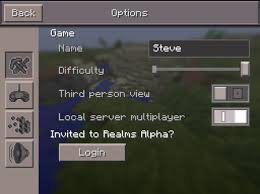
Playing Minecraft multiplayer on mobile devices is similar to playing on console. Here’s how:
- Launch Minecraft: PE And Select The Online Option: From the main menu, select the “Online” option.
- Select Join a World: Choose the option to join a world created by another player or server.
- Enter The Server Address: Enter the IP address of the server you want to join.
Troubleshooting Tips
If you encounter any issues while trying to connect to a server, here are some troubleshooting tips:
- Make sure your internet connection is stable and working properly.
- Ensure that you have entered the correct server address and name.
- Try restarting Minecraft or rebooting your device.
- Check for any updates on your Minecraft version.
Conclusion
Playing Minecraft multiplayer can be an incredibly rewarding experience. With this guide, you should now know how to play Minecraft multiplayer on PC, console, and mobile devices. Remember to always follow the rules of each server and be respectful of other players.
Frequently Asked Questions (FAQs)
- What Are The Different Types of Servers in Minecraft?
Minecraft has several types of servers, including PvP, PvE, Whitelist, No Whitelist, Vanilla, RPG, Survival, Hunger Games, MiniGames, and more. - How do I Join a Server on Pc?
To join a server on PC, launch Minecraft and select the Multiplayer button. From there, click on Add Server to create a new connection and enter the IP address of the server you want to join. - Can I Play Minecraft Multiplayer on Console?
Yes, you can play Minecraft multiplayer on console by launching Minecraft and selecting the Online option. - How do I Connect to a Server on Mobile Devices (PE)?
To connect to a server on mobile devices, launch Minecraft: PE and select the Online option. From there, choose Join a World and enter the IP address of the server you want to join. -
What Are Some Troubleshooting Tips if I’m Having Trouble Connecting to a Server?
Some common troubleshooting tips include ensuring your internet connection is stable, checking for updates on your Minecraft version, restarting Minecraft or rebooting your device, and entering the correct server address and name. -
How do I Invite Friends to Play Minecraft Multiplayer With Me?
To invite friends to play Minecraft multiplayer with you, follow these steps:
- Launch Minecraft and select the Online option.
- Select Join a World and choose the “Invite Friends” option.
-
Enter the email addresses of your friends who want to join the server.
-
Can I Create my Own Minecraft Server?
Yes, you can create your own Minecraft server using various tools and services available online. However, be aware that creating a server requires some technical expertise and may involve costs associated with hosting and maintenance.
- How do I Report Issues or Bugs on a Minecraft Multiplayer Server?
If you encounter any issues or bugs while playing Minecraft multiplayer, report them to the server administrators or moderators using in-game chat functions or online forums dedicated to the game.
- What Are Some Safety Precautions I Should Take When Playing Minecraft Multiplayer With Strangers?
When playing Minecraft multiplayer with strangers, always be cautious and keep your personal information private. Avoid sharing sensitive data, such as passwords or credit card numbers, and never agree to meet in person with someone you’ve met online.
- Can I Play Minecraft Multiplayer on my Mobile Device Without a Subscription?
Yes, you can play Minecraft multiplayer on your mobile device without a subscription by joining public servers or servers created by other players. However, some features may be limited, and you might need to pay for a subscription to access premium content or services.


