
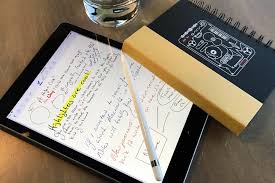
The Ultimate Guide to Note-taking Apps on Your Ipad
Are you tired of using physical notebooks or digital note-taking apps that just don’t cut it? Look no further! In this article, we’ll explore the best note-taking apps for your iPad, and how they can help you stay organized and productive.
Why Use a Note-taking App?
Note-taking apps are designed to make it easy to capture and organize your thoughts, ideas, and information. They often include features such as:
- Easy-to-use interfaces
- Rich text formatting options
- Image and audio recording capabilities
- Cloud syncing for seamless access across devices
By using a note-taking app on your iPad, you can:
- Stay organized and focused
- Capture ideas and inspiration quickly
- Collaborate with others in real-time
- Access your notes from anywhere, at any time
Top Note-taking Apps For Ipad
Here are some of the best note-taking apps available for your iPad:
1. Grades
Grades is a free app that comes pre-installed on all iPads and iPhones. It’s designed to help you create and manage grades for school or work.
- Features: Create grades, add images and audio recordings, use rich text formatting options
- Cost: Free
- Availability: Pre-installed on iPad and iPhone
2. Onenote
Microsoft OneNote is a powerful note-taking app that’s free to download from the App Store.
- Features: Create notes, add images and audio recordings, use rich text formatting options, sync across devices via Microsoft account
- Cost: Free (basic features), subscription-based for premium features
- Availability: Download from App Store
3. Bear
Bear is a note-taking app that’s designed to help you create and organize your notes with ease.
- Features: Create notes, add images and audio recordings, use rich text formatting options, sync across devices via iCloud
- Cost: Free (basic features), subscription-based for premium features
- Availability: Download from App Store
4. Evernote
Evernote is a popular note-taking app that’s available on the App Store.
- Features: Create notes, add images and audio recordings, use rich text formatting options, sync across devices via Evernote account
- Cost: Free (basic features), subscription-based for premium features
- Availability: Download from App Store
5. Simplenote
Simplenote is a minimalistic note-taking app that’s designed to help you focus on your notes.
- Features: Create notes, add images and audio recordings, use rich text formatting options, sync across devices via iCloud
- Cost: Free
- Availability: Download from App Store
6. Notability
Notability is a powerful note-taking app that’s designed to help you create and organize your notes.
- Features: Create notes, add images and audio recordings, use rich text formatting options, sync across devices via iCloud
- Cost: Subscription-based for premium features (9.99 Euros)
- Availability: Download from App Store
7. Paper
Paper is a note-taking app that’s designed to help you create and organize your notes with ease.
- Features: Create notes, add images and audio recordings, use rich text formatting options
- Cost: Free (basic features), subscription-based for premium features (2.29 Euros)
- Availability: Download from App Store
8. Nebo
Nebo is a note-taking app that’s designed to help you create and organize your notes with ease.
- Features: Create notes, add images and audio recordings, use rich text formatting options
- Cost: Free (basic features), subscription-based for premium features (2.29 Euros)
- Availability: Download from App Store
9. Goodnotes
GoodNotes is a powerful note-taking app that’s designed to help you create and organize your notes.
- Features: Create notes, add images and audio recordings, use rich text formatting options
- Cost: Subscription-based for premium features (8.99 Euros)
- Availability: Download from App Store
Conclusion
Note-taking apps are an essential tool for anyone looking to stay organized and productive on their iPad. With so many great options available, it’s easy to find one that suits your needs.
Whether you’re a student, professional, or just someone who likes to jot down ideas, there’s a note-taking app out there for you.
Frequently Asked Questions
- What is The Best Note-taking App For Ipad?
The best note-taking app for iPad depends on your specific needs and preferences. Some popular options include Grades, OneNote, Bear, and Notability. - Are Note-taking Apps Free?
Some note-taking apps are free to download and use, while others may offer premium features or subscription-based plans. - Can I Sync my Notes Across Devices?
Many note-taking apps allow you to sync your notes across devices via iCloud or other cloud services. - What Features Should I Look For in a Note-taking App?
When choosing a note-taking app, consider the following features: Ease of use, rich text formatting options, image and audio recording capabilities, and cloud syncing. - Can I Collaborate With Others on Notes?
Yes, many note-taking apps allow you to share and collaborate on notes with others in real-time.
I hope this article has been helpful in finding the perfect note-taking app for your iPad!


