
Converting Xps to Pdf: A Step-by-step Guide
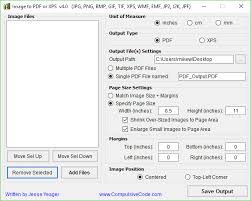
Are you tired of dealing with XPS files that are difficult to work with? Do you want to convert them into a more user-friendly format like PDF? Look no further! In this article, we will guide you through the process of converting XPS to PDF on your PC, Mac, and even online.
Why Convert Xps to Pdf?
XPS (XML Paper Specification) files are great for archiving documents, but they can be a pain to work with. They are not widely supported by many devices and software applications, making it difficult to share or edit them. On the other hand, PDFs are universally accepted and can be easily shared, edited, and printed.
Converting Xps to Pdf on PC (Windows)
To convert XPS files to PDF on your Windows PC, you don’t need to download any additional software. You can use the built-in XPS Viewer app that comes with Windows. Here’s how:
- Double-click on the XPS file to open it in the XPS Viewer.
- Click on the “File” menu and select “Print”.
- Choose the PDF printer from the list of available printers.
- Select the folder where you want to save the PDF file.
- Name your PDF file and click “Save”.
That’s it! You now have a PDF version of your XPS file.
Converting Xps to Pdf on Mac
If you’re using a Mac, the process is slightly different. Unfortunately, there isn’t an built-in XPS Viewer app like in Windows. However, you can use third-party apps to convert XPS files to PDF. Here are two options:
- Xps-to-pdf: This free app allows you to convert single XPS files to PDFs per week without any limitations. If you need more features or want to convert multiple files at once, you can upgrade to a paid license.
- Xpsview: Another option is XPSView, which not only visualizes but also converts XPS files to PDFs. Like the previous app, it has a free version that limits you to one conversion per week.
Converting Xps to Pdf Online
If you don’t want to download any software or use your device’s resources, you can convert XPS files to PDF online. Here are three reliable options:
- Online2pdf: This service allows you to upload and convert multiple XPS files to PDFs without any file size limitations. The converted files will be deleted after 24 hours.
- Zamzar: Another excellent online converter that supports a wide range of file types, including XPS. You can upload up to 50MB per file, and the service will delete your files after 24 hours or immediately after conversion.
- Cloudconvert: This all-in-one converter supports almost every file format, including XPS and PDF. You can convert multiple files at once, but be aware that there are limitations on daily conversions, file size, and simultaneous uploads.
Converting Xps to Pdf on Smartphone And Tablet
Unfortunately, converting XPS files to PDFs on smartphones and tablets is not as straightforward as it is on PC or Mac. While there are some apps available in the App Store or Google Play that claim to convert XPS to PDF, many of them require subscription plans or in-app purchases.
Our recommendation would be to use the online conversion services we mentioned earlier. They offer a more convenient and cost-effective solution for converting XPS files to PDFs on your mobile device.
Conclusion
Converting XPS files to PDFs is a simple process that can be done on PC, Mac, or even online. Whether you’re working with XPS files as part of your daily workflow or just need to convert an occasional file, we hope this guide has provided you with the necessary information and tools to achieve your goal.
Frequently Asked Questions
- What is The Difference Between Xps And Pdf?
XPS (XML Paper Specification) is a format developed by Microsoft for archiving documents, while PDF (Portable Document Format) is a widely accepted standard for sharing and viewing documents. - Can I Convert Multiple Xps Files to Pdfs at Once?
Yes, most online conversion services allow you to upload and convert multiple XPS files to PDFs simultaneously. - How Long Does The Conversion Process Take?
The conversion time depends on the file size, internet connection speed, and service used. Most online converters complete conversions within minutes or hours. - Are There Any Limitations to Converting Xps Files to Pdfs?
Yes, some online services have limitations on daily conversions, file size, or simultaneous uploads. Be sure to check the terms of each service before using it. - Can I Convert an Entire Folder of Xps Files to Pdfs?
Some online converters allow you to upload and convert entire folders of XPS files to PDFs at once. Check the documentation for each service to confirm their capabilities. - Is it Safe to Convert Xps Files to Pdfs Online?
Yes, reputable online conversion services like Online2PDF, Zamzar, or CloudConvert use secure servers to protect your files during the conversion process.
Let us know if you have any further questions!


