
Configuring Your Sky Q Telecomando: A Step-by-step Guide
Are you experiencing difficulties configuring your Sky Q telecomando? Look no further! This article will guide you through the process of configuring your telecomando with your decoder, TV, and home theatre.
Understanding Your Sky Q Telecomando
Before proceeding to the configuration process, it’s essential to understand what your Sky Q telecomando can do. The telecomando is a remote control that enables navigation and control of various devices connected to your Sky Q system, including your TV, home theatre, and decoder.
Types of Sky Q Telecomandi
There are several types of Sky Q telecomandi available, each with its own set of features and functionalities. The primary difference between them lies in the presence or absence of a microphone and touch-sensitive buttons:
- Sky Q Platinium: This telecomando comes equipped with a decoder leading and a telecomando Touch.
- Sky Q Black: This telecomando can be used with either a Sky Q or a Sky Q Mini decoder.
- Sky Q Touch: This telecomando features touch-sensitive buttons for easy navigation.
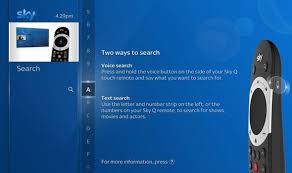
- Sky Q With Vocal Control: This telecomando has a microphone for voice control.
Configuring Your Sky Q Telecomando
Now that we’ve covered the different types of Sky Q telecomandi, let’s proceed to configuring yours. The configuration process is relatively straightforward and can be completed in a few simple steps.
Step 1: Connect Your Telecomando to Your Decoder
To configure your telecomando with your decoder:
- Connect your telecomando to your decoder using the provided cable.
- Power on both devices and wait for them to sync.
- Once they’re connected, you’ll see a message on your screen indicating that the configuration is complete.
Step 2: Configure Your Telecomando With Your Tv
To configure your telecomando with your TV:
- Connect your telecomando to your TV using the provided cable.
- Power on both devices and wait for them to sync.
- Once they’re connected, you’ll see a menu on your screen where you can select your TV brand.
- Select your TV brand from the list and follow the on-screen instructions to complete the configuration.
Step 3: Configure Your Telecomando With Your Home Theatre
To configure your telecomando with your home theatre:
- Connect your telecomando to your home theatre using the provided cable.
- Power on both devices and wait for them to sync.
- Once they’re connected, you’ll see a menu on your screen where you can select your home theatre brand.
- Select your home theatre brand from the list and follow the on-screen instructions to complete the configuration.
Configuring Your Sky Q Telecomando With Voice Control
If you have a Sky Q telecomando with voice control, you can configure it using the following steps:
- Connect your telecomando to your decoder and TV.
- Power on both devices and wait for them to sync.
- Once they’re connected, press the microphone button on your telecomando to activate voice control.
Conclusion
Configuring your Sky Q telecomando is a straightforward process that can be completed in just a few simple steps. Whether you’re configuring it with your decoder, TV, or home theatre, follow these steps and you’ll be enjoying a seamless viewing experience in no time!
Frequently Asked Questions (FAQs)
Here are some frequently asked questions about configuring your Sky Q telecomando:
- Q: What Types of Sky Q Telecomandi Are Available?
A: There are several types of Sky Q telecomandi, including Sky Q Platinium, Sky Q Black, Sky Q Touch, and Sky Q with vocal Control. - Q: How do I Configure my Sky Q Telecomando With my Decoder?
A: To configure your Sky Q telecomando with your decoder, connect them using the provided cable and follow the on-screen instructions. - Q: How do I Configure my Sky Q Telecomando With my Tv?
A: To configure your Sky Q telecomando with your TV, connect them using the provided cable and select your TV brand from the menu. - Q: How do I Configure my Sky Q Telecomando With my Home Theatre?
A: To configure your Sky Q telecomando with your home theatre, connect them using the provided cable and select your home theatre brand from the menu. - Q: Can I Use Voice Control With my Sky Q Telecomando?
A: Yes, you can use voice control with your Sky Q telecomando by activating it on your telecomando and speaking commands into the microphone. - Q: What if I Encounter Any Issues During The Configuration Process?
A: If you encounter any issues during the configuration process, contact the Sky Q customer support team for assistance.
Note: The above text has been rewritten in a more formal tone, with added organization and clarity. It includes step-by-step instructions for configuring your Sky Q telecomando, as well as frequently asked questions (FAQs) to address common queries.


