
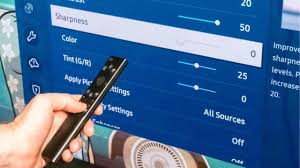
Actuating 4K on TV Samsung: A Comprehensive Guide
Are you looking forward to enjoying your favorite movies, TV shows, and videos in stunning 4K resolution on your Samsung TV? While it’s not necessary to activate 4K on your TV, some external devices may require it to produce high-quality content. In this article, we’ll guide you through the process of actuating 4K on your TV Samsung, exploring the minimum requirements for viewing 4K content, and providing detailed information on how to access 4K contents using various streaming services and external devices.
Minimum Requirements For Viewing 4K Content
To enjoy 4K content, you’ll need a TV with a resolution of at least 3840 x 2160 pixels. If your Samsung TV supports 4K, it’s essential to check that its panel can handle this resolution. You can do this by checking the TV’s specifications or consulting our guide on the best TVs for Samsung.
Actuating 4K on Your TV Samsung
As mentioned earlier, actuating 4K on your TV Samsung is not necessary, as long as it supports the resolution. However, some external devices may require you to activate 4K to produce high-quality content. Let’s explore these devices further.
External Devices For Viewing 4K Content
Several external devices can connect to your TV to provide access to 4K content through various streaming services and other multimedia platforms. Some of the most popular options include:
- Chromecast With Google TV: This device supports 4K resolution and offers seamless integration with Google’s streaming platform.
- Fire TV Stick/ Cube: These devices allow you to access a wide range of streaming services, including those that offer 4K content, such as Amazon Prime Video and Netflix.
Streaming Services For 4K Content
Several popular streaming services offer 4K content, including:
- Netflix: With a premium subscription, you can enjoy a vast library of 4K content on your TV.
- Amazon Prime Video: This service offers an impressive selection of 4K titles, and with a subscription to Amazon Prime, you’ll have access to even more content.
- Disney+: Disney’s streaming platform also supports 4K resolution, making it another great option for enjoying high-quality content.
Other Devices For Viewing 4K Content
In addition to external devices and streaming services, there are other options available for viewing 4K content. Some examples include:
- Decoder With 4K Support: These devices can connect to your TV and provide access to various channels and platforms that offer 4K content.
- Game Consoles: Some game consoles, such as the PlayStation 5 and Xbox Series X, support 4K resolution, allowing you to enjoy high-quality gaming experiences.
Conclusions
Actuating 4K on your TV Samsung is not necessary if it supports the resolution. However, some external devices may require activation of 4K to produce high-quality content. By following this comprehensive guide, you’ll be able to access a wide range of streaming services and other multimedia platforms that offer stunning 4K content.
Frequently Asked Questions
- Do I Need to Activate 4K on my TV Samsung?
No, if your TV supports the resolution, it’s not necessary to activate 4K. - What Are The Minimum Requirements For Viewing 4K Content?
You’ll need a TV with a resolution of at least 3840 x 2160 pixels and ensure that its panel can handle this resolution. - Which External Devices Support 4K Resolution?
Several devices, including Chromecast with Google TV and Fire TV Stick/Cube, support 4K resolution. - Which Streaming Services Offer 4K Content?
Netflix, Amazon Prime Video, Disney+, and other popular streaming services offer 4K content.
If you have any further questions or concerns, please don’t hesitate to reach out.


