
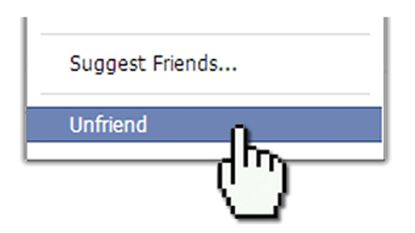
Discover Who Unfriended You on Facebook: A Step-by-step Guide
Are you curious about who has unfriended you on Facebook? Do you want to know why someone suddenly stopped being friends with you? In this article, we’ll explore the ways to find out who has removed you from their friend list.
The Problem of Unfriending on Facebook
It’s not uncommon for people to remove others from their friend list without any warning or explanation. This can be due to various reasons such as changes in personal relationships, disagreements, or simply because they no longer want to keep in touch with someone.
Why Do You Want to Know Who Unfriended You?
Knowing who unfriended you on Facebook can give you valuable insights into the dynamics of your online relationships. It may also help you understand why someone decided to cut ties with you, which can be helpful for personal growth and improvement.
Method 1: Checking Your Friend List From a Smartphone or Tablet
If you want to find out who unfriended you using your smartphone or tablet, here’s what you need to do:
- Open the Facebook app on your device.
- Tap on the menu icon (three horizontal lines) and select “Friends”.
- Scroll down to the “See All Friends” option and tap on it.
- Tap on the search bar at the top of the screen and enter the name of the person you suspect has unfriended you.
- If the person’s profile appears in the search results, it means they are still your friend. However, if their profile does not appear or shows a “Nessun risultato trovato” message (meaning “No result found”), it indicates that they have removed you from their friend list.
Method 2: Checking Your Friend List From a Computer
If you prefer to use a computer to check your friend list, here’s what you need to do:
- Open the Facebook website on your browser.
- Log in to your account using your email and password.
- Click on the “Friends” tab on the left-hand side of the screen.
- Scroll down to the “See All Friends” option and click on it.
- Click on the search bar at the top of the screen and enter the name of the person you suspect has unfriended you.
- If the person’s profile appears in the search results, it means they are still your friend. However, if their profile does not appear or shows a “No results found” message, it indicates that they have removed you from their friend list.
Using Facebook Extensions to Discover Who Unfriended You
Another way to find out who unfriended you is by using Facebook extensions for your browser. Some popular extensions include:
- Who Deleted Me — Unfriend Finder: This extension allows you to see a list of people who have removed you from their friend list.
- Friend Finder: This extension helps you discover new friends and also shows you who has unfriended you.
However, please note that using Facebook extensions may require granting some permissions to access your personal data, which can be a risk for your privacy.
Using The Unfriend Finder App
If you prefer to use a mobile app to find out who unfriended you, there’s an app called Unfriend Finder For Facebook available for both Android and iOS devices. This app allows you to see a list of people who have removed you from their friend list and also provides optional shopping features.
To install the app on your device:
- Go to the App Store (for iOS devices) or Google Play Store (for Android devices).
- Search for “Unfriend Finder For Facebook” and download the app.
- Open the app and grant the necessary permissions to access your Facebook account.
- Tap on the “Get Started” button and follow the instructions to see who has unfriended you.
Conclusion
In conclusion, discovering who unfriended you on Facebook can be a straightforward process using various methods such as checking your friend list from a smartphone or computer, using Facebook extensions, or installing mobile apps. However, it’s essential to remember that some of these methods may require granting permissions to access your personal data, which can be a risk for your privacy.
Frequently Asked Questions (FAQs)
- Q: Why do I Want to Know Who Unfriended me on Facebook?
A: Knowing who unfriended you can give you valuable insights into the dynamics of your online relationships and help you understand why someone decided to cut ties with you. - Q: How Can I Find Out Who Unfriended me From a Smartphone or Tablet?
A: You can check your friend list from the Facebook app on your device by following the steps outlined in Method 1. - Q: What Are Some Popular Facebook Extensions That Help me Discover Who Unfriended Me?
A: Some popular extensions include Who Deleted Me — Unfriend Finder and Friend Finder, but be aware of the risks involved with granting permissions to access your personal data. - Q: How Can I Install The Unfriend Finder App on my Device?
A: You can download the Unfriend Finder For Facebook app from the App Store (for iOS devices) or Google Play Store (for Android devices). - Q: What Are Some Other Reasons Why Someone Might Unfriend me on Facebook?
A: There may be various reasons such as changes in personal relationships, disagreements, or simply because they no longer want to keep in touch with you. - Q: Can I Use The Unfriend Finder App to See Who Has Unfriended me From a Certain Time Period?
A: Yes, the Unfriend Finder app allows you to see who has unfriended you since you installed the app or within a specific timeframe (e.G., Past week, month, etc.). - Q: How Can I Ensure my Online Relationships Are Healthy And Respectful?
A: Maintaining open communication, respect, and empathy in your online interactions is crucial to building strong and healthy relationships.
By following these methods and using the right tools, you’ll be able to discover who unfriended you on Facebook and gain a better understanding of their motivations.


