
How to Download a Youtube Playlist
Are you tired of having to watch YouTube playlists online? Do you want to be able to download them and watch them offline on your computer or smartphone? Look no further! In this article, we will guide you through the process of downloading a YouTube playlist using various methods.
Why Download a Youtube Playlist?
There are many reasons why you might want to download a YouTube playlist. For example, if you have a long commute and want to be able to watch your favorite videos on the go, downloading them can be a great option. Similarly, if you have a slow internet connection or want to save data on your phone, downloading playlists can be a lifesaver.
Method 1: Using Jdownloader
One of the most popular methods for downloading YouTube playlists is using JDownloader. This free software allows you to download entire playlists with just one click. Here’s how to use it:
- Step 1: Download and install JDownloader on your computer.
- Step 2: Open JDownloader and go to the “Capture Links” tab.
- Step 3: Copy the URL of the YouTube playlist you want to download and paste it into the JDownloader interface.
- Step 4: Click on the “Process Playlist” button to initiate the download process.
Method 2: Using Loader.To
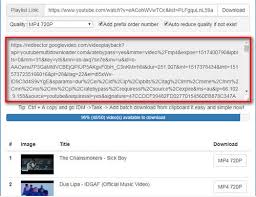
Another method for downloading YouTube playlists is using Loader.To. This online service allows you to download entire playlists without having to install any software. Here’s how to use it:
- Step 1: Go to the Loader.To website and copy the URL of the YouTube playlist you want to download.
- Step 2: Paste the URL into the Loader.To interface and select the format in which you want to save the video.
- Step 3: Click on the “Download” button to initiate the download process.
Method 3: Using Tubemate (Android)
If you’re using an Android device, you can use TubeMate to download YouTube playlists. This app allows you to download entire playlists and convert them into various formats. Here’s how to use it:
- Step 1: Download and install TubeMate on your Android device.
- Step 2: Open TubeMate and go to the “Playlists” tab.
- Step 3: Select the YouTube playlist you want to download and click on the “Download” button.
Method 4: Using Videoder (Android)
Another app for downloading YouTube playlists is Videoder. This app allows you to download entire playlists and convert them into various formats. Here’s how to use it:
- Step 1: Download and install Videoder on your Android device.
- Step 2: Open Videoder and go to the “Playlists” tab.
- Step 3: Select the YouTube playlist you want to download and click on the “Download” button.
Method 5: Using Total Files (iOS/iPadOS)
If you’re using an iOS or iPadOS device, you can use Total Files to download YouTube playlists. This app allows you to download entire playlists and convert them into various formats. Here’s how to use it:
- Step 1: Download and install Total Files on your iOS or iPadOS device.
- Step 2: Open Total Files and go to the “Playlists” tab.
- Step 3: Select the YouTube playlist you want to download and click on the “Download” button.
Conclusion
Downloading a YouTube playlist can be a convenient way to enjoy your favorite videos offline. Whether you use JDownloader, Loader.To, TubeMate, Videoder, or Total Files, there are many options available for downloading playlists. Just remember to always follow copyright laws and respect the rights of content creators.
Frequently Asked Questions
- What is The Best Method For Downloading a Youtube Playlist?
The best method depends on your specific needs and device. JDownloader is a popular option for computer users, while TubeMate and Videoder are great choices for Android users. - Can I Download a Youtube Playlist Without Installing Any Software?
Yes, you can use Loader.To to download a YouTube playlist online without installing any software. - Is it Legal to Download a Youtube Playlist?
Yes, downloading a YouTube playlist is generally legal as long as you have the permission of the content creator or are using a service that has been authorized by YouTube. - Can I Convert a Youtube Playlist Into a Different Format?
Yes, many of the methods mentioned above allow you to convert a YouTube playlist into a different format, such as MP3 or MP4. - Is There a Limit on How Many Videos I Can Download at Once?
Some services may have limits on how many videos you can download at once, but this varies depending on the specific service and your plan. - Can I Use These Methods to Download Playlists From Other Video-sharing Platforms?
No, most of these methods are specifically designed for YouTube playlists. However, there may be alternative services that allow you to download playlists from other video-sharing platforms.
Additional Resources
- Jdownloader Official Website: Www.Jdownloader.Org
- Loader.To Official Website: Loader.To
- Tubemate Official Website: Www.Tubemate.Net
- Videoder Official Website: Www.Videoder.In
- Total Files Official Website: Www.Totalfiles.App


