
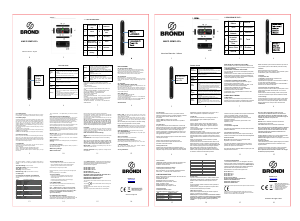
How to Set Up The Emergency Call Feature on Your Brondi Phone
Are you looking for a way to ensure your safety in emergency situations? The emergency call feature on your Brondi phone can be a lifesaver. In this article, we will guide you through the process of setting up the emergency call feature on your Brondi phone.
What is The Emergency Call Feature?
The emergency call feature allows you to quickly and easily initiate a call to a list of pre-selected contacts in case of an emergency. This feature can be especially useful for individuals who may not have access to their phone or who are unable to communicate with others.
How to Set Up The Emergency Call Feature on Your Brondi Phone
Setting up the emergency call feature on your Brondi phone is a relatively straightforward process. Here’s a step-by-step guide:
- Access The Menu: Press the OK button to access the menu.
- Select Settings: Use the arrow buttons to select the “Settings” option.
- Choose Emergency Call: Select the “Emergency Call” option from the settings menu.
- Select Contacts: Choose the contacts you want to include in your emergency call list.
How to Assign Contacts to The Emergency Call Feature
To assign contacts to the emergency call feature, follow these steps:
- Access The Contact List: Press the OK button to access the contact list.
- Choose a Contact: Select the contact you want to add to the emergency call list.
- Assign to Emergency Call: Choose the “Assign to Emergency Call” option.
How to Configure The Emergency Call Feature
Once you have assigned contacts to the emergency call feature, you can configure the settings to suit your needs. Here’s how:
- Access The Settings Menu: Press the OK button to access the settings menu.
- Choose Emergency Call: Select the “Emergency Call” option from the settings menu.
- Configure Settings: Configure the settings as desired.
How to Use The Emergency Call Feature
Using the emergency call feature is easy. Here’s how:
- Press And Hold The Sos Button: Press and hold the SOS button for 3 seconds to initiate an emergency call.
- Choose a Contact: Select a contact from your emergency call list.
Tips And Variations
Here are some tips and variations to keep in mind when using the emergency call feature:
- Make sure to test the emergency call feature regularly to ensure it’s working properly.
- Consider adding additional contacts to your emergency call list.
- If you’re using a cordless Brondi phone, follow the specific instructions for that model.
Conclusion
Setting up the emergency call feature on your Brondi phone is an important step in ensuring your safety and well-being. By following these simple steps, you can quickly and easily initiate a call to a list of pre-selected contacts in case of an emergency.
Frequently Asked Questions (FAQs)
Here are some frequently asked questions about the emergency call feature:
- Q: What is The Emergency Call Feature?
A: The emergency call feature allows you to quickly and easily initiate a call to a list of pre-selected contacts in case of an emergency. - Q: How do I Set up The Emergency Call Feature on my Brondi Phone?
A: To set up the emergency call feature, access the menu, select settings, choose emergency call, and select contacts. - Q: How do I Assign Contacts to The Emergency Call Feature?
A: To assign contacts, access the contact list, choose a contact, and assign it to the emergency call feature. - Q: Can I Configure The Emergency Call Feature?
A: Yes, you can configure the settings for the emergency call feature by accessing the settings menu. - Q: How do I Use The Emergency Call Feature?
A: To use the emergency call feature, press and hold the SOS button for 3 seconds to initiate a call to one of your pre-selected contacts.
Additional Tips
- Make sure to read the manual that comes with your Brondi phone for specific instructions on setting up the emergency call feature.
- Consider adding additional contacts to your emergency call list.
- Test the emergency call feature regularly to ensure it’s working properly.


