
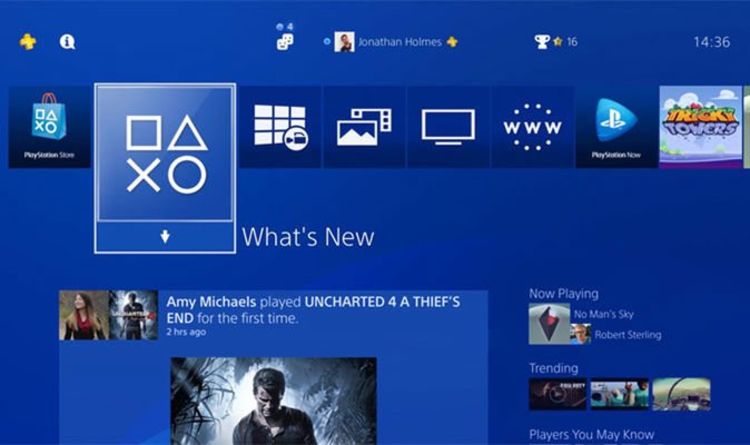
How to Change Your Name on Ps4: A Step-by-step Guide
Are you tired of your current name on the PlayStation 4? Do you want to change it to something more fitting or just plain fun? Look no further! In this article, we will guide you through the process of changing your name on PS4.
Why Change Your Name on Ps4?
Before we dive into the nitty-gritty of changing your name, let’s talk about why you might want to do so in the first place. Perhaps you’ve grown tired of your current moniker or simply want to spruce up your online presence. Whatever the reason, changing your name is a relatively simple process that can be completed in just a few minutes.
The Three Types of Names on Ps4
Before we begin, it’s essential to understand the three types of names associated with your PSN account:
- Name: This is the name that appears in your profile and is used for communications within the PlayStation Network.
- Online ID (ID): This is an alternative name that can be displayed publicly on the PlayStation Network, but it’s not necessarily linked to your actual identity.
- Public Name (Royal Name): This is the name that appears publicly on the PlayStation Network and is visible to all users.
Changing Your Name on Ps4
Now that we’ve covered the basics, let’s get started with the process of changing your name on PS4!
- Access The Settings Menu: From the PS4 dashboard, navigate to the “Settings” menu.
- Select Account Management: Choose “Account Management” from the settings menu.
- Select Profile And Name: Select “Profile and Name” from the account management menu.
- Change Your Name: Click on the “Edit” button next to your current name and enter your new desired name.
Changing Your Royal Name on Ps4
To change your royal name, follow these steps:
- Access The Settings Menu: From the PS4 dashboard, navigate to the “Settings” menu.
- Select Account Management: Choose “Account Management” from the settings menu.
- Select Profile And Name: Select “Profile and Name” from the account management menu.
- Change Your Royal Name: Click on the “Edit” button next to your current royal name and enter your new desired royal name.
Changing Your ID (Online Id) on Ps4
To change your online ID, follow these steps:
- Access The Settings Menu: From the PS4 dashboard, navigate to the “Settings” menu.
- Select Account Management: Choose “Account Management” from the settings menu.
- Select Profile And Name: Select “Profile and Name” from the account management menu.
- Change Your Online ID: Click on the “Edit” button next to your current online ID and enter your new desired online ID.
Changing Your Royal Name, Online Id, or Both on PC
To change your royal name, online ID, or both on a computer:
- Access The Playstation Network Website: Go to the official PlayStation website.
- Sign In to Your Account: Sign in to your account using your email address and password.
- Select Profile And Name: Select “Profile and Name” from the account management menu.
- Change Your Desired Information: Click on the “Edit” button next to the information you want to change (name, royal name, or online ID) and enter your new desired information.
Changing Your Royal Name, Online Id, or Both on a Smartphone or Tablet
To change your royal name, online ID, or both on a smartphone or tablet:
- Open The Playstation App: Open the official PlayStation app on your device.
- Sign In to Your Account: Sign in to your account using your email address and password.
- Select Profile And Name: Select “Profile and Name” from the account management menu.
- Change Your Desired Information: Click on the “Edit” button next to the information you want to change (name, royal name, or online ID) and enter your new desired information.
Conclusion
Changing your name on PS4 is a simple process that can be completed in just a few minutes. Whether you’re looking to spruce up your online presence or simply want to try out a new name, this guide has provided you with the necessary steps to achieve your goal.
Frequently Asked Questions (FAQs)
Here are some additional questions and answers:
Q: Can I Change my Name on Ps4?
A: Yes, you can change your name on PS4 by following the steps outlined in this article.
Q: How do I Change my Royal Name on Ps4?
A: To change your royal name, follow the same steps as changing your name on PS4.
Q: Can I Change my Online ID (ID) on Ps4?
A: Yes, you can change your online ID by following the steps outlined in this article.
Q: Will Changing my Name or Online ID Affect my Gaming Experience?
A: No, changing your name or online ID will not affect your gaming experience. It’s a cosmetic change only.
Q: Can I Use a Different Name or Online ID on Ps4 And on Pc?
A: Yes, you can use different names or online IDs on PS4 and on PC.


