
How to Chat on Tinder: A Step-by-step Guide
Are you curious about how to chat on Tinder, but unsure where to start? Look no further! This article will guide you through the process of chatting with others on this popular dating platform.
Understanding How Tinder Works
Before we dive into the nitty-gritty of chatting on Tinder, it’s essential to understand how the platform works. Tinder is a location-based social search mobile app that allows users to swipe through profiles based on their interests, age, and location. If two users mutually like each other, they can start a chat.
Creating Your Profile
To start chatting on Tinder, you need to create a profile. This involves uploading a photo, writing a bio, and specifying your preferences for potential matches. Once you’ve created your profile, you can start swiping through profiles and match with others who have similar interests.
Chattare On Tinder: How to Start a Conversation
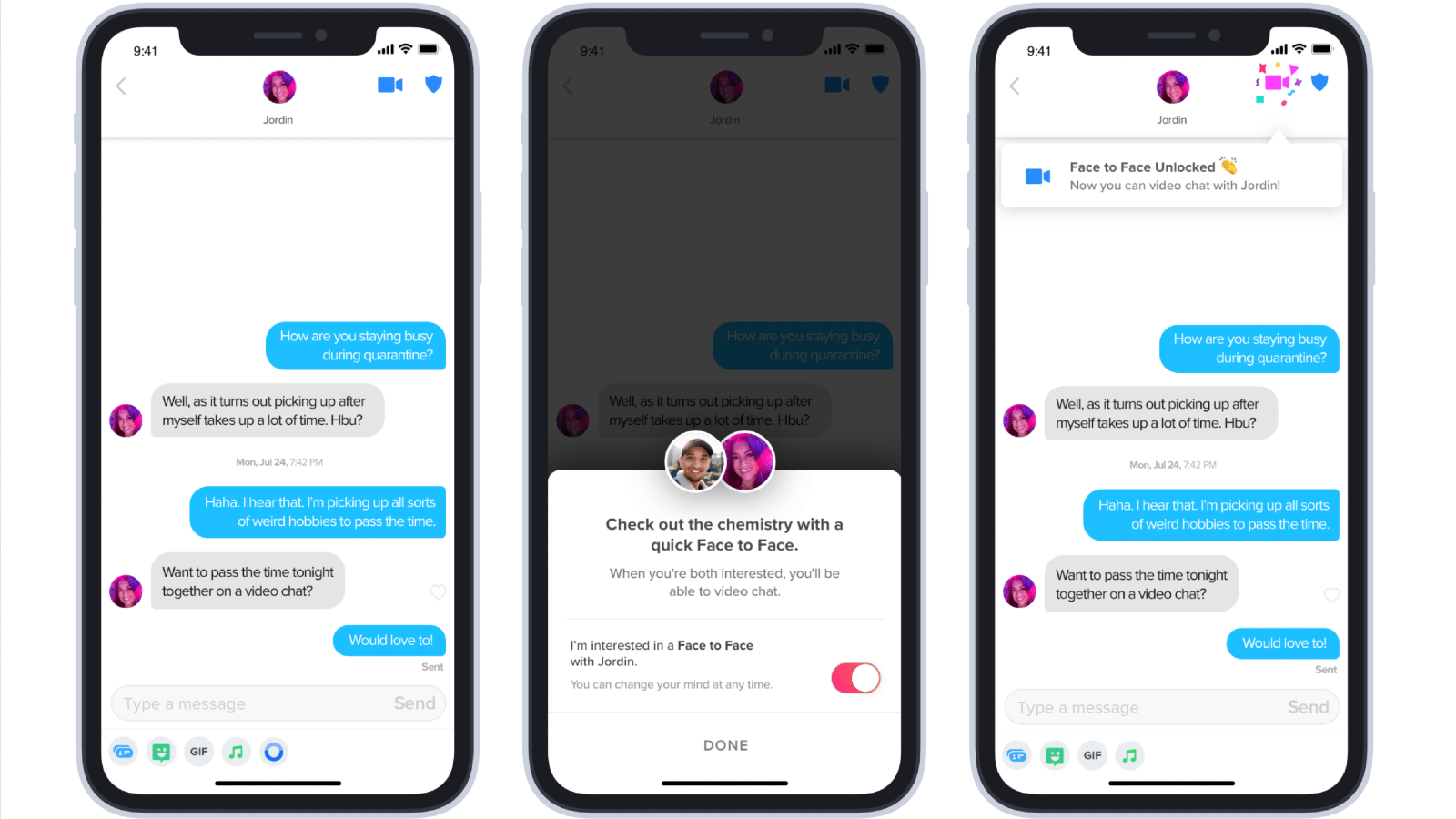
Now that you’ve matched with someone, it’s time to start a conversation! Here’s how:
- Use The “Type a Message” Field: This is where you’ll write your initial message. Keep it light and casual, just like a text message.
- Add a Gif or Sticker: If you want to add some personality to your message, consider adding a GIF or sticker. Just click on the icon with the two comic strips in the bottom right corner of the screen.
- Forward a Song: If you want to start a conversation in a unique way, consider forwarding a song that’s relevant to the other person’s interests.
How to Chat On Tinder on Your Smartphone And Tablet
If you’re using your smartphone or tablet to chat on Tinder, here’s how to get started:
- Download The App: First, make sure you have the Tinder app installed on your device.
- Open The App: Once you’ve downloaded the app, open it up and sign in with your account information.
- Allow Location Services: To use Tinder, you need to allow location services. This will help the app match you with people who are nearby.
- Start Swiping: Now that you’re all set up, start swiping through profiles! If you see someone you like, tap the heart icon in the bottom right corner of their profile picture.
How to Chat On Tinder on Your Computer
If you prefer using your computer to chat on Tinder, here’s how to get started:
- Open a Web Browser: First, open up a web browser (like Google Chrome or Safari) and navigate to www.Tinder.Com.
- Sign in With Your Account Information: Once you’re on the website, sign in with your Tinder account information.
- Start Swiping: Now that you’re all set up, start swiping through profiles! If you see someone you like, tap the heart icon in the bottom right corner of their profile picture.
Tinder Plus And Gold: What Are They?
If you’re interested in getting more out of your Tinder experience, consider upgrading to Tinder Plus or Tinder Gold. These premium features offer additional perks, such as:
- Super Likes: With a Super Like, you can show someone that you’re really interested in them.
- Boost: This feature allows you to highlight your profile and increase the chances of matching with others.
Conclusion
Chatting on Tinder is easier than ever! By following these steps, you’ll be able to start conversations with others who share similar interests. Just remember to keep it light and casual, and don’t forget to add some personality to your messages. Happy swiping!
Frequently Asked Questions (FAQs)
Here are answers to some frequently asked questions about chatting on Tinder:
- Do I Need to Pay For Tinder?
No, you don’t have to pay for Tinder. The app is free to download and use, with no hidden fees or charges.
2. Can I Chat With Anyone on Tinder?
Yes, you can chat with anyone who has also expressed an interest in you. This means that if someone swipes right on your profile, you’ll see their profile in the “Matches” section of your app.
3. What Happens When I Swipe Left or Right on a Profile?
When you swipe left or right on a profile, you’re expressing your interest (or lack thereof) in the other person. If someone swipes right on your profile and you also swipe right on theirs, you’ll match!
4. Can I Report Someone Who is Being Rude or Harassing me on Tinder?
Yes, if someone is being rude or harassing you on Tinder, please report them to the app’s moderators. They’re there to ensure that everyone has a safe and enjoyable experience.
5. How do I Delete my Account From Tinder?
If you decide that you no longer want to use Tinder, it’s easy to delete your account. Just go to the “Settings” section of your app and follow the prompts.
References:
- Tinder Official Blog: This article provides a comprehensive overview of how to chat on Tinder.
- The Verge: In this article, The Verge discusses the benefits and drawbacks of using Tinder for dating.
- Cosmopolitan Magazine: Cosmo has put together a list of tips and tricks for getting more out of your Tinder experience.
I hope you found this guide helpful! If you have any further questions or need additional clarification on anything, feel free to ask.
Sources:
- Tinder’s Official Blog
- The Verge
- Cosmopolitan Magazine


